Key takeaways
- Ollama is a tool for running open-source AI models locally on your own computer, with a simple command-line and API.
- Running models locally means privacy (your data stays on your machine) and offline capability — no cloud required.
- It supports many open models and integrates with developer tools; a cloud tier runs larger models on datacenter hardware.
- Best for developers and privacy-conscious users; local models need decent hardware and are smaller than top cloud models.
What Ollama is
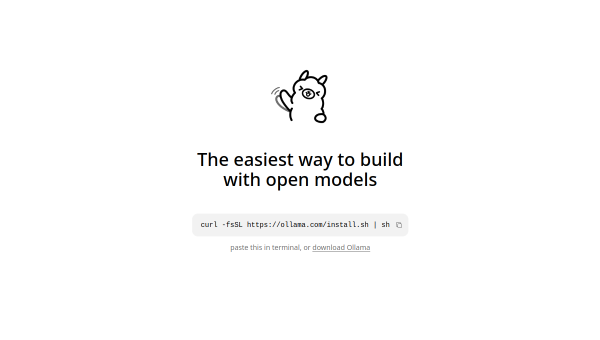
Ollama is a tool that makes running open-source AI models on your own machine genuinely easy. Where using local models used to involve fiddly setup, Ollama reduces it to a simple command — pull a model and run it — with a clean API for building applications on top. Its pitch is being “the easiest way to build with open models,” and it has become the go-to tool for developers and enthusiasts who want to run AI locally rather than relying on cloud services like ChatGPT’s API.
The core appeal is control and privacy. When a model runs on your own computer, your prompts and data never leave your machine, and the model works offline. For privacy-sensitive work, experimentation, or building applications where you do not want to send data to a third party, that local-first approach is genuinely valuable — and Ollama makes it accessible.
The features
Ollama runs a wide range of open models locally through a simple interface and API, works offline, and integrates with developer tools and applications (including AI coding tools). It offers a hybrid path: start locally, then scale to its cloud tier — with Pro and Max plans running larger models on datacenter hardware across multiple regions — when you need more power than your machine provides. It emphasises data privacy, noting that models are not trained on user data.
The local-first design is the standout, but it comes with a practical reality: running capable models locally requires reasonably powerful hardware (especially memory and, ideally, a GPU), and the open models you can run locally are generally smaller and less capable than the largest cloud models like GPT or Claude. The cloud tier bridges that gap for bigger models. As with any model, verify important output — local or not, LLMs can be wrong.
Strengths and limits
The strengths are simplicity, privacy and control. Ollama removes the friction from running local models, keeps your data on your machine, works offline, and gives developers a clean API to build on — with an optional cloud path for larger models. For privacy-conscious and developer use, it is excellent.
The limits: local models demand capable hardware and are smaller/less powerful than the biggest cloud models, so for maximum capability the cloud giants still lead. It is a developer-oriented tool (though increasingly approachable), and the usual LLM caveats about accuracy apply. It trades some raw capability for privacy and control — a trade many will happily make.
Who it suits
- Developers who want to run and build with open models locally.
- Privacy-conscious users who need AI that keeps data on their own machine.
- Anyone wanting offline AI, with an optional cloud path for larger models.
Verdict
Ollama is the easiest and most popular way to run open-source AI models locally, delivering privacy, offline capability and developer-friendly simplicity, with a cloud tier when you need larger models. For privacy-conscious users and developers who want control over their data, it is an excellent tool. The trade-offs are practical — local models need decent hardware and are smaller than top cloud models — and the usual accuracy caveats apply. But for local, private AI made simple, Ollama is the standard-bearer.
Top Ollama alternatives
Other hand-reviewed Open Source tools worth comparing against Ollama.
AgentGPTFreemium
AgentGPT by Reworkd is a freemium AI agents and automation tool for operations managers. Our review covers what…
Auto-GPTFree
Auto-GPT by Significant Gravitas is a free AI agents and automation tool for operations managers. Our review covers…
BabyAGIFree
BabyAGI by Yohei Nakajima is a free AI agents and automation tool for operations managers. Our review covers…
BERTFree
BERT by Google Research is a free AI developer tool and open source tool for engineers. Our review…
CrewAIFreemium
CrewAI is a freemium AI agents and automation tool for engineers. Our review covers what it does, pricing,…
Hugging FaceFreemium
Hugging Face is a freemium AI data analysis and developer tool tool for engineers. Our review covers what…
Are you the maker of Ollama?
Show visitors this review with the badge below. Copy the code into your site or press kit; it links straight back to this page.