Key Takeaways
- Foxit PDF Editor is a full-featured PDF suite positioned as an Adobe Acrobat alternative.
- Foxit AI adds document summarization, translation, smart search, and content extraction.
- It works across desktop, mobile, and web, with editing, collaboration, and e-signing.
- Strong value versus Acrobat; the AI is a helpful assistant layered on a solid editor.
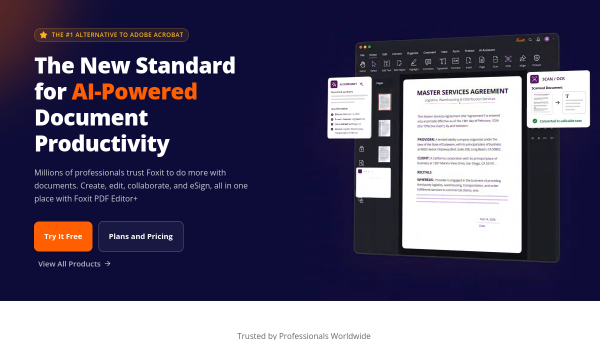
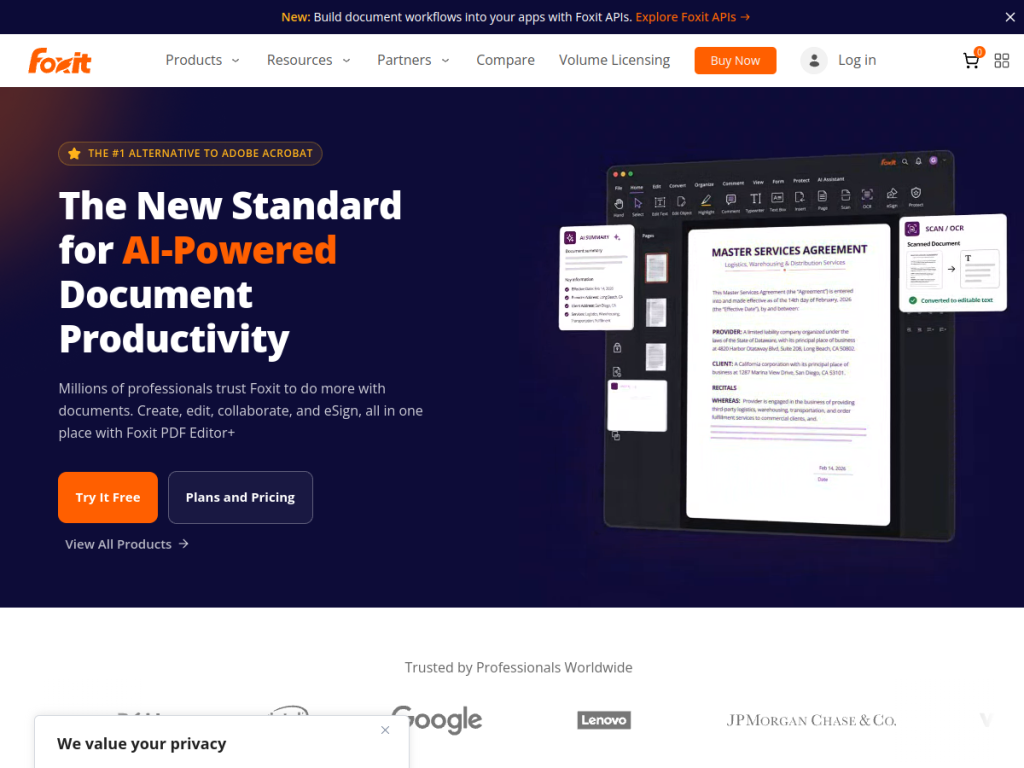
Foxit PDF Editor is a long-established PDF suite that markets itself as the number-one alternative to Adobe Acrobat, offering the create-edit-sign-collaborate workflow at a friendlier price. It has added Foxit AI, an intelligent document assistant that can summarize, translate, search, and extract information from your PDFs — bringing modern AI convenience to everyday document work.
What is Foxit PDF Editor?
Foxit PDF Editor is a comprehensive PDF solution for creating, editing, collaborating on, and electronically signing documents across desktop, mobile, and web. Its AI layer, Foxit AI, acts as an intelligent document assistant: it can summarize documents, translate content, perform smart search, extract content and identify key data points, and rewrite or define text, plus surface document insights. Foxit positions itself as a cost-effective alternative to Adobe Acrobat while covering the same core needs — editing, forms, e-signing (eSign), and collaboration — and it has earned analyst recognition. Licensing is flexible, with free trials, subscription or one-time purchase options, and volume licensing for organizations; PDF Editor, eSign, and AI each have their own plans.
What it does well
- Full PDF suite: create, edit, collaborate, and e-sign across platforms.
- AI assistant: summarize, translate, search, and extract from documents.
- Cost-effective: positioned as a cheaper Adobe Acrobat alternative.
- Flexible licensing: subscription or one-time purchase, plus volume options.
Who it is for
Foxit PDF Editor suits individuals, businesses, and organizations that work with PDFs regularly and want a capable, affordable alternative to Adobe Acrobat — now with AI to speed up reading, translating, and extracting from documents. It fits teams that need editing, forms, and e-signatures without Acrobat’s cost. Those needing only occasional, basic PDF viewing may use free readers, but for real PDF work with an AI boost, Foxit is a strong value.
Things to keep in mind
- The AI is a helpful assistant rather than the product’s core; the editor is the foundation.
- Pricing spans separate products (Editor, eSign, AI), so plan around what you need.
- Feature depth means a short learning curve for advanced editing.
Our verdict
Foxit PDF Editor is a capable, cost-effective PDF suite, and Foxit AI adds genuine everyday value by summarizing, translating, searching, and extracting from documents. For individuals and organizations that want Acrobat-level capability without Acrobat pricing — plus a modern AI assistant — it is an excellent choice. The AI complements rather than defines the product, and pricing spans a few separate modules, but for real PDF work, Foxit delivers strong value with free trials to test.
Frequently asked questions
What is Foxit PDF Editor?
Foxit PDF Editor is a full-featured PDF suite for creating, editing, collaborating on, and e-signing documents across desktop, mobile, and web, positioned as an Adobe Acrobat alternative.
What does Foxit AI do?
Foxit AI is an intelligent document assistant that can summarize, translate, smart-search, and extract content from PDFs, plus rewrite and define text and surface insights.
Is Foxit cheaper than Adobe Acrobat?
Foxit positions itself as a cost-effective alternative to Adobe Acrobat, offering comparable core features with flexible subscription or one-time purchase licensing.
Does Foxit offer a free trial?
Yes. Foxit offers free trials across its products, including PDF Editor, eSign, and AI, with volume licensing for organizations.
Top Foxit PDF Editor alternatives
Other hand-reviewed OCR tools worth comparing against Foxit PDF Editor.
ABBYY FineReaderPaid
ABBYY FineReader is a paid AI business and ocr tool for operations teams. Our review covers what it…
Adobe Acrobat AIFreemium
Adobe Acrobat AI is a freemium AI business and ocr tool for document-heavy teams. Our review covers what…
AWS TextractPaid
AWS Textract by Amazon Web Services is a paid AI business and ocr tool for operations teams. Our…
Azure AI VisionPaid
Azure AI Vision by Microsoft Azure is a paid AI business and ocr tool for operations teams. Our…
DocparserPaid
Docparser is a paid AI business and ocr tool for operations teams. Our review covers what it does,…
DocsumoPaid
Docsumo is a paid AI business and ocr tool for operations teams. Our review covers what it does,…
Are you the maker of Foxit PDF Editor?
Show visitors this review with the badge below. Copy the code into your site or press kit; it links straight back to this page.



