Key takeaways
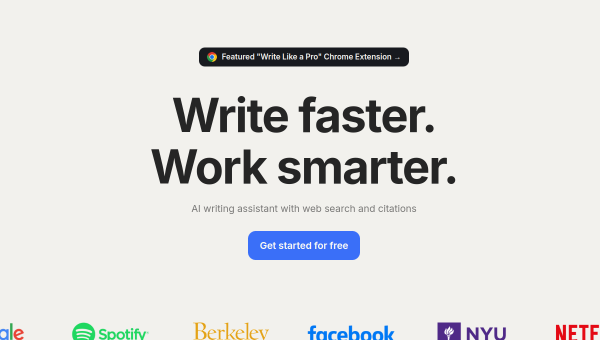
- HyperWrite is an AI writing assistant available as a web app and a Chrome extension that works across Gmail, Google Docs and the web.
- Core features include TypeAhead completions, AutoWrite generation, email replies, HyperChat and a research tool with citations.
- Custom Tools let you build personalised AI workflows; it also explores AI-agent capabilities.
- Best for individual writers, students and professionals who want AI help inside the apps they already use.
What HyperWrite is
HyperWrite is an AI writing assistant designed to work where you already write. Available as both a web application and a Chrome extension, it layers AI help onto Gmail, Google Docs, web forms and other sites, so you get suggestions and generation in context rather than having to switch to a separate tool. Its audience is individuals — writers, students, professionals and academics — who want to draft, edit and research faster without leaving their workflow.
That in-context approach is HyperWrite’s defining trait. Instead of being a destination you visit, it aims to be an assistant that follows you across the web, filling in sentences, drafting replies and refining text wherever you type.
The AI features
HyperWrite’s feature set is broad for a writing tool. TypeAhead offers context-aware sentence completions as you type; AutoWrite generates paragraphs on demand; an email-response tool drafts replies from a brief prompt; and HyperChat provides conversational AI for brainstorming and feedback. A Magic Editor refines and optimises text, and Scholar AI adds real-time research across scholarly articles with citations — a genuinely useful feature for students and researchers. Custom Tools let you build your own repeatable AI workflows, and the company has extended into AI-agent territory for more autonomous tasks.
The research-with-citations and custom-workflow features are what lift HyperWrite above a basic autocomplete. As always, AI-generated text needs review — and citations from any AI research tool should be checked against the source, since AI can misattribute or misquote.
Strengths and limits
The strengths are integration and versatility. Working inside Gmail, Docs and the browser makes HyperWrite frictionless for everyday writing, and the combination of completions, generation, research and custom tools covers a lot of ground for one subscription. A free tier lets you try it before paying.
The limits: as an individual-focused assistant, it is less suited to team content operations than platform tools, and its output — like every AI writer — trends generic unless you steer it and edit. Browser-extension assistants also require trusting the tool with access to what you type, so review its permissions and privacy terms. Verify any research citations before relying on them.
Who it suits
- Individual writers and professionals who want AI help inside Gmail, Docs and the web.
- Students and researchers who value the cited-research feature.
- Anyone who wants to build custom, repeatable AI writing workflows.
Verdict
HyperWrite is a strong AI writing assistant for individuals, distinguished by working in context across the apps you already use and by extras like cited research and custom tools. It is aimed at personal productivity rather than team content operations, and its output needs the usual editing and citation-checking. For a writer, student or professional who wants capable AI assistance woven into their everyday workflow, HyperWrite is a well-rounded, convenient choice.
Top HyperWrite alternatives
Other hand-reviewed Writing Assistants tools worth comparing against HyperWrite.
AI21 LabsPaid
AI21 Labs is a paid AI marketing and writing assistant tool for writers and marketers. Our review covers…
AnywordPaid
Anyword is a paid AI marketing and writing assistant tool for writers and marketers. Our review covers what…
Article ForgePaid
Article Forge by Glimpse is a paid AI marketing and writing assistant tool for writers and marketers. Our…
BlogelyPaid
Blogely is a paid AI marketing and writing assistant tool for writers and marketers. Our review covers what…
BywordPaid
Byword is a paid AI marketing and writing assistant tool for writers and marketers. Our review covers what…
ChatGPTFreemium
ChatGPT by OpenAI is a freemium AI assistant and chatbot tool for writers and marketers. Our review covers…
Are you the maker of HyperWrite?
Show visitors this review with the badge below. Copy the code into your site or press kit; it links straight back to this page.