Key takeaways
- Kagi is a paid, ad-free, privacy-focused search engine funded by subscriptions rather than advertising.
- Its AI is opt-in: the Kagi Assistant taps multiple models grounded in Kagi search, and Summarize condenses articles.
- Subscriptions align incentives toward result quality rather than engagement, and prompts are kept private.
- Best for privacy-conscious users willing to pay for cleaner, ad-free search with optional AI.
What Kagi is
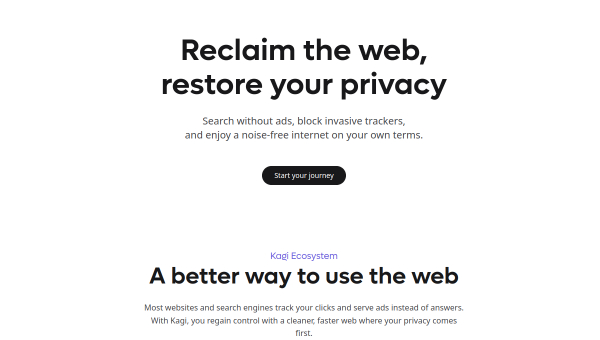
Kagi is a search engine that inverts the usual model: instead of being free and ad-supported, it is paid and ad-free, funded entirely by user subscriptions. That choice is the heart of its pitch — because you are the customer rather than the product, Kagi says its incentives align toward result quality and privacy rather than engagement and ad revenue. Around search it has built an ecosystem including the Orion browser, Kagi Translate and Kagi News, all under the same privacy-first philosophy.
Its audience is privacy-conscious individuals, families and organisations who are dissatisfied with ad-driven search and willing to pay for a cleaner, more private experience. Kagi is a deliberate alternative to the dominant free search engines, betting that enough people value privacy and quality to pay for it.
The AI features
Kagi’s AI is deliberately opt-in and on-demand, layered onto search rather than forced into every query. The Kagi Assistant provides access to multiple AI language models, grounded in Kagi’s search results, with prompts kept private. Kagi Summarize turns lengthy articles into customised summaries while preserving the same privacy stance. The design philosophy is that AI should enhance human capability when you choose to use it, not replace search or harvest your data.
The grounded-and-private approach is a genuine differentiator: answers draw on Kagi’s search results (reducing ungrounded hallucination) while keeping your prompts out of ad-targeting pipelines. As with all AI, verify important claims, but Kagi’s combination of source grounding and privacy is well suited to users who want AI assistance without the data trade-offs of free tools.
Strengths and limits
The strengths are privacy, quality and aligned incentives. Ad-free results, private AI, and a subscription model that rewards quality over engagement genuinely differentiate Kagi, and the surrounding ecosystem (browser, translate, news) extends the privacy-first experience. For those who value these things, it is a compelling package.
The limits: Kagi costs money, which is a real barrier when capable free search exists, and the free trial is limited to a set number of searches. Its result index and scale differ from the search giants, so some users may notice gaps on obscure queries. The AI, while private and grounded, still requires verification. It is a considered choice for a specific set of priorities, not a mass-market default.
Who it suits
- Privacy-conscious users willing to pay for ad-free search.
- People who want opt-in, grounded AI that keeps prompts private.
- Families and organisations seeking a privacy-first search ecosystem.
Verdict
Kagi is a distinctive, privacy-first search engine whose paid, ad-free model aligns its incentives toward quality and privacy rather than advertising. Its opt-in AI — the Assistant grounded in Kagi search, and Summarize — adds capability without sacrificing that stance. The obvious catch is cost: you must pay for what others get free, and scale differs from the giants. But for privacy-conscious users who value clean results and grounded, private AI, Kagi is one of the most principled and satisfying search experiences available.
Top Kagi alternatives
Other hand-reviewed Search Engines tools worth comparing against Kagi.
Andi SearchFree
Andi Search by Andi (LazyWeb) is a free AI chatbot and research tool for researchers. Our review covers…
Brave Search AIFreemium
Brave Search AI by Brave Software is a freemium AI research and search engine tool for researchers. Our…
GleanPaid
Glean is a paid AI research and search engine tool for researchers. Our review covers what it does,…
MorphicFree
Morphic is a free AI research and search engine tool for researchers. Our review covers what it does,…
Perplexity AIFreemium
Perplexity AI is a freemium AI chatbot and research tool for researchers. Our review covers what it does,…
Are you the maker of Kagi?
Show visitors this review with the badge below. Copy the code into your site or press kit; it links straight back to this page.



