Key Takeaways
- PDFelement is a full-featured PDF editor from Wondershare, now with strong AI.
- Chat with PDF uses multiple models to answer, summarize, and translate.
- Core tools cover editing, OCR, forms, e-signatures, and batch processing.
- A capable, cost-effective Acrobat alternative for individuals and teams.
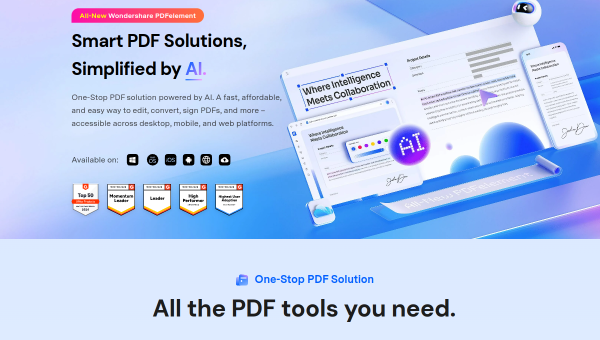
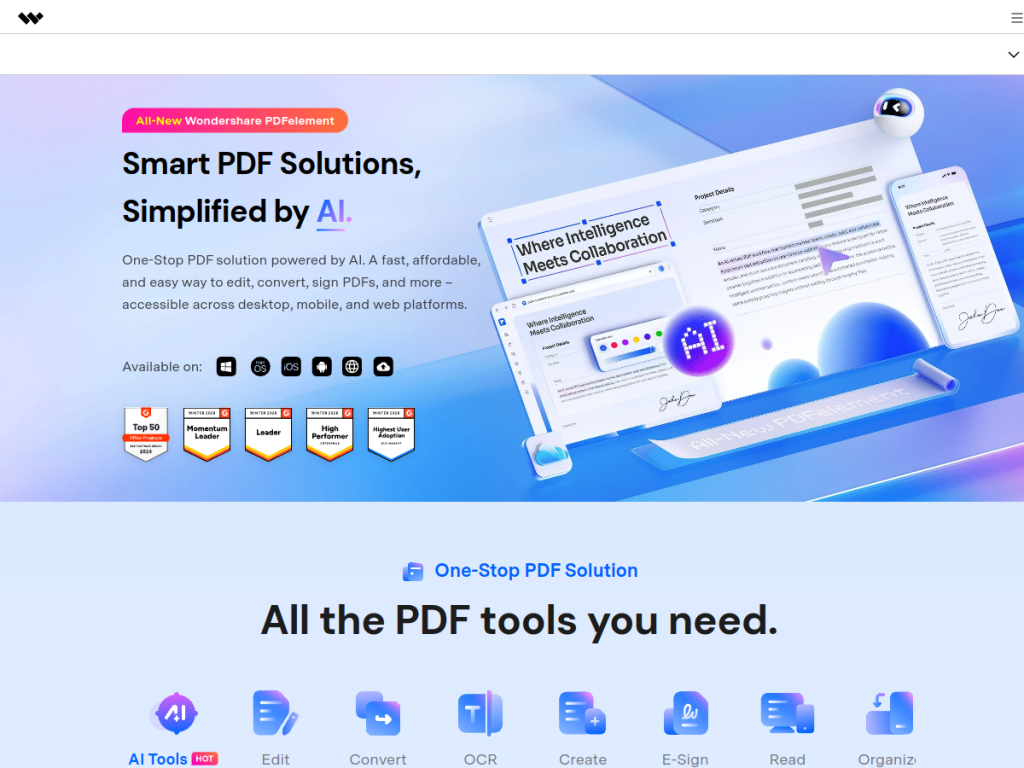
PDFelement is Wondershare’s PDF editor, and it has grown into a genuinely capable, affordable alternative to the big-name suites. Its latest version leans heavily into AI — letting you chat with a document, summarize it into notes or mind maps, translate it, and redact sensitive information — on top of a complete set of editing, OCR, and e-signature tools.
What is PDFelement?
PDFelement is a comprehensive PDF solution for creating, editing, converting, annotating, and managing documents across Windows, Mac, iOS, Android, web, and cloud. Its AI features are extensive: Chat with PDF lets you interact with documents using multiple models (including options like GPT-4o and Gemini), summarization turns PDFs into concise notes, mind maps, or markdown, and it offers fast or professional translation, grammar checking, AI content detection, smart redaction to find sensitive information, and AI image editing within PDFs. The core toolkit is equally strong — text and image editing, OCR across many languages, batch processing, form creation and filling, e-signatures, and compression. The current release, PDFelement 12, emphasizes AI integration and bulk processing. It is sold via affordable perpetual licenses (Personal, Team, Education, Cross-Platform), with a free trial, positioning it as a cost-effective alternative to pricier suites.
What it does well
- Full editor: edit, convert, OCR, forms, and e-sign across platforms.
- AI document tools: chat, summarize into mind maps, translate, and redact.
- Multi-model chat: interact with PDFs using several leading AI models.
- Affordable: perpetual licenses instead of only subscriptions.
Who it is for
PDFelement suits individuals, students, and teams who work with PDFs regularly and want powerful editing plus AI assistance without the cost of the biggest suites — especially those who prefer a one-time perpetual license. Its cross-platform reach and AI summarization and translation make it handy for study, business, and document-heavy work. Users needing only basic viewing can use free readers, but for real PDF work with a strong AI layer at a fair price, PDFelement is an excellent option.
Things to keep in mind
- AI summaries and translations should be checked for important documents.
- Pricing spans several license types, so pick the one that fits your use.
- The feature depth means a short learning curve for advanced tasks.
Our verdict
PDFelement is one of the best-value PDF editors available, and its AI features — multi-model chat, summarization into mind maps and notes, translation, and smart redaction — genuinely extend what it can do beyond editing. Combined with strong OCR, forms, and e-signatures across every platform, and affordable perpetual licensing, it makes a compelling, cost-effective alternative to pricier suites. AI output still wants a check on important files, but for individuals and teams doing real PDF work with an AI boost, PDFelement is a strong choice with a free trial to test.
Frequently asked questions
What is PDFelement?
PDFelement is a full-featured PDF editor from Wondershare for creating, editing, converting, and signing PDFs, with AI features like Chat with PDF, summarization, translation, and redaction.
What AI features does PDFelement have?
It offers Chat with PDF using multiple AI models, summarization into notes and mind maps, fast or professional translation, grammar checking, smart redaction, and AI image editing.
How much does PDFelement cost?
It is sold via perpetual licenses starting around $129.99 (Personal), with Team, Education, and Cross-Platform options, often discounted, plus a free trial.
Is PDFelement a good Acrobat alternative?
Yes. It offers comparable editing, OCR, forms, and e-signatures plus strong AI features, at a lower cost and with perpetual-license options, making it a cost-effective alternative.
Top PDFelement alternatives
Other hand-reviewed PDF Tools tools worth comparing against PDFelement.
Adobe Acrobat AIFreemium
Adobe Acrobat AI is a freemium AI business and ocr tool for document-heavy teams. Our review covers what…
ChatPDFFreemium
ChatPDF is a freemium AI education and pdf-tool tool for document-heavy teams. Our review covers what it does,…
Foxit PDF EditorPaid
Foxit PDF Editor is a paid AI business and ocr tool for document-heavy teams. Our review covers what…
iLovePDFFreemium
iLovePDF is a freemium AI pdf-tool and productivity tool for document-heavy teams. Our review covers what it does,…
LightPDFFreemium
LightPDF is a freemium AI pdf-tool and productivity tool for document-heavy teams. Our review covers what it does,…
Nitro PDFPaid
Nitro PDF is a paid AI pdf-tool and productivity tool for document-heavy teams. Our review covers what it…
Are you the maker of PDFelement?
Show visitors this review with the badge below. Copy the code into your site or press kit; it links straight back to this page.



