Key Takeaways
- PDF Expert is a polished PDF editor for Mac, iPad, and iPhone.
- It edits, annotates, signs, converts, and organizes PDFs.
- Its AI (PDF Copilot) lets you chat with and understand PDFs.
- Great for Apple users who want a fast PDF editor with AI features.
PDF Expert, from Readdle, is a well-loved PDF editor for Apple devices, known for being fast, polished, and easy to use. It handles the full range of PDF work — editing text and images, annotating, signing, converting, and organizing pages — and has added AI: PDF Copilot lets you chat with a document to understand and summarize it. For Mac, iPad, and iPhone users who want a premium PDF experience with modern AI, PDF Expert is a standout.
What is PDF Expert?
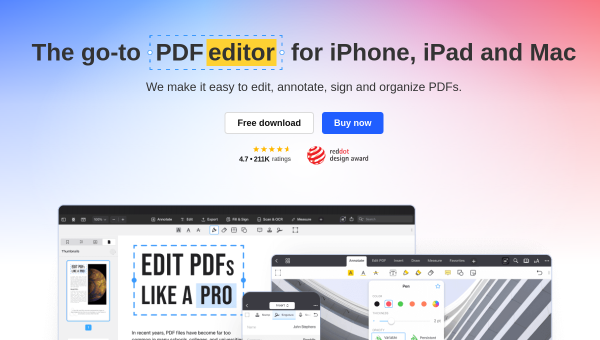
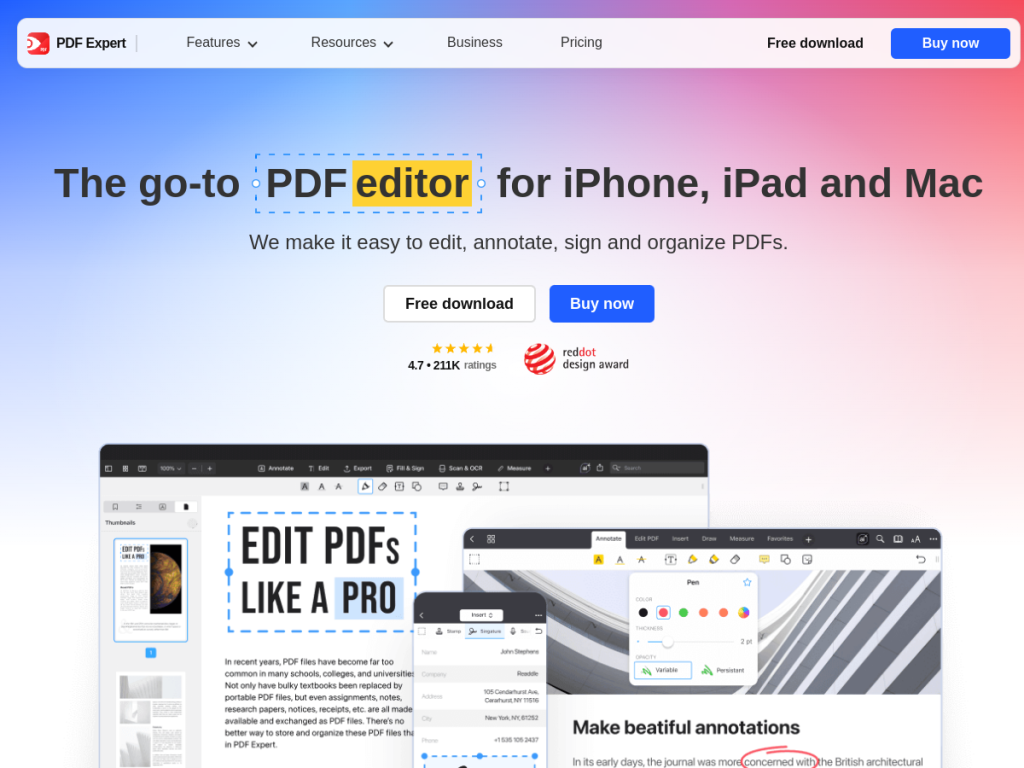
PDF Expert is a comprehensive PDF editor and reader from Readdle, available for Mac, iPad, and iPhone, enabling users to edit, annotate, sign, and organize PDF documents across Apple devices. Its AI features center on PDF Copilot, which lets you explain and understand PDFs with AI (including summarizing content), and an AI-powered Enhance feature that fixes distortions, removes shadows, and improves contrast in scanned documents. Its broader features include editing PDF text, images, and links, digital signatures and document signing, conversion to Word, Excel, PowerPoint, and JPG, form filling with calculations, page merging and reorganization, OCR, advanced annotation tools (notes, highlights, stamps, audio notes), multiple reading modes, and cross-device sync via a single account. PDF Expert is known for a clean, fast interface. It offers a free trial/tier with paid plans (subscription or license) for full editing and AI features.
What it does well
- Polished and fast: a premium PDF experience on Apple devices.
- Full toolkit: edit, annotate, sign, convert, and organize.
- AI Copilot: chat with and summarize PDFs.
- Smart scanning: AI Enhance cleans up scanned documents.
Who it is for
PDF Expert fits Mac, iPad, and iPhone users — professionals, students, and anyone working with PDFs — who want a fast, polished editor to edit, annotate, sign, and convert documents, now with AI to chat with and summarize PDFs. Its Apple-focused design and cross-device sync suit those in the Apple ecosystem. Windows and Android users cannot use it, and full features are paid, but for a premium, AI-enhanced PDF editor on Apple devices, PDF Expert is an excellent choice.
Things to keep in mind
- It is Apple-only (Mac, iPad, iPhone), with no Windows or Android app.
- Full editing and AI features require a paid plan or license.
- AI summaries and answers about a PDF should be verified against the document.
Our verdict
PDF Expert is a standout PDF editor for Apple devices, and its blend of a fast, polished experience with a complete toolkit — editing, annotating, signing, converting, OCR, and page management — is now enhanced with AI: PDF Copilot lets you chat with and summarize documents, and AI Enhance cleans up scans. For Mac, iPad, and iPhone users, it is a premium, genuinely pleasant way to work with PDFs. It is Apple-only and full features are paid, and AI answers need verifying, but for an AI-enhanced PDF editor on Apple, PDF Expert is an excellent choice.
Frequently asked questions
What is PDF Expert?
PDF Expert is a polished PDF editor from Readdle for Mac, iPad, and iPhone that edits, annotates, signs, converts, and organizes PDFs, with AI features via PDF Copilot.
What AI features does PDF Expert have?
PDF Copilot lets you chat with and summarize PDFs, and an AI Enhance feature fixes distortions, removes shadows, and improves contrast in scanned documents.
Is PDF Expert free?
PDF Expert offers a free trial/tier, with paid plans (subscription or license) for full editing and AI features.
What devices does PDF Expert support?
PDF Expert is available for Apple devices — Mac, iPad, and iPhone — with cross-device sync; there is no Windows or Android app.
Top PDF Expert alternatives
Other hand-reviewed PDF Tools tools worth comparing against PDF Expert.
Adobe Acrobat AIFreemium
Adobe Acrobat AI is a freemium AI business and ocr tool for document-heavy teams. Our review covers what…
ChatPDFFreemium
ChatPDF is a freemium AI education and pdf-tool tool for document-heavy teams. Our review covers what it does,…
Foxit PDF EditorPaid
Foxit PDF Editor is a paid AI business and ocr tool for document-heavy teams. Our review covers what…
iLovePDFFreemium
iLovePDF is a freemium AI pdf-tool and productivity tool for document-heavy teams. Our review covers what it does,…
LightPDFFreemium
LightPDF is a freemium AI pdf-tool and productivity tool for document-heavy teams. Our review covers what it does,…
Nitro PDFPaid
Nitro PDF is a paid AI pdf-tool and productivity tool for document-heavy teams. Our review covers what it…
Are you the maker of PDF Expert?
Show visitors this review with the badge below. Copy the code into your site or press kit; it links straight back to this page.