Key Takeaways
- Talkia is an AI text-to-speech voiceover tool.
- It generates natural-sounding voiceovers from text.
- It uses high-quality voices for videos and content.
- Handy for quick voiceovers — preview the voices first.
Talkia is a text-to-speech voiceover tool aimed at content creators who need natural-sounding narration for videos, ads, and training content. Enter your script, choose from its library of high-quality voices, and it generates a voiceover you can download. Part of the Voomly ecosystem, it focuses on ease and voice quality for typical creator needs. For anyone who wants straightforward AI voiceovers without hiring voice talent, Talkia is a reasonable option — with a listen to the voices first.
What is Talkia?
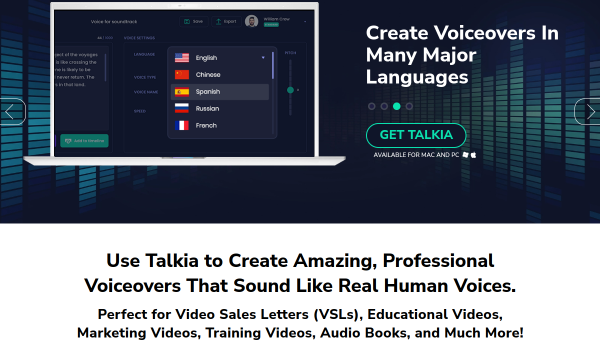
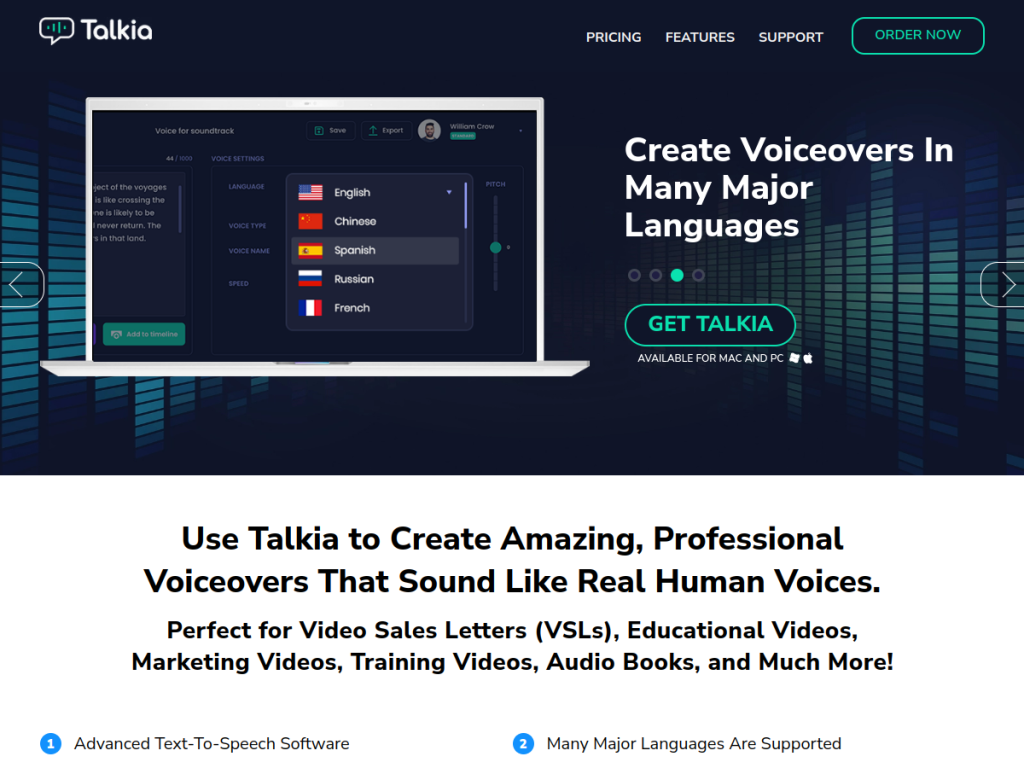
Talkia (talkia.com) is a text-to-speech (TTS) voiceover software tool, part of the Voomly Cloud family of products, that converts written scripts into natural-sounding AI voiceovers. Users enter text, select from a library of voices across multiple languages (drawing on high-quality voice technology, including WaveNet-class voices from providers like Google and Amazon), and generate a voiceover audio track for use in videos and other content. Its features typically include a selection of male and female voices, multiple languages, options to adjust or add inflection and emphasis for a more natural delivery, and downloadable audio. Its positioning emphasizes ease of use and voice quality for content creators who need voiceovers without hiring voice actors or recording themselves. It is aimed at YouTubers, marketers, video creators, and course creators. Talkia is a paid tool (often available with a trial). As with all AI voice tools, voice quality varies by voice and use case and the field advances quickly, so it is worth previewing voices to ensure they meet your needs, and using generated audio in line with the tool’s terms.
What it does well
- Natural voices: high-quality TTS technology.
- Many voices and languages to choose from.
- Inflection options: more natural delivery.
- Simple: script in, voiceover out.
Who it is for
Talkia suits YouTubers, marketers, video creators, and course creators who want natural-sounding AI voiceovers for videos, ads, or training content without hiring voice talent or recording themselves. Its ease of use and quality voices (drawing on WaveNet-class technology) are the draws. Those needing the most cutting-edge or highly customizable AI voices may prefer other tools (the field advances fast), so preview the voices to be sure they fit, and use generated audio within the tool’s terms. It is a paid tool. For straightforward AI voiceovers, Talkia is a reasonable choice.
Things to keep in mind
- Voice quality varies; preview voices before relying on them.
- The AI-voice field advances fast; other tools may offer more.
- It is a paid tool; use audio within its terms.
Our verdict
Talkia is a reasonable, straightforward AI text-to-speech voiceover tool for creators who need natural-sounding narration for videos, ads, or training content without hiring voice talent. Enter your script, pick from its library of quality voices (drawing on WaveNet-class technology from providers like Google and Amazon) across languages, adjust inflection, and download the result. Part of the Voomly ecosystem, it focuses on ease and voice quality for typical creator needs. AI voice quality varies and the field advances fast, so preview the voices for your needs, and it is a paid tool, but for simple AI voiceovers, Talkia is a solid choice.
Frequently asked questions
What is Talkia?
Talkia (talkia.com) is an AI text-to-speech voiceover tool, part of the Voomly family, that turns scripts into natural-sounding voiceovers using high-quality voices.
What voices does Talkia use?
It draws on high-quality voice technology, including WaveNet-class voices from providers like Google and Amazon, across multiple voices and languages, with inflection options.
Is Talkia free?
Talkia is a paid tool, often available with a trial; see the site for current pricing.
Who is Talkia for?
It is for YouTubers, marketers, video creators, and course creators who want natural AI voiceovers without hiring voice talent.


