Key Takeaways
- Microsoft Bot Framework is a platform and SDK for building conversational bots.
- It is now part of Microsoft’s Copilot Studio and Azure AI offerings.
- It supports multi-channel deployment and Azure service integration.
- Great for enterprise developers building conversational AI on Microsoft.
Microsoft Bot Framework is Microsoft’s long-standing platform and SDK for building conversational bots and virtual assistants. It gives developers the tools to design, build, and deploy bots across many channels, integrated with Azure services. It has evolved into Microsoft’s broader conversational AI stack — Copilot Studio and Azure AI — so teams building on Microsoft can create enterprise-grade conversational experiences with a clear, supported path.
What is Microsoft Bot Framework?
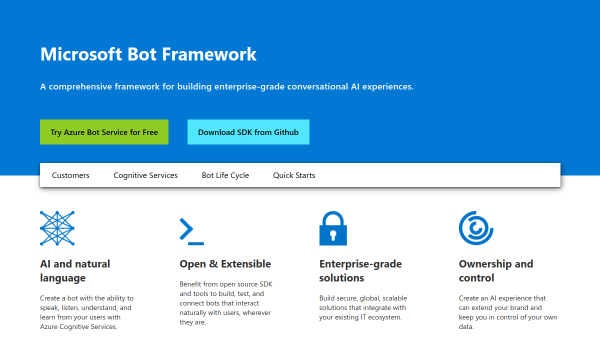
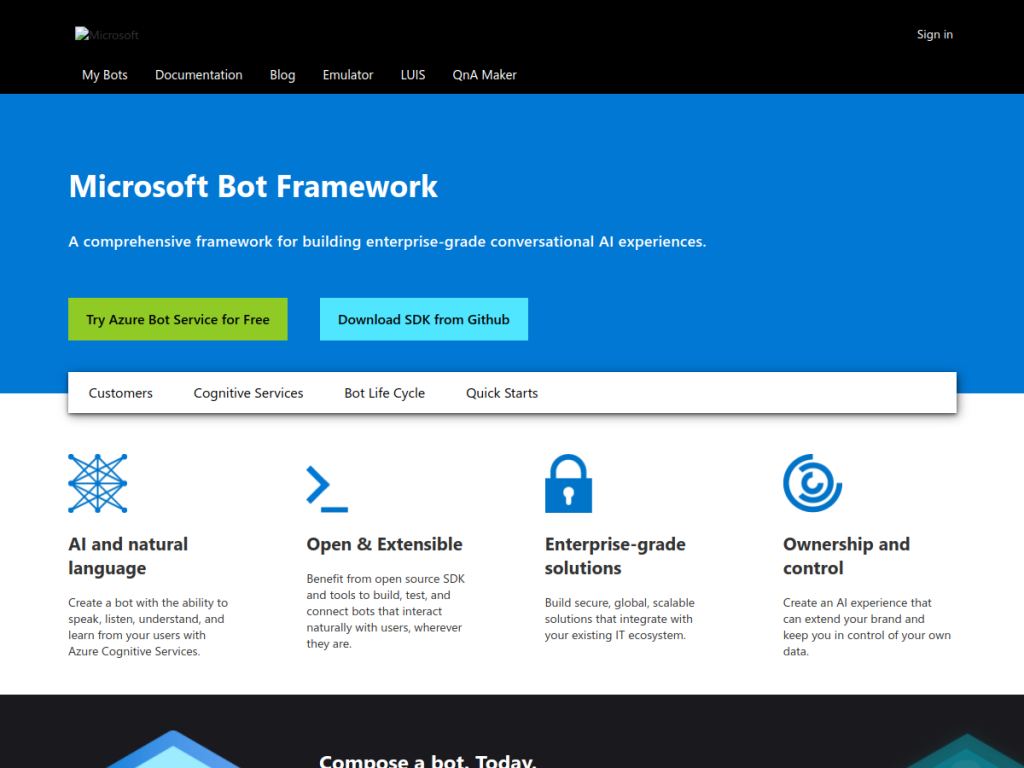
Microsoft Bot Framework is a platform and SDK for developing conversational bots, which has evolved and is now integrated into Microsoft’s Copilot Studio and Azure AI services. Its capabilities include tools for building interactive bot applications, multi-channel support to deploy bots across communication platforms, integration with Azure services and enterprise systems, and natural language processing to understand and respond to user input. It targets enterprise developers building customer-service solutions, organizations automating conversational interactions, teams developing intelligent virtual assistants, and businesses implementing AI-powered engagement across channels — appealing to those wanting structured, enterprise-grade solutions rather than experimental or small-scale projects. The Bot Framework SDK is open-source and free, while related Azure AI services and Copilot Studio carry their own usage-based pricing, giving teams a path from code-first bot development to lower-code conversational AI.
What it does well
- Developer SDK: build bots with a structured framework.
- Multi-channel: deploy across many communication platforms.
- Azure integration: connect enterprise systems and AI services.
- Clear path: evolves into Copilot Studio and Azure AI.
Who it is for
Microsoft Bot Framework fits enterprise developers and organizations building conversational bots and virtual assistants on the Microsoft stack, who want a structured, code-first framework with Azure integration and a path into Copilot Studio and Azure AI. It suits teams building customer-service and engagement solutions at enterprise scale. Non-developers or those wanting a fully no-code, standalone bot builder may prefer other tools (or Copilot Studio directly), and building robust bots takes development effort, but for enterprise conversational AI on Microsoft, Bot Framework is a capable, well-supported foundation.
Things to keep in mind
- Code-first development takes engineering effort and expertise.
- Related Azure services and Copilot Studio have their own costs.
- Newer projects may start in Copilot Studio rather than the raw SDK.
Our verdict
Microsoft Bot Framework is a capable, well-supported foundation for building conversational bots, and its strengths — a structured SDK, multi-channel deployment, deep Azure integration, and a clear evolution into Copilot Studio and Azure AI — make it a natural choice for enterprise developers on the Microsoft stack. The free, open-source SDK plus usage-based Azure services give teams flexibility from code-first bots to lower-code conversational AI. It takes development effort and newer projects may start in Copilot Studio, but for enterprise conversational AI on Microsoft, Bot Framework is a solid choice.
Frequently asked questions
What is Microsoft Bot Framework?
Microsoft Bot Framework is a platform and SDK for building conversational bots, now integrated into Microsoft’s Copilot Studio and Azure AI services.
Is Microsoft Bot Framework free?
The Bot Framework SDK is open-source and free; related Azure AI services and Copilot Studio have their own usage-based pricing.
What can you build with Bot Framework?
You can build interactive bots and virtual assistants, deploy them across multiple channels, and integrate with Azure services and enterprise systems.
Who is Microsoft Bot Framework for?
It is for enterprise developers and organizations building conversational bots and assistants on the Microsoft stack who want a structured, Azure-integrated framework.
Top Microsoft Bot Framework alternatives
Other hand-reviewed AI Assistants tools worth comparing against Microsoft Bot Framework.
AiseraPaid
Aisera is a paid AI assistant and chatbot tool for professionals. Our review covers what it does, pricing,…
Amazon LexPaid
Amazon Lex by Amazon Web Services is a paid AI assistant and chatbot tool for professionals. Our review…
Anakin AIFreemium
Anakin AI is a freemium AI assistant and chatbot tool for professionals. Our review covers what it does,…
AvaamoPaid
Avaamo is a paid AI assistant and chatbot tool for professionals. Our review covers what it does, pricing,…
Boost.aiPaid
Boost.ai is a paid AI assistant and chatbot tool for professionals. Our review covers what it does, pricing,…
BotpressFreemium
Botpress is a freemium AI assistant and chatbot tool for professionals. Our review covers what it does, pricing,…
Are you the maker of Microsoft Bot Framework?
Show visitors this review with the badge below. Copy the code into your site or press kit; it links straight back to this page.