Key Takeaways
- OpenArt is an all-in-one AI platform for images, video, audio, and characters.
- It offers many models, a character builder for consistency, and story tools.
- You keep full ownership of what you create, with no royalties or attribution.
- Great for creators exploring AI media; results vary by model and prompt.
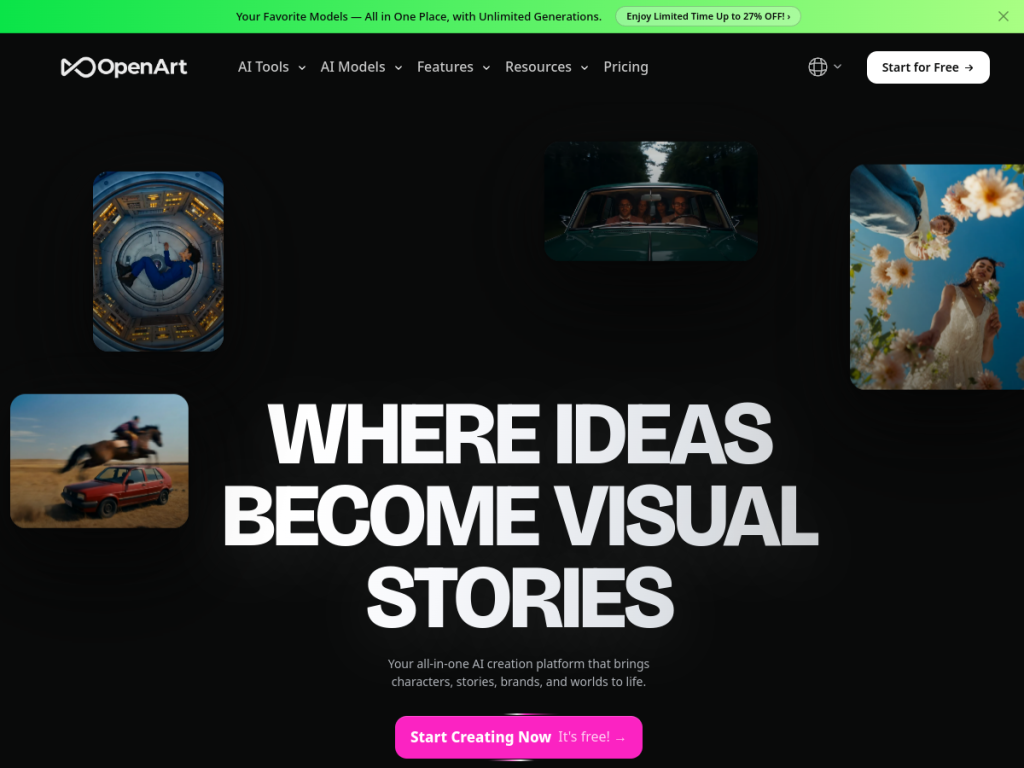
OpenArt is an all-in-one AI creation platform for bringing characters, stories, and worlds to life across images, video, audio, and more. It gives creators access to a wide range of leading models in one place, plus tools for consistent characters and multi-scene storytelling — aimed at anyone who wants to make AI media without hopping between separate apps.
What is OpenArt?
OpenArt is an AI content-creation platform spanning images, video, audio, and characters. Its core features include AI image generation and editing across multiple models; AI video creation from text or images (up to short, high-resolution clips); a character builder for maintaining consistent AI personas across projects; 3D world generation from prompts; AI music and voiceover with lip-sync; and a Director tool for multi-scene storytelling. It supports many leading underlying models, letting creators pick the best one for a given task, and it emphasizes that users retain full ownership of their creations with no royalties or attribution required. OpenArt reports over ten million users, including major brands, runs frequent model updates and promotions, and offers a free trial with daily credits plus paid plans that unlock premium models, longer videos, and higher-quality exports.
What it does well
- All-in-one: images, video, audio, characters, and 3D worlds.
- Model choice: access to many leading generation models.
- Consistency and story: character builder and multi-scene director tool.
- Full ownership: keep your creations with no royalties or attribution.
Who it is for
OpenArt suits creators, designers, marketers, and hobbyists who want a versatile AI media platform to generate images, short videos, characters, and audio without juggling multiple tools — and who value model choice and content ownership. It is great for storytelling, concept art, and social content. Professionals needing the utmost fidelity or specialized control may combine it with dedicated tools, and AI output varies by prompt, but for accessible, all-in-one AI creation, OpenArt is a strong choice with a free trial.
Things to keep in mind
- Generation quality varies by chosen model and prompt, so results differ.
- Premium models, longer videos, and higher quality require paid plans.
- As with any AI media, mind content and usage guidelines.
Our verdict
OpenArt is a versatile, creator-friendly AI platform that pulls images, video, audio, characters, and 3D worlds into one place, with access to many leading models and welcome touches like full content ownership. Its character builder and story tools make it especially handy for consistent, narrative creative work. Results vary by model and prompt, and top features are paid, but for creators who want an all-in-one AI media studio with model choice and no attribution strings, OpenArt is an appealing, free-to-start option.
Frequently asked questions
What is OpenArt?
OpenArt is an all-in-one AI creation platform for images, video, audio, characters, and 3D worlds, with access to many leading generation models.
Do I own what I make with OpenArt?
Yes. OpenArt states users retain full ownership of their creations, with no royalties or attribution required.
Is OpenArt free?
There is a free trial with daily credits and no credit card, with paid plans unlocking premium models, longer videos, and higher-quality exports.
What can OpenArt create?
It can generate and edit images, create short videos from text or images, build consistent characters, generate 3D worlds, and produce AI music and voiceovers.
Top OpenArt alternatives
Other hand-reviewed Image Generation tools worth comparing against OpenArt.
Adobe FireflyFreemium
Adobe Firefly is a freemium AI design and image generation tool for creatives and visual artists. Our review…
ArtbreederFreemium
Artbreeder is a freemium AI design and image generation tool for creatives and visual artists. Our review covers…
ArtguruFreemium
Artguru is a freemium AI design and image generation tool for creatives and visual artists. Our review covers…
Automatic1111Free
Automatic1111 is a free AI design and image generation tool for creatives and visual artists. Our review covers…
BigJPGFree
BigJPG is a free AI design and image generation tool for creatives and visual artists. Our review covers…
Canva AIFreemium
Canva AI is a freemium AI design and image generation tool for designers. Our review covers what it…
Are you the maker of OpenArt?
Show visitors this review with the badge below. Copy the code into your site or press kit; it links straight back to this page.



