Key Takeaways
- Monica is an all-in-one AI assistant across browser, desktop, and mobile.
- It bundles chat with many models, summarising, writing, translation, and custom bots.
- Aimed at professionals and students who want one AI assistant everywhere they work.
- Convenient breadth; verify outputs and choose the right tool per task.
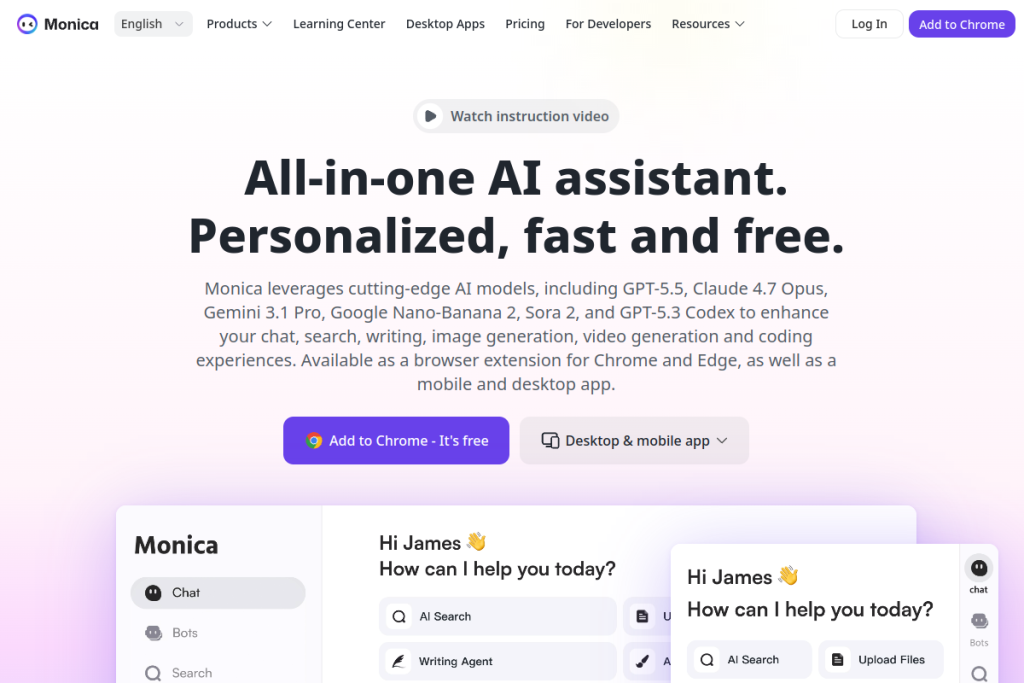
Monica is a hugely popular all-in-one AI assistant that follows you across the browser, desktop, and mobile. It brings many leading AI models and a wide set of tools — summarising, writing, translation, image generation, and more — into one interface, plus the ability to build custom AI bots. For people who want a single, everywhere-available AI companion, its breadth is the draw.
What is Monica?
Monica is an all-in-one AI assistant available as a browser extension, desktop app, and mobile app. It aggregates multiple AI models for chat, and adds tools for summarisation, writing, translation, image generation, PDF processing, code assistance, email analysis, and video summarising. It integrates into the browser via a sidebar and toolbar, enhances search, and lets you create custom AI assistants (bots).
What it does well
- All-in-one — many AI tools and models in one assistant.
- Everywhere — browser, desktop, and mobile.
- Content tools — summarise, write, translate, and generate images.
- Specialised help — PDFs, code, email, and video summaries.
- Custom bots — build your own AI assistants.
Who it is for
Monica suits professionals, students, researchers, and developers who want one AI assistant across all their devices and a broad set of tools in a single place. It is especially appealing to people who would rather not juggle multiple AI apps and want summarising, writing, translation, and more available wherever they work.
Things to keep in mind
An all-in-one assistant is convenient, but breadth is not always best-in-class for every task, and AI outputs can be wrong — so verify important results and pick the right tool for the job. As with any assistant that can read your content, be mindful of privacy and what it accesses, especially on sensitive pages or documents.
Our verdict
Monica is a capable, popular all-in-one AI assistant, and its breadth across the browser, desktop, and mobile — with many models and tools plus custom bots — makes it a convenient everyday companion. Verify important outputs, mind privacy, and choose the right tool per task, and Monica can be a genuinely useful single home for a wide range of AI help.
Frequently asked questions
What can Monica do?
Chat with multiple AI models plus summarise, write, translate, generate images, process PDFs, assist with code and email, summarise videos, and create custom bots — across browser, desktop, and mobile.
Is Monica available on mobile?
Yes — Monica is available as a browser extension, desktop app, and mobile app, so its AI tools follow you across your devices.
Reviewed by the World of AI Hub editorial team based on the tool website and documentation.
Top Monica alternatives
Other hand-reviewed AI Assistants tools worth comparing against Monica.
AiseraPaid
Aisera is a paid AI assistant and chatbot tool for professionals. Our review covers what it does, pricing,…
Amazon LexPaid
Amazon Lex by Amazon Web Services is a paid AI assistant and chatbot tool for professionals. Our review…
Anakin AIFreemium
Anakin AI is a freemium AI assistant and chatbot tool for professionals. Our review covers what it does,…
AvaamoPaid
Avaamo is a paid AI assistant and chatbot tool for professionals. Our review covers what it does, pricing,…
Boost.aiPaid
Boost.ai is a paid AI assistant and chatbot tool for professionals. Our review covers what it does, pricing,…
BotpressFreemium
Botpress is a freemium AI assistant and chatbot tool for professionals. Our review covers what it does, pricing,…
Are you the maker of Monica?
Show visitors this review with the badge below. Copy the code into your site or press kit; it links straight back to this page.