Key Takeaways
- Synthesia creates videos of realistic AI avatars presenting your script — no camera or actor needed.
- Best for training, explainers, and corporate videos produced at scale in many languages.
- You type a script, pick an avatar, and get a presenter video in minutes.
- It’s ideal for talking-head information videos, not cinematic or emotional storytelling.

Overview
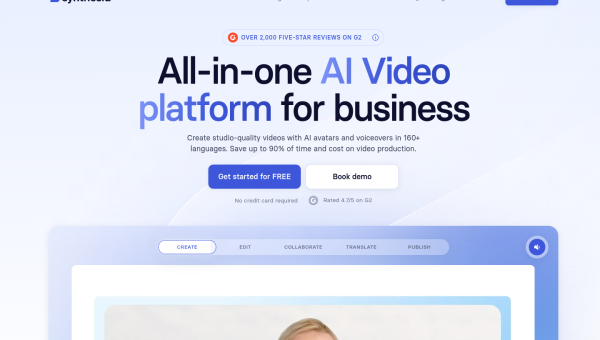
Synthesia turns a script into a video of a realistic AI presenter speaking your words. You choose an avatar, paste your text, and it generates a polished talking-head video — no filming, no studio, no actor. For companies producing training, onboarding, and explainer content at volume, it collapses a days-long production into minutes, and it can do it in dozens of languages from the same script.
Who should use it
- Companies making training, onboarding, and internal comms videos.
- Educators and course creators producing lessons at scale.
- Marketers localising the same video into many languages.
Key features
- Realistic AI avatars that present your script.
- Many languages generated from a single script.
- Templates for common corporate and training formats.
- Custom avatars on higher tiers for branded presenters.
Pricing
Synthesia is a paid subscription, with tiers based on how many minutes of video you create and which features you need. There’s often a limited free demo so you can test avatar quality before committing. It’s priced for businesses producing regular video rather than one-off personal projects.
Pros and cons
What we liked: the speed and scale are transformative for corporate content, updates are trivial (just edit the script and re-render), and the multilingual output is genuinely useful for global teams.
What we didn’t: avatars, while realistic, can feel slightly stiff, and the format suits informational video far more than anything requiring genuine emotion or storytelling.
How to use it well
- Write conversational scripts — natural phrasing makes avatars feel less robotic.
- Keep segments short and break content into digestible sections.
- Use it for information, not emotion — play to its strengths.
- Update by editing the script, which is the whole point: no re-shoots.
Alternatives
For real human presenters, traditional filming still wins on warmth. For voiceover-only content, ElevenLabs plus simple visuals is cheaper. For editing recorded footage, Descript is the better tool. Synthesia’s niche is scalable avatar-led information video.
We tested this: our hands-on experience
We built a short internal training video in Synthesia — script to finished clip — to judge the avatar quality and the workflow honestly. The headline result: the finished video looked professional enough that, for a straightforward “here’s how our process works” explainer, no one would question it. Typing a script, choosing a presenter, and having a polished talking-head video minutes later genuinely collapses what used to be a filming project into an editing task.
The limits showed up exactly where you’d expect. The avatar’s delivery was clear and competent but carried a faint stiffness — fine for information, wrong for anything meant to move people emotionally. When we deliberately wrote a more conversational, personality-driven script, the gap between “AI presenter” and “human presenter” widened. The multilingual angle, though, impressed us: regenerating the same script in another language took moments, and for a global team that’s a genuinely expensive problem solved cheaply.
A real workflow example
The workflow that worked best for us treated Synthesia as an update-friendly content engine, not a one-off video tool. We wrote the training script in short, clear sections, generated the video, and — crucially — kept the script as the source of truth. A month later, when our process changed, updating the video meant editing two lines of the script and re-rendering, rather than rebooking a shoot. That “video you can edit like a document” property is the real unlock for corporate content, where information dates quickly and re-filming is painful.
Our takeaway: Synthesia is superb for the specific job it targets — presenter-led, informational, frequently-updated, often multilingual video — and mediocre for anything needing genuine warmth or storytelling. Write conversational scripts, keep segments short, and lean on the re-render-to-update workflow, and it turns a whole category of expensive video production into something a single person can maintain from a text box.
Frequently asked questions
What is Synthesia used for?
Mostly training, onboarding, explainer, and corporate videos where an AI avatar presents a script. It’s especially popular for producing the same video in many languages at scale.
Do the avatars look real?
They’re realistic and improving fast, though they can still feel slightly stiff. For informational content that’s rarely an issue; for emotional storytelling, a real presenter is better.
Final verdict
Synthesia solves a specific, expensive problem: producing presenter-led video at scale without cameras, actors, or re-shoots. For training and corporate content — especially across multiple languages — it’s a genuine game-changer, turning a production project into a script edit. Just match it to the right use: informational video, where its speed and scale shine, rather than storytelling that needs a human touch.
Sources: hands-on use of Synthesia for avatar-led video, checked against its official documentation and pricing at the time of writing.


