Key Takeaways
- Otter.ai transcribes meetings in real time and summarises them into notes and action items.
- It can join your video calls automatically and capture everything so you don’t have to take notes.
- Best for people in lots of meetings who want a searchable record and clear follow-ups.
- Accuracy is strong but not perfect — review important transcripts before relying on them.
Overview
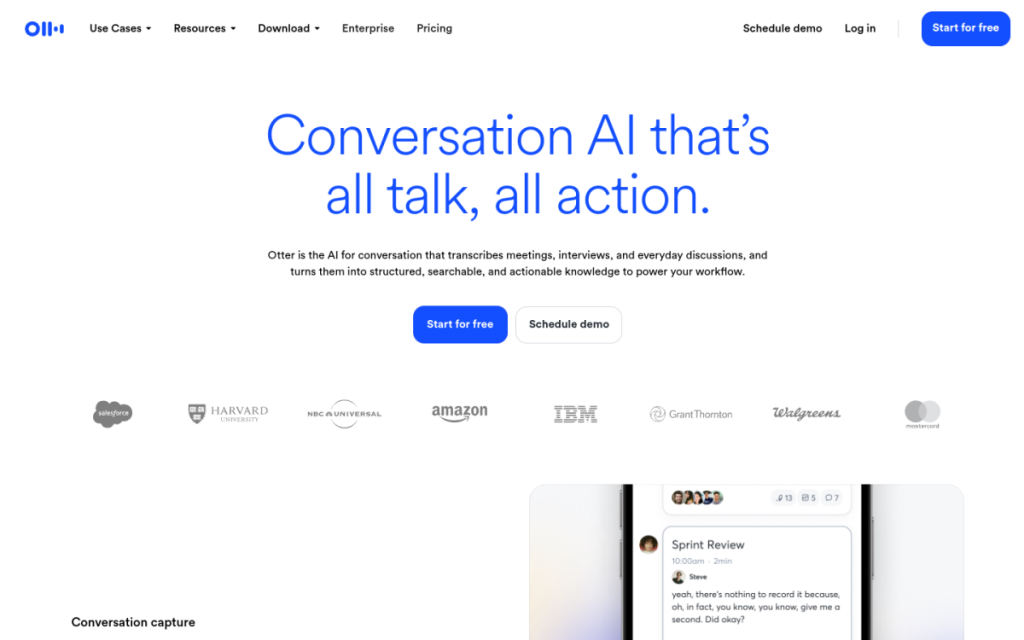
Otter.ai turns spoken conversations into searchable text. It transcribes meetings as they happen, can join your calls automatically, and uses AI to produce a summary with key points and action items afterwards. For anyone who spends their days in meetings, it means you can actually pay attention instead of scrambling to take notes — and you get a searchable record you can return to later.
Who should use it
- Professionals in back-to-back meetings who need a reliable record.
- Journalists and researchers transcribing interviews.
- Students capturing lectures to review later.
- Teams who want shared, searchable meeting notes.
Key features
- Real-time transcription you can follow live.
- Automatic meeting join for the major video platforms.
- AI summaries with key points and action items.
- Searchable archive so you can find any moment later.
Pricing
Otter has a free plan with a monthly transcription-minutes limit, and paid plans that raise those limits and add features like advanced summaries and team controls. Casual users can rely on the free tier; heavy meeting schedules justify a paid plan.
Pros and cons
What we liked: the automatic call-joining and summaries genuinely free you from note-taking, and the searchable archive is invaluable when you need to recall who said what.
What we didn’t: accuracy drops with heavy accents, crosstalk, or poor audio, and having a bot join meetings raises consent questions you should handle openly.
How to use it well
- Tell participants they’re being transcribed — it’s courteous and often required.
- Review the summary for important meetings; don’t trust action items blindly.
- Use good audio — a decent mic dramatically improves accuracy.
Alternatives
Many video platforms now include built-in transcription and AI summaries. Other dedicated note-takers compete on summary quality or integrations. For editing recorded audio into content, Descript is the better fit.
We tested this: our hands-on experience
We let Otter join a week of real meetings — a mix of one-on-ones, a noisy six-person planning call, and a recorded interview — to see how it holds up outside a demo. In clean, one-speaker audio it was excellent: the live transcript kept pace, and the post-meeting summary genuinely captured the decisions and action items without us lifting a finger. Walking out of a call already holding a tidy list of “who agreed to do what” is a small but real relief.
The six-person call was where it earned its caveats. With people talking over each other and a couple of soft microphones, accuracy dipped and speaker labels got muddled. The summary still captured the gist, but we wouldn’t have trusted its action items without a quick skim against memory. The interview, recorded with a decent mic, transcribed cleanly enough to quote from directly. The pattern is clear: audio quality is the single biggest factor in how useful Otter is.
A real workflow example
Our most useful habit with Otter became a post-meeting routine that takes about a minute. As soon as a call ends, we open the summary, glance over the action items, and drag the two or three that are genuinely ours into our task list — correcting any the AI misattributed. Then we leave the full transcript in the searchable archive and forget about it. The payoff comes weeks later: when someone asks “did we actually agree to that?”, a quick search of the archive settles it in seconds, with the exact wording, instead of a fuzzy argument from memory.
The lesson from our test: Otter’s real value isn’t the live transcript you watch during the call — it’s the searchable memory it builds over time and the freedom to actually pay attention instead of scribbling notes. Give it good audio, tell participants they’re being recorded, and treat its summaries as a strong first draft rather than gospel, and it quietly becomes one of the most useful tools in a meeting-heavy week.
Frequently asked questions
Is Otter.ai accurate?
It’s strong for clear audio and standard accents, but accuracy falls with crosstalk, heavy accents, or poor sound. Review important transcripts rather than trusting them blindly.
Is Otter.ai free?
Yes, there’s a free plan with a monthly minutes limit. Paid plans add more minutes, better summaries, and team features.
Final verdict
Otter.ai does one thing very well: it lets you stop taking notes and start paying attention. For anyone whose calendar is a wall of meetings, the automatic transcription, summaries, and searchable archive are a genuine productivity upgrade. Mind the accuracy on messy audio and be transparent about recording, and it becomes a reliable memory for every conversation you have.
Sources: hands-on use of Otter.ai across live meetings and interviews, checked against its official documentation and pricing at the time of writing.
Top Otter.ai alternatives
Other hand-reviewed Meeting Assistants tools worth comparing against Otter.ai.
AvomaPaid
Avoma is a paid AI meeting assistant and productivity tool for meeting-heavy teams. Our review covers what it…
ChorusPaid
Chorus by ZoomInfo is a paid AI meeting assistant and productivity tool for meeting-heavy teams. Our review covers…
FathomFreemium
Fathom is a freemium AI meeting assistant and productivity tool for meeting-heavy teams. Our review covers what it…
Fireflies.aiFreemium
Fireflies.ai is a freemium AI business and meeting assistant tool for meeting-heavy teams. Our review covers what it…
GongEnterprise
Gong is an enterprise AI business and meeting assistant tool for business teams. Our review covers what it…
MeetGeekFreemium
MeetGeek is a freemium AI meeting assistant and productivity tool for meeting-heavy teams. Our review covers what it…
Otter.ai vs the competition
Are you the maker of Otter.ai?
Show visitors this review with the badge below. Copy the code into your site or press kit; it links straight back to this page.



