Key takeaways
- Amazon Q Developer is AWS’s AI coding assistant spanning code generation, testing, docs, security scanning and deployment.
- It has agentic capabilities for multistep tasks (unit tests, code reviews, upgrades) and deep AWS/cloud expertise.
- Works across IDEs, the CLI, the AWS Console, GitHub, GitLab and chat tools; free tier plus Pro.
- Best for developers on AWS who want coding help plus cloud-architecture and cost guidance in one assistant.
What Amazon Q Developer is
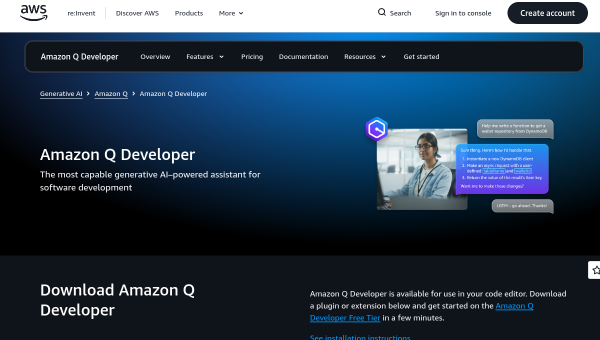
Amazon Q Developer is AWS’s generative-AI assistant for software development, designed to help across the whole lifecycle — writing code, testing, documenting, securing and deploying. Its distinguishing trait is AWS expertise: beyond general coding help, it answers questions about cloud architecture, cost optimisation and operational troubleshooting, and it is woven into the AWS ecosystem. It is available in IDEs (VS Code, JetBrains, Visual Studio, Eclipse), the command line, the AWS Console, GitHub, GitLab and chat tools like Slack and Teams.
That AWS integration is the reason to choose it. For developers building on AWS, having a coding assistant that also understands your cloud environment — and can help with the operational and cost side — is more useful than a generic completion tool.
The AI features
Amazon Q Developer generates real-time code suggestions from snippets to full functions based on your comments and existing code. Its agentic capabilities handle complex multistep tasks autonomously — generating unit tests, performing code reviews, writing documentation, and even large jobs like Java version upgrades and .NET porting. Security scanning identifies vulnerabilities and suggests fixes across popular languages, and customisation lets it connect to your private repositories for context-aware recommendations. The AWS guidance layer helps with architecture, cost and troubleshooting.
The agentic upgrade and security-scanning features are genuinely valuable for teams maintaining real systems, not just writing new code. As with any AI assistant, generated code and suggested fixes must be reviewed — security recommendations especially should be verified, not trusted on faith — and the autonomous agents need oversight on anything consequential.
Strengths and limits
The strengths are AWS integration, lifecycle breadth and agentic automation. For AWS developers, combining code generation, security scanning, cloud guidance and large-scale upgrade automation in one assistant is a strong package, and the wide surface area (IDEs, CLI, console, chat) meets you where you work. A free tier lowers the barrier.
The limits: much of its differentiated value is tied to AWS, so developers on other clouds or none will find it less compelling than cloud-agnostic tools. Agentic tasks and security fixes require human review, and complex autonomous jobs (like framework upgrades) need testing before you trust the results. It is powerful within its ecosystem, less distinctive outside it.
Who it suits
- Developers and teams building on AWS who want coding plus cloud guidance.
- Teams needing security scanning and large-scale code upgrades/porting.
- Engineers who want an assistant across IDEs, CLI, console and chat.
Verdict
Amazon Q Developer is a strong AI coding assistant for anyone working on AWS, combining code generation, agentic automation, security scanning and genuine cloud expertise across the development lifecycle. Its value is highest inside the AWS ecosystem and more ordinary outside it. Review generated code and security fixes rather than trusting them blindly, test autonomous upgrade jobs carefully, and for AWS-centric teams it is one of the most useful assistants available — a coding helper that also understands your cloud.
Top Amazon Q Developer alternatives
Other hand-reviewed Coding Assistants tools worth comparing against Amazon Q Developer.
AiderFree
Aider is a free AI coding assistant and developer tool tool for software developers. Our review covers what…
AlphaCodeFree
AlphaCode by Google DeepMind is a free AI coding assistant and developer tool tool for software developers. Our…
AnacondaFree
Anaconda is a free AI coding assistant and developer tool tool for engineers. Our review covers what it…
ApplitoolsPaid
Applitools is a paid AI coding assistant and developer tool tool for engineers. Our review covers what it…
AskCodiFreemium
AskCodi is a freemium AI coding assistant and developer tool tool for software developers. Our review covers what…
Azure MLPaid
Azure ML by Microsoft Azure is a paid AI coding assistant and developer tool tool for engineers. Our…
Are you the maker of Amazon Q Developer?
Show visitors this review with the badge below. Copy the code into your site or press kit; it links straight back to this page.



