
Key Takeaways
- AWeber is a long-established email marketing platform for small businesses, now with AI helpers.
- It covers email campaigns, automation, landing pages, and basic e-commerce.
- AI tools assist with writing email content and generating subject lines.
- Reliable and approachable for small businesses; its AI features are helpful rather than cutting-edge.
AWeber is one of the oldest names in email marketing, serving small businesses since 1998, and it has added AI to keep pace. Alongside its dependable campaign, automation, and landing-page tools, AI assistants now help write email copy and craft subject lines — small but practical time-savers for busy owners and marketers.
What is AWeber?
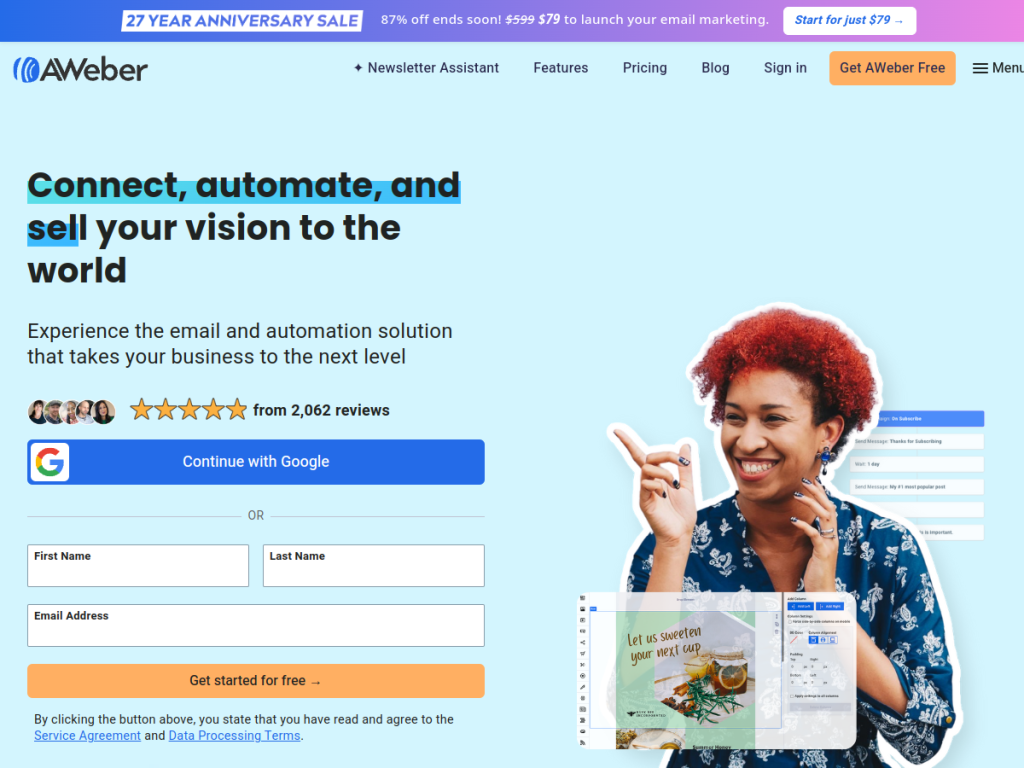
AWeber is an email marketing platform aimed at small businesses, helping them grow an audience and revenue through email. It offers email campaigns, automation, sign-up forms, landing pages, and basic e-commerce features, backed by a large library of integrations. Its AI capabilities are focused and practical: an AI Writing Assistant helps compose email content, and an AI Subject Line Assistant generates subject lines to save time and improve open rates. AWeber is known for approachability and value, with a free plan for small lists, affordable Lite and Plus tiers that scale by subscriber count, 24/7 support, and even a done-for-you setup service. It maintains strong user ratings and a broad integration ecosystem.
What it does well
- Approachable: easy for small businesses to set up and run email marketing.
- AI writing help: assistants for email copy and subject lines.
- Good value: a free plan plus affordable paid tiers and 24/7 support.
- Well-integrated: hundreds of integrations with common tools.
Who it is for
AWeber is a good fit for small businesses, bloggers, and solopreneurs who want a reliable, affordable email marketing tool without a steep learning curve. Its AI helpers are handy for those who find writing emails and subject lines a chore. Larger organizations or teams needing advanced segmentation, sophisticated automation, or cutting-edge AI may prefer heavier platforms, but for straightforward, cost-effective email marketing, AWeber remains a dependable choice.
Things to keep in mind
- Its AI features are helpful assistants rather than advanced, cutting-edge capabilities.
- Pricing scales with subscriber count, so costs grow as your list does.
- Power users may find its automation and segmentation lighter than newer rivals.
Our verdict
AWeber has endured in email marketing by staying approachable, affordable, and reliable, and its AI writing and subject-line assistants add genuine, everyday convenience. It will not wow anyone chasing the most advanced automation or AI, but that is not its audience. For small businesses and creators who want to run effective email campaigns without complexity or high cost — with a little AI help along the way — AWeber is a solid, trustworthy option, and the free plan makes it easy to start.
Frequently asked questions
What is AWeber?
AWeber is a long-established email marketing platform for small businesses, offering campaigns, automation, landing pages, and basic e-commerce, now with AI writing helpers.
What AI features does AWeber have?
AWeber includes an AI Writing Assistant for composing email content and an AI Subject Line Assistant for generating subject lines.
Is AWeber free?
Yes, there is a free plan for small lists. Paid Lite plans start around $15/month and Plus around $30/month, varying by subscriber count.
Who is AWeber best for?
It is best for small businesses, bloggers, and solopreneurs who want reliable, affordable email marketing that is easy to use.
Top AWeber alternatives
Other hand-reviewed Email Assistants tools worth comparing against AWeber.
ActiveCampaign AIPaid
ActiveCampaign AI is a paid AI automation and business tool for marketers. Our review covers what it does,…
Apollo.ioPaid
Apollo.io is a paid AI email assistant and marketing tool for professionals who email. Our review covers what…
Beehiiv AIFreemium
Beehiiv AI is a freemium AI email assistant and marketing tool for professionals who email. Our review covers…
Constant ContactPaid
Constant Contact is a paid AI email assistant and marketing tool for professionals who email. Our review covers…
GetResponsePaid
GetResponse is a paid AI email assistant and marketing tool for professionals who email. Our review covers what…
HubSpot AIFreemium
HubSpot AI is a freemium AI business and email assistant tool for marketers. Our review covers what it…
Are you the maker of AWeber?
Show visitors this review with the badge below. Copy the code into your site or press kit; it links straight back to this page.



