Key takeaways
- Blackbox AI runs multiple coding agents (Claude Code, Codex, Gemini and others) in parallel through one unified interface.
- A “chairman” model evaluates competing agent outputs and selects the best, aiming at higher-quality results.
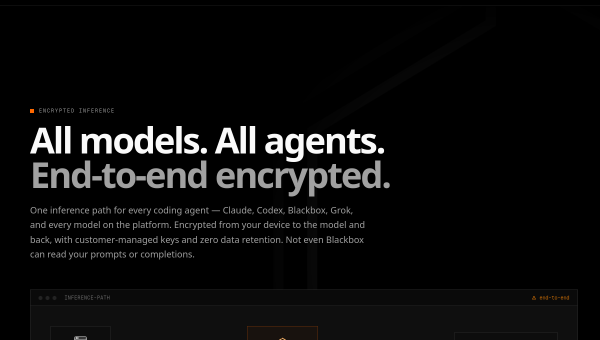
- It emphasises privacy — end-to-end encryption, customer-managed keys, zero data retention — and fast inference.
- Aimed at enterprise dev teams; agent competition and privacy controls are its differentiators.
What Blackbox AI is
Blackbox AI has evolved into a platform for orchestrating multiple coding agents rather than a single assistant. Its core idea is agent competition: you dispatch several autonomous agents — Claude Code, Codex, Gemini and others — to work on the same task in parallel, and a “chairman” model evaluates their outputs and picks the best solution. The whole thing runs through a unified, encrypted interface accessible via CLI, an OpenAI-compatible API, and IDE integration. It targets enterprise development teams and lists many large companies among its users.
This multi-agent, best-of-N approach is a genuinely different bet from single-agent tools. The premise is that running competing agents and selecting the strongest result yields higher quality than trusting any one agent — a plausible idea for hard tasks, at the cost of more compute per job.
The AI features
Blackbox’s agents handle a broad range of work: refactoring, migrations, test generation, deployment, code review, documentation, security audits and performance optimisation. The chairman-model evaluation is the headline feature, aiming to improve quality by comparison rather than relying on a single output. On the infrastructure side, it stresses privacy — end-to-end encryption of prompts and completions, customer-managed keys and zero data retention — plus fast inference, which matters when running several agents at once.
The privacy posture is a real selling point for enterprises wary of sending code to AI services, and agent competition is an interesting quality lever. As always, autonomous agents performing migrations, deployments or security audits need human oversight — the chairman model reduces but does not eliminate the risk of a confident wrong result, so review and testing remain essential before anything ships.
Strengths and limits
The strengths are the multi-agent quality approach and enterprise-grade privacy. Running competing agents and selecting the best output is a thoughtful way to raise quality on difficult tasks, and end-to-end encryption with customer-managed keys and zero retention addresses a top enterprise concern about AI coding tools.
The limits: running multiple agents per task uses more compute and can cost more than a single-agent tool, and the “best of N” result is still AI output that requires review, especially for security audits and deployments. The multi-agent orchestration adds conceptual complexity, and the enterprise focus means it may be more than a solo developer needs. Verify the current model line-up and privacy terms against your requirements.
Who it suits
- Enterprise dev teams that want higher-quality results via competing agents.
- Organisations with strict privacy needs (encryption, customer-managed keys, zero retention).
- Teams automating refactors, migrations, tests and reviews across many agents.
Verdict
Blackbox AI takes a distinctive multi-agent approach: run several coding agents in parallel and let a chairman model pick the best output, all through a privacy-focused, encrypted interface. That combination — quality through competition plus enterprise-grade data controls — is genuinely differentiated and well suited to enterprise teams. It costs more compute per task and, like all agentic coding, its results still need human review and testing before shipping. For organisations that value both output quality and strict privacy, Blackbox AI is a compelling, modern option.
Top Blackbox AI alternatives
Other hand-reviewed Coding Assistants tools worth comparing against Blackbox AI.
AiderFree
Aider is a free AI coding assistant and developer tool tool for software developers. Our review covers what…
AlphaCodeFree
AlphaCode by Google DeepMind is a free AI coding assistant and developer tool tool for software developers. Our…
Amazon Q DeveloperFreemium
Amazon Q Developer by Amazon Web Services is a freemium AI business and coding assistant tool for software…
AnacondaFree
Anaconda is a free AI coding assistant and developer tool tool for engineers. Our review covers what it…
ApplitoolsPaid
Applitools is a paid AI coding assistant and developer tool tool for engineers. Our review covers what it…
AskCodiFreemium
AskCodi is a freemium AI coding assistant and developer tool tool for software developers. Our review covers what…
Are you the maker of Blackbox AI?
Show visitors this review with the badge below. Copy the code into your site or press kit; it links straight back to this page.



