
Key Takeaways
- Clipdrop is an AI image-editing suite for fast, professional visual edits.
- It handles background removal, object and text removal, upscaling, relighting, and text-to-image.
- Great for designers, creators, and developers (via API) who need quick, clean edits.
- Excellent for many edits; complex or premium work may still need a full editor.
Clipdrop bundles a whole set of AI image tools into one place, letting you do in seconds what used to take careful manual editing. Remove a background, erase an object, upscale a low-res image, or relight a photo — each is a fast, focused tool. Now part of Jasper, it remains a genuinely handy suite for anyone who works with images.
What is Clipdrop?
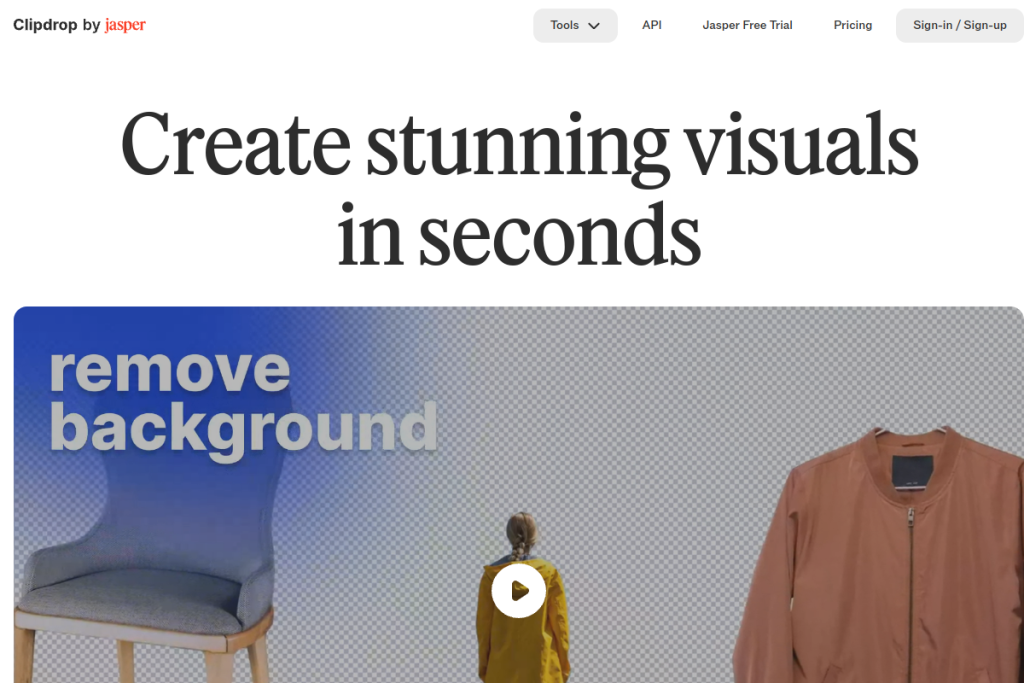
Clipdrop is an AI-powered image-editing platform. It offers background removal and replacement, object and person removal, text removal, image upscaling (2x or 4x), text-to-image generation, uncropping, relighting, and universal resizing for social platforms. It is available as free web tools and as an API for embedding these capabilities into other products.
What it does well
- All-in-one editing — many focused AI image tools in one suite.
- Background and object removal — clean cut-outs and erasing in seconds.
- Upscaling — increase resolution of low-quality images.
- Text-to-image and relight — generate and re-light visuals.
- API access — embed its tools into your own products.
Who it is for
Clipdrop suits designers, content creators, social media managers, and developers who need quick, professional image edits without opening heavy software. Its free web tools make it accessible for one-off edits, while the API appeals to teams wanting to build these capabilities into their own workflows or apps.
Things to keep in mind
AI edits are impressive but not flawless — results on very complex images (intricate edges, busy backgrounds) can need a touch-up, and generated visuals should be reviewed. For elaborate, layered, or premium design work, a full editor like Photoshop still offers more control. Clipdrop shines on speed and everyday edits rather than deep, manual retouching.
Our verdict
Clipdrop is a genuinely useful AI image suite that turns fiddly editing tasks into quick, one-click actions. For designers, creators, and developers who need clean edits fast, it is well worth bookmarking, and the API extends its reach for teams. Keep a full editor for complex retouching, and Clipdrop handles the everyday visual work efficiently.
Frequently asked questions
What can Clipdrop do?
Background removal and replacement, object and text removal, image upscaling, text-to-image generation, uncropping, relighting, and resizing — a suite of focused AI image tools.
Is there an API?
Yes — alongside its free web tools, Clipdrop offers an API so developers can embed its image-editing capabilities into their own products.
Reviewed by the World of AI Hub editorial team based on the tool website and documentation.
Top Clipdrop alternatives
Other hand-reviewed E-commerce tools worth comparing against Clipdrop.
ClarifaiFreemium
Clarifai is a freemium AI developer tool and e commerce tool for online sellers. Our review covers what…
DripPaid
Drip is a paid AI e commerce and marketing tool for online sellers. Our review covers what it…
Dynamic YieldPaid
Dynamic Yield by Dynamic Yield (Mastercard) is a paid AI e commerce and marketing tool for online sellers.…
GorgiasPaid
Gorgias is a paid AI e commerce and marketing tool for online sellers. Our review covers what it…
NostoPaid
Nosto is a paid AI e commerce and marketing tool for online sellers. Our review covers what it…
OmnisendPaid
Omnisend is a paid AI e commerce and marketing tool for online sellers. Our review covers what it…
Clipdrop vs the competition
Are you the maker of Clipdrop?
Show visitors this review with the badge below. Copy the code into your site or press kit; it links straight back to this page.



