Key Takeaways
- Course Hero is an online learning platform with study resources.
- It offers course-specific study materials, notes, and expert Q&A.
- It has added AI study tools for explanations and practice.
- Useful for study support; use responsibly per academic-integrity rules.
Course Hero is a large online learning platform where students access course-specific study materials, notes, textbook solutions, and expert Q&A — now with AI study tools layered on top for explanations and practice. Used well, it can help you understand difficult material and prepare. Used poorly, it raises real academic-integrity questions, and it is worth being honest about that: this is a tool to support learning, not to substitute for it.
What is Course Hero?
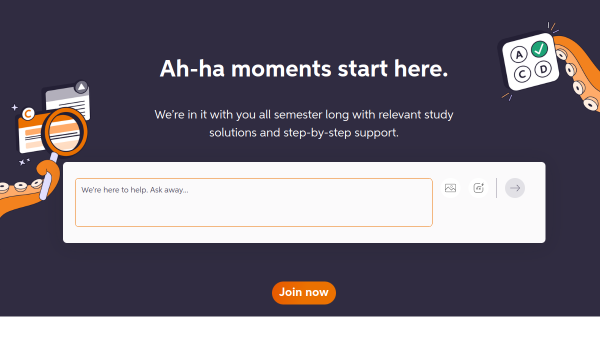
Course Hero is an online learning platform offering a large library of study resources, including course-specific documents, notes, study guides, textbook solutions, and expert Q&A where students can ask questions and receive answers. It has incorporated AI study tools that provide step-by-step explanations, generate practice questions and summaries, and help students work through problems. Access typically works on a freemium and contribution model: students can unlock some content free by uploading their own study documents, or subscribe for broader access, with tiers offering different levels of question access and features. It targets college and university students seeking help understanding coursework and preparing for exams. As with all homework-help platforms, responsible use matters: many institutions have policies about using such services, and uploading or using copyrighted course materials or graded assignments can violate both academic-integrity rules and copyright.
What it does well
- Large library: course-specific notes, guides, and solutions.
- Expert Q&A: ask questions and get worked answers.
- AI study tools: explanations, practice, and summaries.
- Freemium: unlock content by contributing your own materials.
Who it is for
Course Hero suits college and university students who want extra explanations, worked examples, and practice to understand difficult coursework and prepare for exams. Used to learn — working through explanations and checking your understanding — it can genuinely help. The caveats are real, though: using it to copy answers for graded work can violate academic-integrity policies, and uploading copyrighted course materials or assessments can breach both institutional rules and copyright. Students should understand their school’s policies before using it. Used responsibly as a study aid, Course Hero is useful; used as a shortcut, it carries meaningful risks.
Things to keep in mind
- Copying answers for graded work can violate academic-integrity policies.
- Uploading copyrighted course materials may breach rules and copyright.
- Check your institution’s policies before using homework-help services.
Our verdict
Course Hero is a large, established study platform, and its library of course-specific notes, study guides, and textbook solutions, plus expert Q&A and newer AI study tools for explanations and practice, can genuinely help students understand difficult material and prepare for exams. The honest caveats matter, though: using it to copy answers for graded work can violate academic-integrity policies, and uploading copyrighted course materials or assessments can breach both institutional rules and copyright. Used responsibly as a learning aid within your school’s rules, Course Hero is useful; used as a shortcut, it carries real risks.
Frequently asked questions
What is Course Hero?
Course Hero is an online learning platform with course-specific study materials, notes, textbook solutions, and expert Q&A, plus AI study tools for explanations and practice.
Is Course Hero free?
It offers limited free access (including by uploading your own study documents to unlock content) with paid subscription tiers for broader access.
Is using Course Hero cheating?
It depends on how you use it and your institution’s policies: using it to understand material is a study aid, but copying answers for graded work can violate academic-integrity rules.
Who is Course Hero for?
It is for college and university students seeking explanations, worked examples, and practice to understand coursework and prepare for exams.
Top Course Hero alternatives
Other hand-reviewed AI Education tools worth comparing against Course Hero.
BrainlyFreemium
Brainly is a freemium AI education tool. Our hands-on review covers features, pricing, pros and cons, and who…
CheggPaid
Chegg is a paid AI education tool. Our hands-on review covers features, pricing, pros and cons, and who…
GauthFree
Gauth is a free AI education tool. Our hands-on review covers features, pricing, pros and cons, and who…
MindgraspFree Trial
Mindgrasp is a free trial AI education tool. Our hands-on review covers features, pricing, pros and cons, and…
ReviselyFree
Revisely is a free AI education tool. Our hands-on review covers features, pricing, pros and cons, and who…
SpeakFree Trial
Speak is a free trial AI education tool. Our hands-on review covers features, pricing, pros and cons, and…
Are you the maker of Course Hero?
Show visitors this review with the badge below. Copy the code into your site or press kit; it links straight back to this page.