Key Takeaways
- DocuWare is a cloud document management and workflow automation platform.
- It uses AI-powered intelligent document processing to capture and extract data.
- It automates approvals, invoicing, archiving, e-signatures, and forms.
- Great for organizations digitizing documents and automating processes.
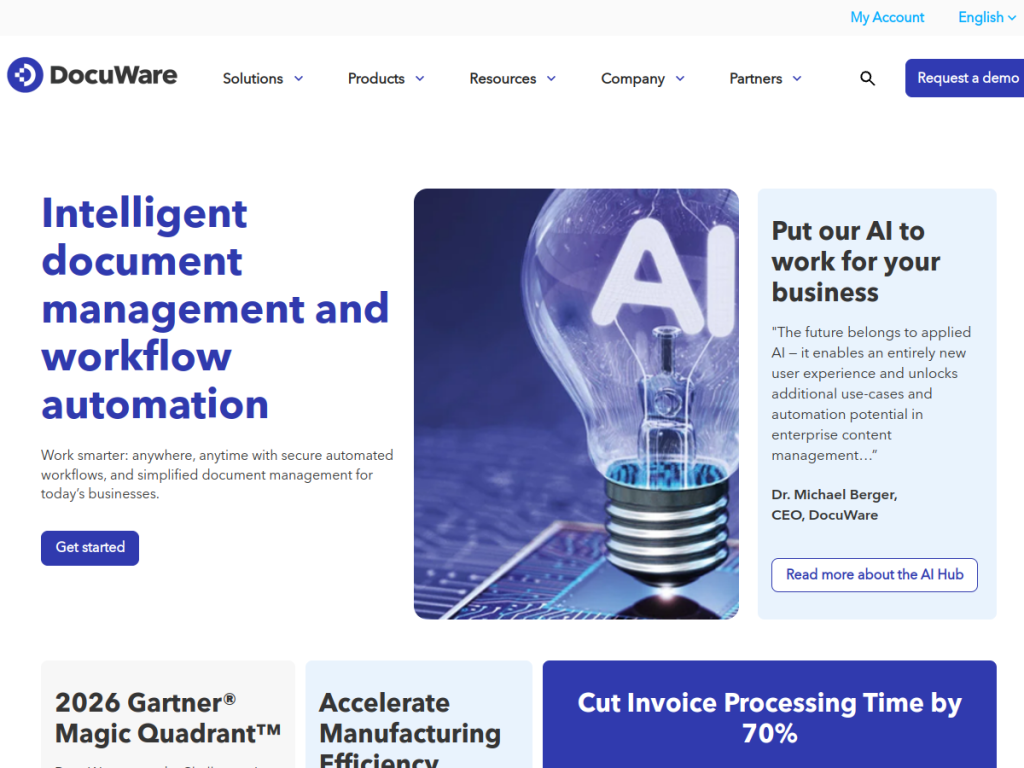
DocuWare is a document management and workflow automation platform that helps organizations go paperless and automate the processes built around their documents. Using AI-powered intelligent document processing, it captures documents, extracts the data, and routes them through automated workflows — approvals, invoicing, archiving, and more. For businesses buried in paperwork and manual routing, DocuWare turns documents into structured, automated, secure processes.
What is DocuWare?
DocuWare is a cloud-based document management and workflow automation platform that uses artificial intelligence and intelligent document processing (IDP) to help organizations digitize, automate, and streamline business processes. Its capabilities include AI-powered document recognition and data extraction, automated approval chains and process management, electronic invoicing with automated invoice processing and e-invoice exchange, secure document archiving and retrieval, mobile access, and electronic signatures and forms. It integrates with enterprise systems such as Microsoft Teams, Outlook, and SAP. DocuWare serves organizations from small and mid-sized businesses to large enterprises across manufacturing, healthcare, financial services, construction, government, logistics, higher education, and more, and across departments like finance and accounting, HR, and sales. It was recognized as a Challenger in the 2026 Gartner Magic Quadrant for Document Management and holds SOC 2, ISO 9001, and ISO 27001 certifications. Pricing is arranged via demo or sales.
What it does well
- Intelligent document processing: AI capture and data extraction.
- Workflow automation: automated approvals and process management.
- Invoicing and archiving: e-invoicing and secure document storage.
- Integrated and certified: Teams, Outlook, SAP, plus SOC 2 and ISO.
Who it is for
DocuWare fits small, mid-sized, and large organizations — especially finance, HR, and operations teams in document-heavy industries like manufacturing, healthcare, financial services, and government — that want to digitize documents, automate approvals and invoicing, and manage records securely. Its enterprise integrations and certifications suit regulated environments. Very small teams with light document needs may find it more than necessary, and implementing document workflows takes setup, but for organizations serious about automating document-driven processes, DocuWare is a capable, well-established platform.
Things to keep in mind
- Implementing document workflows and integrations takes planning and setup.
- It is a business platform, so pricing is via demo or sales rather than self-serve.
- Full value comes when document processes are well mapped.
Our verdict
DocuWare is a capable document management and workflow automation platform, and its AI-powered intelligent document processing — capturing documents and extracting data, then routing them through automated approvals, invoicing, and archiving — directly targets the manual grind of document-heavy work. Enterprise integrations with Teams, Outlook, and SAP, plus SOC 2 and ISO certifications and Gartner recognition, give it real credibility. It takes setup and is sold via demo, but for organizations digitizing documents and automating processes, DocuWare is a solid, well-established choice.
Frequently asked questions
What is DocuWare?
DocuWare is a cloud document management and workflow automation platform that uses AI-powered intelligent document processing to capture documents, extract data, and automate business processes.
What can DocuWare automate?
It automates approval chains, invoice processing and e-invoicing, document archiving and retrieval, and includes electronic signatures and forms.
What does DocuWare integrate with?
It integrates with enterprise systems including Microsoft Teams, Outlook, and SAP, and holds SOC 2, ISO 9001, and ISO 27001 certifications.
Who is DocuWare for?
It is for organizations — finance, HR, and operations teams across many industries — that want to digitize documents and automate document-driven processes securely.
Top DocuWare alternatives
Other hand-reviewed OCR tools worth comparing against DocuWare.
ABBYY FineReaderPaid
ABBYY FineReader is a paid AI business and ocr tool for operations teams. Our review covers what it…
Adobe Acrobat AIFreemium
Adobe Acrobat AI is a freemium AI business and ocr tool for document-heavy teams. Our review covers what…
AWS TextractPaid
AWS Textract by Amazon Web Services is a paid AI business and ocr tool for operations teams. Our…
Azure AI VisionPaid
Azure AI Vision by Microsoft Azure is a paid AI business and ocr tool for operations teams. Our…
DocparserPaid
Docparser is a paid AI business and ocr tool for operations teams. Our review covers what it does,…
DocsumoPaid
Docsumo is a paid AI business and ocr tool for operations teams. Our review covers what it does,…
Are you the maker of DocuWare?
Show visitors this review with the badge below. Copy the code into your site or press kit; it links straight back to this page.



