Key Takeaways
- ElevenLabs generates remarkably natural AI voices from text — the current benchmark for realism.
- Great for narration, audiobooks, videos, and voiceovers without a recording setup.
- It also clones voices, which is powerful and carries real ethical responsibility.
- Best for creators and businesses who need quality voice audio fast.
Overview
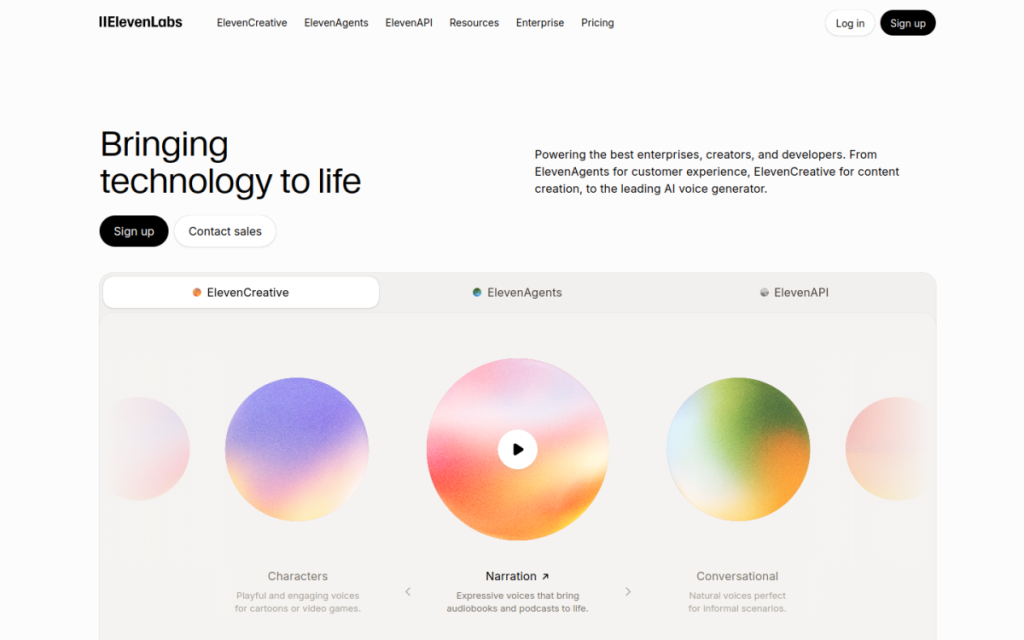
ElevenLabs makes AI voices that sound genuinely human — with natural intonation, pacing, and emotion that earlier text-to-speech tools never managed. You type text, pick a voice, and get audio you can use for videos, narration, audiobooks, or apps. It’s become the go-to tool for creators who want professional-sounding voiceovers without hiring a voice actor or setting up a microphone.
Who should use it
- Video creators who need clean voiceovers without recording.
- Authors and publishers producing audiobook versions of their work.
- Developers adding natural speech to apps and products.
- Businesses making training material, explainers, and ads.
Key features
- Highly natural voices across many languages and accents.
- Voice cloning that recreates a voice from a sample (with consent).
- Fine control over stability and style for the delivery you want.
- API access for building speech into your own software.
Pricing
ElevenLabs offers a free tier with a monthly character allowance — enough to test the quality — and paid plans that scale the amount of audio you can generate and unlock commercial use and advanced features. Costs are based on how much speech you produce, so casual users pay little while heavy producers pay for volume.
Pros and cons
What we liked: the realism is the best available, the language coverage is broad, and the fine-tuning controls let you dial in the right delivery. For the price of a coffee you can voice an entire video.
What we didn’t: long passages can occasionally slip in pronunciation or emphasis, and voice cloning — while impressive — raises genuine consent and misuse concerns you have to take seriously.
How to use it well
- Break long scripts into chunks and review each for pronunciation.
- Adjust stability and style to match the mood — calm narration vs energetic ad.
- Add punctuation deliberately; it shapes the pacing and pauses.
- Only clone voices you have permission to use — treat consent as non-negotiable.
Alternatives
The built-in voices in some video tools are convenient but less realistic. Other AI voice providers compete on price or specific languages, but ElevenLabs is widely regarded as the quality leader. For full video production, pair it with an editor like Descript.
We tested this: our hands-on experience
We used ElevenLabs to voice a full 8-minute explainer script and a batch of short social clips, specifically to see where the realism holds and where it cracks. On conversational, well-punctuated text, the output was genuinely hard to distinguish from a human voice actor — the intonation rose and fell naturally, and pauses landed where a person would put them. Listeners we played it to didn’t clock it as AI until we told them. That’s a real milestone; earlier text-to-speech always gave itself away within a sentence.
The cracks appeared in predictable places. Unusual proper nouns and acronyms occasionally got mispronounced, requiring us to spell them phonetically. Very long unbroken paragraphs sometimes drifted in emphasis, losing the thread of a sentence’s meaning. And getting a specific emotional read — genuine excitement versus polite enthusiasm — took several attempts with the stability and style settings. None of these were dealbreakers, but they’re why we’d never hit “generate” on a long script and ship it unheard.
A real workflow example
Our reliable process for a narrated video looks like this. First, we break the script into short paragraphs — three or four sentences each — rather than pasting the whole thing at once; shorter chunks give more consistent delivery and make it trivial to regenerate just the line that came out wrong. Second, we spell tricky names phonetically in the text (writing “Nginx” as “Engine X,” for example). Third, we pick a voice and lock its stability and style settings early, so the whole video sounds like one consistent narrator. Finally, we listen to every segment before assembling — usually one or two lines need a second take, which costs seconds rather than the hours a re-record with a human would.
The payoff is stark: a voiceover that would have meant booking a voice actor, a studio session, and a day of turnaround instead took us under an hour, start to finish, for a few dollars. For creators and small teams, that shift — from “voiceover is a project” to “voiceover is a text box” — is the whole point, and it’s why we keep ElevenLabs in the regular rotation.
Frequently asked questions
Is ElevenLabs free?
There’s a free tier with a monthly character limit, good for testing. Paid plans increase how much audio you can generate and add commercial rights and advanced features.
Can ElevenLabs clone any voice?
It can clone a voice from a sample, but you should only clone voices you have explicit permission to use. Cloning someone’s voice without consent is unethical and can be illegal.
Final verdict
ElevenLabs set a new bar for AI voice, and for most creators it’s the obvious choice when you need natural-sounding audio quickly and affordably. Use it responsibly — especially the cloning features — and it becomes a genuinely powerful part of any content workflow, replacing a recording booth with a text box. Start on the free tier, test the quality on your own script, and you’ll immediately hear why it leads the field.
Sources: hands-on use of ElevenLabs for narration and voiceover, checked against its official documentation and pricing at the time of writing.
Top ElevenLabs alternatives
Other hand-reviewed Avatar Generators tools worth comparing against ElevenLabs.
Captions AIFreemium
Captions AI is a freemium AI avatars and social media tool for video creators. Our review covers what…
Character.AIFreemium
Character.AI is a freemium AI avatars and chatbot tool for game developers. Our review covers what it does,…
ColossyanPaid
Colossyan is a paid AI avatars and video generation tool for video creators. Our review covers what it…
D-IDPaid
D-ID is a paid AI avatars and video generation tool for video creators. Our review covers what it…
HeyGenPaid
HeyGen is a paid AI avatars and marketing tool for video creators. Our review covers what it does,…
Hidden DoorPaid
Hidden Door is a paid AI avatars and gaming tool for game developers. Our review covers what it…
ElevenLabs vs the competition
Are you the maker of ElevenLabs?
Show visitors this review with the badge below. Copy the code into your site or press kit; it links straight back to this page.



