Key Takeaways
- FlutterFlow is a visual, low-code app builder for creating Flutter apps.
- It offers drag-and-drop UI, a visual logic editor, and Figma imports.
- It connects to Firebase, Supabase, and REST APIs, and exports real code.
- Great for building cross-platform iOS, Android, and web apps quickly.
FlutterFlow is a visual app development platform that lets you build real, high-quality apps quickly without writing everything by hand. Built on Google’s Flutter framework, it pairs a drag-and-drop UI builder with a visual logic editor and real data connections — and lets you export the underlying code so you are never locked in. For teams and makers who want to ship cross-platform apps fast, it is a powerful low-code option.
What is FlutterFlow?
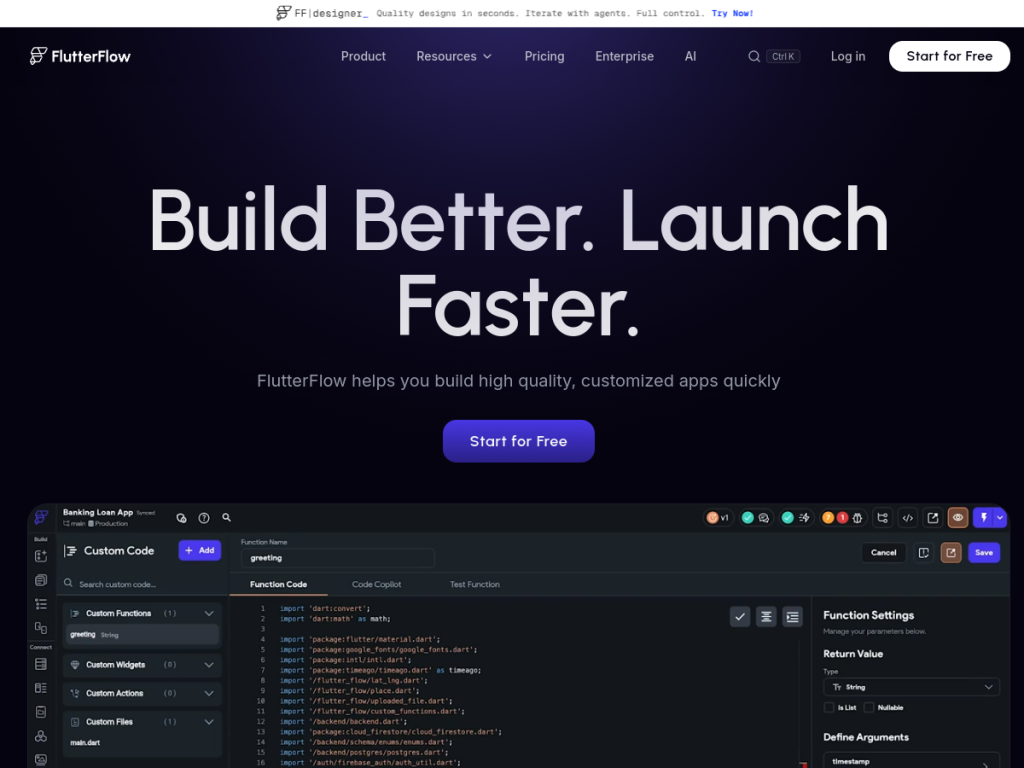
FlutterFlow is a visual, low-code app development platform for building high-quality, customized apps built on the Flutter framework. Its features include a visual UI builder with 200-plus pre-designed elements for rapid development, a visual logic editor (Action Flow Editor) for adding functionality without code, and deep customization through full widget property control, custom actions, and design-system integration with Figma imports. It connects to real data and services — Firebase, Supabase, REST APIs, and third-party integrations like payments and maps — and supports team collaboration with branching, native comments, and task assignment. Apps deploy to the iOS App Store, Google Play, and the web from a single codebase, and full code export avoids vendor lock-in, with a built-in Test Mode for debugging. FlutterFlow offers a free plan to build, with paid plans adding code export, custom domains, and advanced features.
What it does well
- Visual building: drag-and-drop UI plus a visual logic editor.
- Real data: connect Firebase, Supabase, REST APIs, and more.
- No lock-in: export the full Flutter codebase.
- Cross-platform: iOS, Android, and web from one codebase.
Who it is for
FlutterFlow fits developers, startups, agencies, and product teams who want to build cross-platform mobile and web apps quickly with a visual builder, while keeping the option to export real code and extend it. Its Figma imports and collaboration features suit design-led teams. Non-technical users building very simple apps may prefer fully no-code tools, and complex apps still benefit from development knowledge, but for building customizable, production-capable Flutter apps fast, FlutterFlow is a capable, popular choice with a free plan.
Things to keep in mind
- Getting the most out of it benefits from some development knowledge.
- Code export, custom domains, and advanced features require paid plans.
- Very complex apps still involve real engineering effort.
Our verdict
FlutterFlow is a powerful low-code app builder, and its blend of a visual UI and logic editor, real data connections (Firebase, Supabase, REST), Figma imports, and full Flutter code export makes it stand out for building customizable, cross-platform apps quickly without lock-in. Collaboration features and single-codebase deployment to iOS, Android, and web suit real teams. It rewards some development knowledge and advanced features are paid, but for shipping high-quality apps fast, FlutterFlow is an excellent, free-to-start platform.
Frequently asked questions
What is FlutterFlow?
FlutterFlow is a visual, low-code app builder for creating cross-platform apps on the Flutter framework, with drag-and-drop UI, a visual logic editor, real data connections, and code export.
Can FlutterFlow export code?
Yes, FlutterFlow supports full Flutter code export so you avoid vendor lock-in and can extend your app in code.
What can FlutterFlow connect to?
It connects to Firebase, Supabase, REST APIs, and third-party integrations such as payments and maps, and imports designs from Figma.
Is FlutterFlow free?
FlutterFlow offers a free plan to build apps, with paid plans adding code export, custom domains, and advanced features.
Top FlutterFlow alternatives
Other hand-reviewed No-Code tools worth comparing against FlutterFlow.
10WebPaid
10Web is a paid AI no code and website builder tool for founders and small businesses. Our review…
AdaloPaid
Adalo is a paid AI no code and website builder tool for non-technical builders. Our review covers what…
Bravo StudioFreemium
Bravo Studio is a freemium AI no code and website builder tool for non-technical builders. Our review covers…
BubbleFreemium
Bubble is a freemium AI business and no code tool for non-technical builders. Our review covers what it…
Framer AIFreemium
Framer AI is a freemium AI business and design tool for founders and small businesses. Our review covers…
GlidePaid
Glide is a paid AI no code and website builder tool for non-technical builders. Our review covers what…
Are you the maker of FlutterFlow?
Show visitors this review with the badge below. Copy the code into your site or press kit; it links straight back to this page.



