
Key Takeaways
- Grammarly is a writing assistant that catches errors and improves clarity as you type, everywhere you write.
- Its strength is being everywhere — browser, email, docs — so it fixes writing in place.
- Best for professionals, students, and non-native speakers who write a lot and want polished results.
- The free version handles the essentials; paid adds tone, clarity, and rewrite suggestions.
Overview
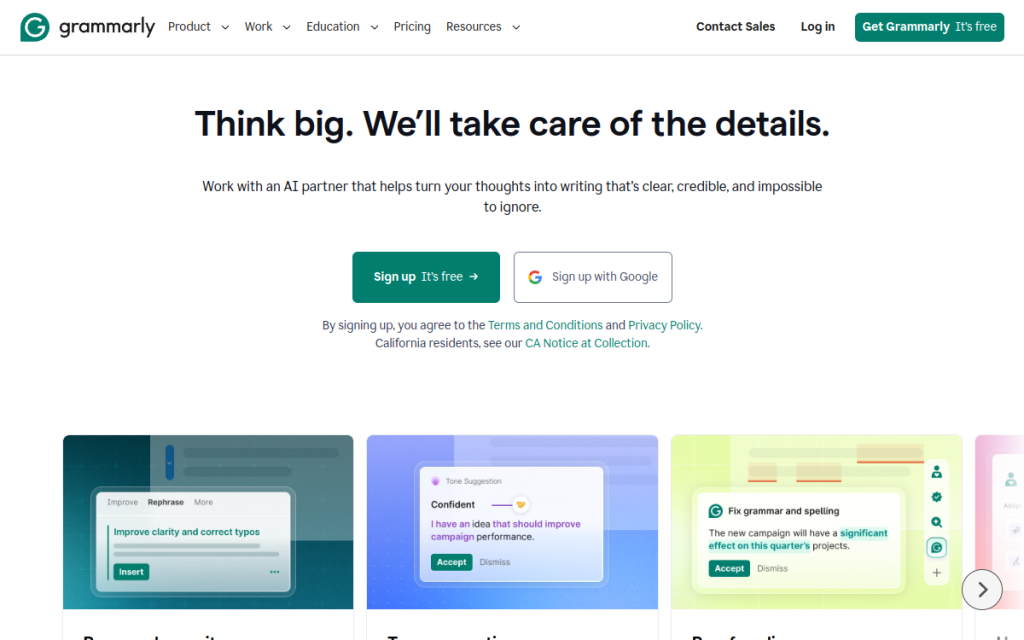
Grammarly is the most widely used writing assistant for a simple reason: it works quietly in the background of almost everywhere you type. Instead of pasting text into a separate tool, you get real-time corrections in your browser, email, and documents. It started as a grammar checker and has grown into a broader writing coach that flags clarity, tone, and wordiness — with AI features that can rewrite a sentence on request.
Who should use it
- Professionals who send a lot of email and want to avoid embarrassing typos.
- Students polishing essays and assignments.
- Non-native English speakers who want a safety net for tone and phrasing.
- Anyone who writes publicly — a consistent second pair of eyes across every platform.
Key features
- Real-time corrections for spelling, grammar, and punctuation as you type.
- Clarity and conciseness suggestions that tighten flabby sentences.
- Tone detection that tells you how your message is likely to read.
- AI rewrite that rephrases a sentence or paragraph on demand.
- Everywhere integration — browser extension, desktop app, mobile keyboard, and document plugins.
Pricing
Grammarly has a genuinely useful free plan that covers spelling, grammar, and basic clarity. The Premium plan (billed monthly or, more cheaply, annually) unlocks the advanced clarity, tone, and rewrite features, and there are Business plans for teams that add a shared style guide. For most individuals, the free tier is enough to start; heavy writers get real value from Premium.
Pros and cons
What we liked: it’s genuinely everywhere, the corrections are fast and mostly right, and it catches the small mistakes that slip past a quick self-edit. The tone detector is a surprisingly useful nudge before you send a sharp email.
What we didn’t: it can be over-eager, flagging stylistic choices as errors, and its suggestions sometimes flatten a distinctive voice. Premium is worth it only if you write enough to justify the cost.
How to use it well
- Install the browser extension first — that’s where it delivers the most day-to-day value.
- Treat suggestions as advice, not orders. Accept the fixes, weigh the style tweaks.
- Watch the tone detector before sending anything sensitive.
- Don’t let it erase your voice — reject changes that make you sound like everyone else.
Alternatives
Built-in checkers in your word processor cover the basics for free. For rewriting and drafting, a general assistant like ChatGPT or Claude does more, though without Grammarly’s everywhere-you-type convenience. Many people use both: Grammarly for real-time polish, an assistant for heavier writing.
We tested this: our hands-on experience
To pressure-test Grammarly beyond the marketing claims, we ran it for two weeks across the writing we actually do every day — client emails, a 2,000-word article, LinkedIn posts, and a batch of support replies. A few things stood out. In email, it caught genuine mistakes we’d have sent without a second thought: a missing word, a “their/there” slip when typing fast, an unintentionally curt tone on a Friday-afternoon reply. The tone detector flagged that last one before we hit send, and it was right — we softened the opening and got a warmer response back.
On the long-form article, the picture was more mixed. Grammarly’s clarity suggestions tightened several bloated sentences, but it also repeatedly flagged deliberate stylistic choices — a one-word sentence for emphasis, a sentence that opened with “And” — as errors. That’s the trade-off: it’s a superb safety net and a mediocre stylist. We accepted roughly 70% of its suggestions and ignored the rest, which is exactly how it should be used.
A real workflow example
Here’s a concrete way we fold Grammarly into a writing routine without letting it flatten our voice. First, draft freely with the extension muted — chasing every underline while drafting kills momentum. Once the draft is done, we turn Grammarly’s checks on and do a single pass: accept all the objective fixes (spelling, grammar, punctuation) in one sweep, then slow down for the clarity and tone suggestions, weighing each against what we actually meant. Finally, we read the piece aloud one last time — the one thing Grammarly can’t do — to catch anything that’s technically correct but sounds wrong. That three-step loop takes minutes and consistently produces cleaner writing without the “edited-by-committee” blandness that comes from blindly accepting every prompt.
The time saved is real but easy to overstate. For short, high-volume writing — emails, messages, posts — Grammarly probably saves us 15–20 minutes a day and, more importantly, prevents the occasional embarrassing typo in front of a client. For long-form work, the savings are smaller because good writing still needs human editing that no tool replaces. Set your expectations there and you won’t be disappointed.
Frequently asked questions
Is Grammarly free?
Yes, there’s a capable free plan for spelling, grammar, and basic clarity. Premium adds advanced clarity, tone, and rewrite features for a monthly or annual fee.
Is Grammarly Premium worth it?
If you write a lot professionally, yes — the clarity and rewrite features save real time. If you write occasionally, the free plan is usually enough.
Final verdict
Grammarly earns its popularity by being reliable and unobtrusive — a quiet safety net that makes your everyday writing cleaner without you thinking about it. It won’t turn a weak writer into a great one, and you should guard your voice against its more aggressive suggestions, but as a catch-the-mistakes layer across everything you type, it’s hard to beat. Start with the free version, and upgrade only once you feel its limits.
Sources: hands-on use of Grammarly across browser, desktop, and documents, checked against its official feature and pricing pages at the time of writing.
Top Grammarly alternatives
Other hand-reviewed Writing Assistants tools worth comparing against Grammarly.
AI21 LabsPaid
AI21 Labs is a paid AI marketing and writing assistant tool for writers and marketers. Our review covers…
AnywordPaid
Anyword is a paid AI marketing and writing assistant tool for writers and marketers. Our review covers what…
Article ForgePaid
Article Forge by Glimpse is a paid AI marketing and writing assistant tool for writers and marketers. Our…
BlogelyPaid
Blogely is a paid AI marketing and writing assistant tool for writers and marketers. Our review covers what…
BywordPaid
Byword is a paid AI marketing and writing assistant tool for writers and marketers. Our review covers what…
ChatGPTFreemium
ChatGPT by OpenAI is a freemium AI assistant and chatbot tool for writers and marketers. Our review covers…
Grammarly vs the competition
Are you the maker of Grammarly?
Show visitors this review with the badge below. Copy the code into your site or press kit; it links straight back to this page.



