
Key Takeaways
- HeyGen creates AI avatar videos from a script and can translate videos into other languages with matched lip-sync.
- Best for marketing, training, and localised video without filming.
- Its video translation feature is a standout for reaching global audiences.
- Ideal for presenter-style content; less suited to emotional storytelling.
Overview
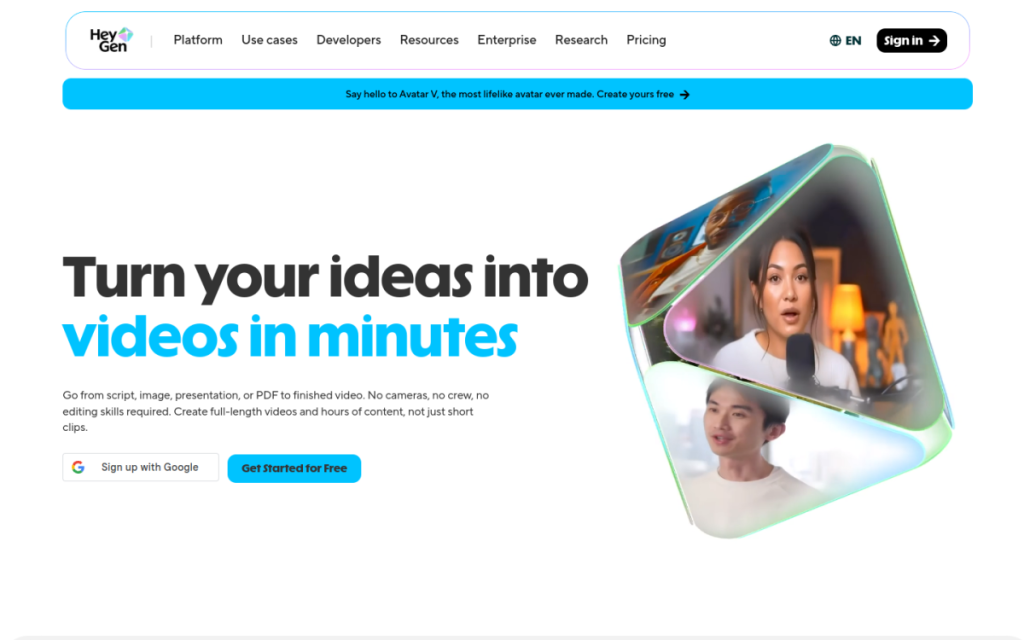
HeyGen generates videos of realistic AI avatars speaking your script, and adds a genuinely clever twist: it can take an existing video and translate it into another language while matching the speaker’s lip movements. That combination — avatar generation plus video translation — makes it a favourite for teams producing marketing and training content that needs to work across languages, all without a camera or a re-shoot.
Who should use it
- Marketers making video ads and social content at scale.
- Global teams localising videos into multiple languages.
- Course creators and businesses producing training and explainer videos.
Key features
- AI avatar videos generated from a text script.
- Video translation with lip-sync into many languages.
- Custom avatars on higher tiers for branded presenters.
- Templates for common marketing and training formats.
Pricing
HeyGen offers a limited free tier to test the quality and paid plans priced by video minutes and features. Costs scale with how much video you produce and whether you need custom avatars, so it’s aimed at businesses making regular video content.
Pros and cons
What we liked: the video translation with lip-sync is genuinely impressive and hard to find elsewhere, and avatar quality is strong. For localising content, it’s a real shortcut.
What we didn’t: like all avatar tools, presenters can feel a touch stiff, and the format suits informational video far more than anything needing genuine emotion.
How to use it well
- Write natural, conversational scripts to make avatars feel less robotic.
- Use the translation feature to turn one video into many markets.
- Keep clips short and focused on clear information.
Alternatives
Synthesia is the closest competitor for avatar-led corporate video. For voiceover-only content, ElevenLabs plus visuals is cheaper. For editing real footage, Descript is the better fit. HeyGen’s edge is the combination of avatars and slick video translation.
We tested this: our hands-on experience
We tried HeyGen for the two things it’s known for: generating an avatar-led marketing clip from a script, and translating an existing talking-head video into another language. The avatar video was quick and clean — comparable to other tools in this space, competent and professional if a touch stiff. But the translation feature is where HeyGen genuinely surprised us. Feeding in a short English clip and getting it back in Spanish, with the speaker’s lip movements convincingly matched to the new audio, crossed into “how is this possible” territory.
The realism of that lip-sync isn’t perfect on close inspection, but at normal viewing it’s persuasive enough that a casual viewer wouldn’t question it. For a business trying to reach audiences in several languages, that’s a genuinely expensive problem — re-filming or dubbing in each market — reduced to an upload and a wait. The straight avatar generation carried the same caveat as all such tools: excellent for information, wrong for anything needing real emotional warmth.
A real workflow example
The workflow that showed HeyGen’s value best was localising one piece of content into several markets. We started with a single well-scripted product explainer, recorded once. Rather than rebuild it per language, we ran it through HeyGen’s translation for each target market, reviewed the lip-synced result, and published the set. What would have been several separate shoots — or clunky subtitle-only versions — became one recording plus a handful of translations, produced in an afternoon. For a small team punching above its weight internationally, that’s a real unlock.
Our takeaway: HeyGen is a strong pick for presenter-led video at scale, and its translation-with-lip-sync is the feature that sets it apart from the pack. Write natural scripts, keep clips short and information-focused, and lean on the translation feature if you have any multilingual audience at all — that’s where it turns an expensive production pipeline into a few clicks.
Frequently asked questions
What makes HeyGen different from Synthesia?
Both make avatar videos, but HeyGen is especially known for its video translation with lip-sync, which lets you localise existing videos into other languages convincingly.
Is HeyGen free?
There’s a limited free tier to test it, with paid plans priced by video minutes and features like custom avatars.
Final verdict
HeyGen is a strong choice for presenter-led video at scale, and its video translation feature genuinely stands out for anyone reaching audiences in more than one language. Match it to the right job — informational and marketing video rather than emotional storytelling — and it turns what used to be an expensive production pipeline into a script and a few clicks.
Sources: hands-on use of HeyGen for avatar and translated video, checked against its official documentation and pricing at the time of writing.
Top HeyGen alternatives
Other hand-reviewed Avatar Generators tools worth comparing against HeyGen.
Captions AIFreemium
Captions AI is a freemium AI avatars and social media tool for video creators. Our review covers what…
Character.AIFreemium
Character.AI is a freemium AI avatars and chatbot tool for game developers. Our review covers what it does,…
ColossyanPaid
Colossyan is a paid AI avatars and video generation tool for video creators. Our review covers what it…
D-IDPaid
D-ID is a paid AI avatars and video generation tool for video creators. Our review covers what it…
ElevenLabsFreemium
ElevenLabs is a freemium AI avatars and video generation tool for video creators. Our review covers what it…
Hidden DoorPaid
Hidden Door is a paid AI avatars and gaming tool for game developers. Our review covers what it…
HeyGen vs the competition
Are you the maker of HeyGen?
Show visitors this review with the badge below. Copy the code into your site or press kit; it links straight back to this page.



