Key Takeaways
- Inworld AI provides real-time voice AI infrastructure for consumer apps.
- It combines speech-to-text, LLMs, and text-to-speech in one pipeline.
- It powers voice for games, companions, learning apps, and voice agents.
- Great for developers building real-time, voice-driven AI experiences.
Inworld AI is an infrastructure provider focused on real-time voice AI for consumer applications. It combines the pieces needed for natural spoken interactions — speech recognition, language models, and expressive text-to-speech — into a low-latency pipeline developers can build on. From games and companion apps to language learning and voice agents, Inworld powers the kind of responsive, human-feeling voice experiences that make AI agents feel alive.
What is InWorld AI?
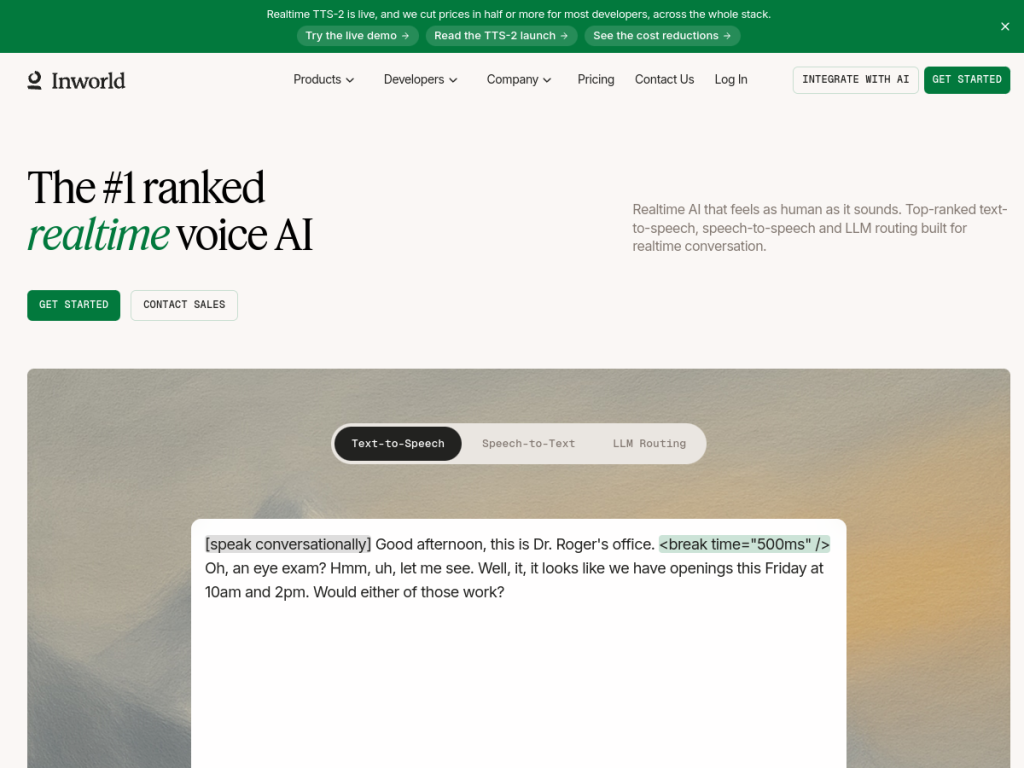
Inworld AI is a research lab and inference provider specializing in real-time voice AI for consumer applications, positioning itself as infrastructure that combines speech-to-text, language models, and text-to-speech in a single pipeline — the voice that makes AI agents feel human. Its products include Realtime TTS (expressive voice synthesis with steering controls for emotion, pitch, and speed), Realtime STT (speech recognition with voice profiling for age, accent, and emotion), a Realtime API for full-duplex voice conversations over WebSocket, a Realtime Router giving access to many LLMs through one OpenAI-compatible endpoint, Realtime Inference of optimized open-source models, and managed Compute for high-volume customers. It targets companion and social apps, language-learning platforms, games and interactive media, customer-support voice agents, and sales or phone systems, and lists consumer apps among its customers. Inworld offers developer access with usage-based pricing and managed options for scale.
What it does well
- Full voice pipeline: STT, LLMs, and expressive TTS together.
- Real-time: low-latency, full-duplex voice conversations.
- Flexible models: one endpoint to many LLMs, plus optimized inference.
- Steerable voices: control emotion, pitch, and speed.
Who it is for
Inworld AI fits developers and companies building real-time, voice-driven AI experiences — companion and social apps, games, language-learning tools, and customer-support or sales voice agents — who need low-latency speech recognition, language reasoning, and expressive text-to-speech as infrastructure rather than building it all themselves. Its steerable voices and single-endpoint LLM access speed development. Non-developers, or those wanting a finished consumer app, will look elsewhere, and building great voice experiences takes design and integration work, but for real-time voice AI infrastructure, Inworld is a capable, developer-focused choice.
Things to keep in mind
- It is developer infrastructure, not a finished consumer app.
- Building great voice experiences takes design and integration effort.
- Usage-based pricing means costs scale with real-time voice volume.
Our verdict
Inworld AI is a strong choice for real-time voice AI infrastructure, and its integrated pipeline — speech-to-text, access to many LLMs through one endpoint, and expressive, steerable text-to-speech, all at low latency over a full-duplex API — is exactly what developers need to make AI agents feel human. It targets the right use cases, from games and companions to language learning and voice agents, with optimized inference and managed compute for scale. It is developer infrastructure that takes integration work and its cost scales with usage, but for building real-time voice AI experiences, Inworld is a capable, well-designed choice.
Frequently asked questions
What is Inworld AI?
Inworld AI provides real-time voice AI infrastructure for consumer apps, combining speech-to-text, language models, and expressive text-to-speech in one low-latency pipeline.
What can you build with Inworld?
Developers use it for companion and social apps, games, language-learning tools, and customer-support or sales voice agents that need natural, real-time spoken interaction.
What products does Inworld offer?
It offers Realtime TTS, Realtime STT, a Realtime API for full-duplex voice, a Realtime Router to many LLMs, optimized Realtime Inference, and managed Compute.
Who is Inworld AI for?
It is for developers and companies building real-time, voice-driven AI experiences who want the speech and language pipeline as infrastructure rather than building it themselves.
Top InWorld AI alternatives
Other hand-reviewed Gaming tools worth comparing against InWorld AI.
Character.AIFreemium
Character.AI is a freemium AI avatars and chatbot tool for game developers. Our review covers what it does,…
Hidden DoorPaid
Hidden Door is a paid AI avatars and gaming tool for game developers. Our review covers what it…
KaedimPaid
Kaedim is a paid AI 3d-tool and design tool for 3D artists. Our review covers what it does,…
KrikeyFreemium
Krikey is a freemium AI avatars and gaming tool for game developers. Our review covers what it does,…
LatitudePaid
Latitude is a paid AI avatars and gaming tool for game developers. Our review covers what it does,…
Leonardo AIFreemium
Leonardo AI is a freemium AI design and gaming tool for creatives and visual artists. Our review covers…
Are you the maker of InWorld AI?
Show visitors this review with the badge below. Copy the code into your site or press kit; it links straight back to this page.



