Key takeaways
- MagicSlides turns prompts, documents, videos or URLs into presentations in seconds, in 130+ languages.
- It accepts many inputs (text, PDF, DOC, YouTube, URLs), offers an AI chat to edit slides, and specialised slide types.
- It generates Google Slides by default and exports to PowerPoint; integrates with Google Slides, Chrome and ChatGPT.
- Great for fast first-draft decks; generated slides need editing and fact-checking before presenting.
What MagicSlides is
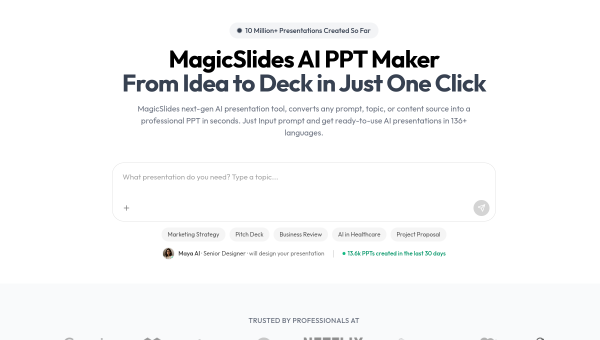
MagicSlides is an AI presentation generator focused on turning source material into slides fast. Give it a topic, prompt, document, YouTube video or URL, and it produces a structured presentation in seconds, supporting more than 130 languages. It works primarily as a Google Slides add-on (generating editable Google Slides) with PowerPoint export, and offers a Chrome extension and ChatGPT integration. It reports millions of users and presentations created, and serves professionals, students and educators who want to skip the blank-slide stage.
Its appeal is speed and flexibility of input. Rather than starting from scratch, you can turn an existing document, a video transcript or a web page into a first-draft deck, then edit. For anyone who dreads building presentations from nothing, that head start is genuinely useful, and the many input formats make it versatile.
The AI features
MagicSlides accepts text, PDFs, DOCs, images, audio/video files, YouTube links and URLs as input, and generates a structured deck with specialised slide types (pros/cons, timelines, SWOT, bullet points with images). An AI chat assistant lets you create, edit and duplicate slides conversationally, and full editing is available after generation. Output defaults to Google Slides with PPTX export, fitting existing workflows.
The variety of inputs and the conversational editing are the standout features. As with all AI slide generators, though, the output is a first draft: generated content can be generic, occasionally inaccurate (especially when summarising a source), and the design is templated. Review and edit the slides — check facts, tighten the message, adjust design — before presenting. MagicSlides removes the blank-page problem; a human still makes the deck genuinely good and correct.
Strengths and limits
The strengths are input flexibility, speed and integration. Turning many source types into an editable Google Slides or PowerPoint deck in seconds, with conversational editing and broad language support, makes MagicSlides a practical first-draft tool that fits existing workflows.
The limits: generated content and design are first-draft quality and templated, needing editing and fact-checking; it is a generator rather than a full design tool. For polished, on-message decks, human refinement is required. As a fast starting point, though, it is effective.
Who it suits
- Professionals and students who want fast first-draft decks from documents or topics.
- Google Slides and PowerPoint users wanting AI generation in their workflow.
- Anyone turning videos, PDFs or URLs into editable presentations quickly.
Verdict
MagicSlides is a versatile AI presentation generator that turns text, documents, videos or URLs into editable Google Slides and PowerPoint decks in seconds, across many languages, with conversational editing. Its input flexibility and workflow integration make it a genuinely useful way to skip the blank-slide stage. As with all AI slide tools, the output is a templated first draft that needs editing and fact-checking before you present. Used as a fast starting point that a human then refines, MagicSlides is a practical, time-saving tool.
Top MagicSlides alternatives
Other hand-reviewed Presentation tools worth comparing against MagicSlides.
Beautiful.aiPaid
Beautiful.ai is a paid AI business and design tool for presenters. Our review covers what it does, pricing,…
Canva AIFreemium
Canva AI is a freemium AI design and image generation tool for designers. Our review covers what it…
GammaFreemium
Gamma is a freemium AI business and design tool for presenters. Our review covers what it does, pricing,…
Murf AIFreemium
Murf AI is a freemium AI presentation and video generation tool for video creators. Our review covers what…
PitchFreemium
Pitch is a freemium AI business and presentation tool for presenters. Our review covers what it does, pricing,…
Plus AIPaid
Plus AI is a paid AI business and presentation tool for presenters. Our review covers what it does,…
Are you the maker of MagicSlides?
Show visitors this review with the badge below. Copy the code into your site or press kit; it links straight back to this page.



