
Key Takeaways
- Miro AI brings AI agents and automation to Miro’s collaborative online whiteboard.
- Sidekicks are agents that understand team context and build on existing work.
- Flows create multi-step visual workflows, with 250+ tool connectors.
- Great for teams that already use Miro; AI turns the canvas into an agentic workspace.
Miro is one of the most popular online whiteboards for visual collaboration, and Miro AI extends it into an agentic workspace. It adds AI agents that understand your board’s context, multi-step visual workflows, and connectors to the tools teams use — turning brainstorming and planning canvases into places where people and AI agents work together to make decisions faster.
What is Miro AI?
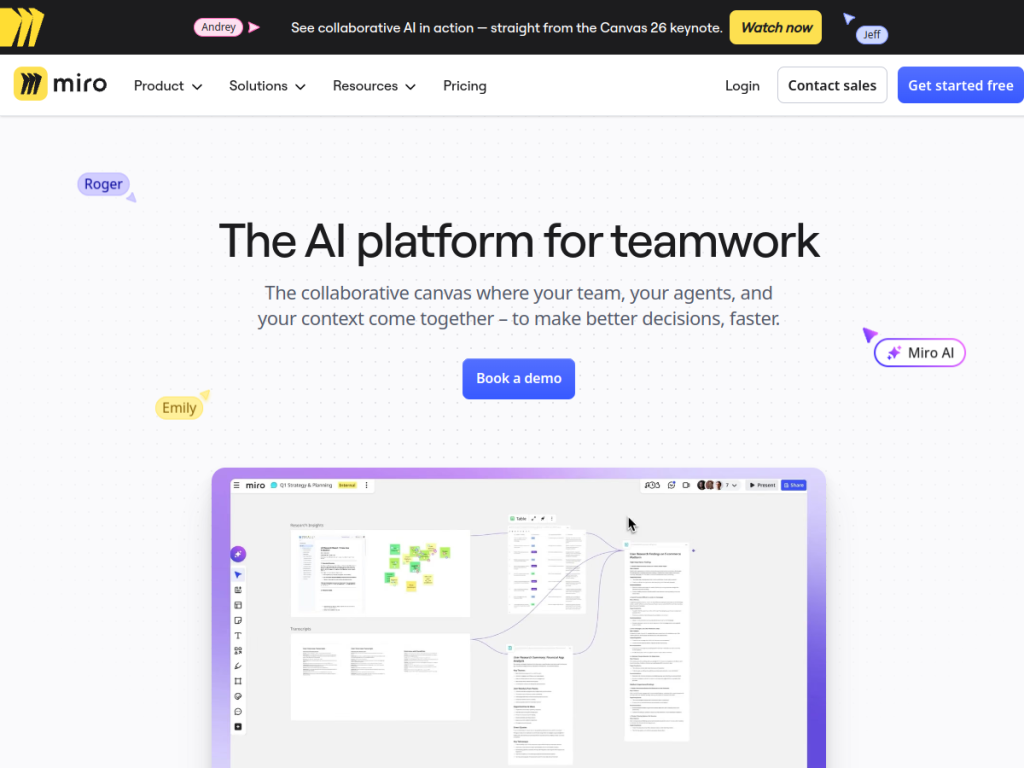
Miro AI is the AI layer of Miro’s collaborative canvas, described as a place where a team, its agents, and its context come together. Its key pieces include Sidekicks — intelligent agents that understand team context and build on existing work across Miro and external tools; Flows, which let teams create, run, and share multi-step visual workflows; and Connectors that integrate with 250-plus tools like Slack and Jira. It ships pre-built AI Playbooks for common use cases such as planning and strategy, product development, rapid prototyping, competitor analysis, research synthesis, and more. Miro emphasizes enterprise-grade protection, including granular access controls, sensitive-content blocking, data residency across regions, and ISO 42001 certification. It offers a free plan with paid business and enterprise tiers.
What it does well
- Agents on the canvas: Sidekicks understand context and build on your work.
- Visual workflows: Flows automate multi-step processes teams can share.
- Broad integrations: 250+ connectors, including Slack and Jira.
- Enterprise security: access controls, data residency, and ISO 42001.
Who it is for
Miro AI fits product teams, designers, strategists, and cross-functional groups that already collaborate on Miro boards and want AI woven into that visual workflow — for planning, prototyping, research synthesis, and more. It is most valuable to teams invested in Miro who want agents and automation on their canvas. Those not using Miro, or wanting a simple standalone AI tool, may look elsewhere, but for visual collaboration with integrated AI, Miro AI is a strong extension of a popular platform.
Things to keep in mind
- Its value is greatest for teams already using Miro as their canvas.
- AI agents and outputs benefit from human review and direction.
- The most advanced AI and security features sit on paid business/enterprise plans.
Our verdict
Miro AI is a natural, powerful evolution of a beloved collaborative whiteboard, turning the canvas into an agentic workspace where Sidekicks understand context and Flows automate multi-step work, all connected to the tools teams already use. For groups invested in Miro, that integration makes planning, prototyping, and research meaningfully faster. It is most valuable within the Miro ecosystem, and top features are paid, but for teams that collaborate visually and want AI built in, Miro AI is an excellent choice with a free plan to start.
Frequently asked questions
What is Miro AI?
Miro AI is the AI layer of Miro’s collaborative whiteboard, adding AI agents (Sidekicks), multi-step visual workflows (Flows), and 250+ tool connectors.
What are Miro AI Sidekicks?
Sidekicks are intelligent agents that understand team context and build on your existing work across Miro and external tools.
Is Miro free?
Yes, Miro has a free plan, with paid business and enterprise tiers that add more features and AI capabilities.
Who is Miro AI for?
It is for product teams, designers, and cross-functional groups that collaborate on Miro boards and want AI agents and automation on their canvas.
Top Miro AI alternatives
Other hand-reviewed Productivity tools worth comparing against Miro AI.
Abnormal SecurityPaid
Abnormal Security by Abnormal AI is a paid AI business and productivity tool for business teams. Our review…
Adobe Acrobat AIFreemium
Adobe Acrobat AI is a freemium AI business and ocr tool for document-heavy teams. Our review covers what…
AirtableFreemium
Airtable is a freemium AI business and productivity tool for knowledge workers. Our review covers what it does,…
AlmanacPaid
Almanac is a paid AI business and productivity tool for knowledge workers. Our review covers what it does,…
AsanaFreemium
Asana is a freemium AI business and productivity tool for knowledge workers. Our review covers what it does,…
Automation AnywherePaid
Automation Anywhere is a paid AI business and productivity tool for business teams. Our review covers what it…
Are you the maker of Miro AI?
Show visitors this review with the badge below. Copy the code into your site or press kit; it links straight back to this page.



