Key takeaways
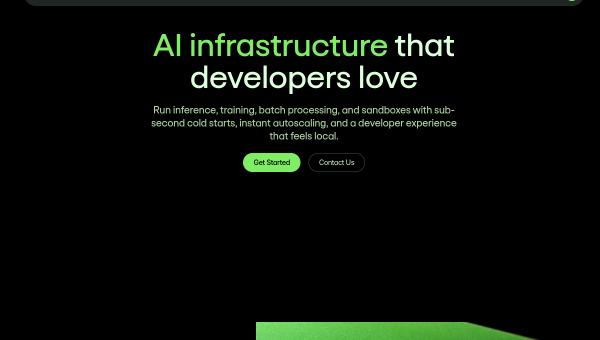
- Modal is a cloud platform built for AI/ML workloads: write Python locally, run it on cloud GPUs with minimal setup.
- It offers instant autoscaling to 1000+ GPUs, sub-second cold starts, and one SDK for inference, training and batch jobs.
- It handles inference, fine-tuning, batch processing and sandboxed code execution, with built-in observability.
- Best for AI/ML teams who want production-grade compute without managing infrastructure; a developer platform, not a consumer tool.
What Modal is
Modal is a cloud platform designed specifically for AI and machine-learning workloads, built to remove the pain of managing infrastructure. Its core idea is simple and powerful: write your code in Python locally, and Modal runs it in the cloud — on GPUs, at scale — with minimal friction. Instead of provisioning servers, configuring containers and wrangling autoscaling, developers describe what they want in Python and Modal handles the rest. It serves teams from startups to enterprises building AI systems who want production-grade compute without becoming infrastructure engineers.
The problem it solves is real and painful: AI workloads need GPUs, which are expensive, scarce and complex to manage, and demand can spike unpredictably. Modal abstracts that away, letting teams focus on their models and code rather than the plumbing, and only pay for the compute they actually use.
The features
Modal provides instant autoscaling — from zero to 1000+ GPUs across clouds and regions — and sub-second cold starts so containers boot almost instantly for responsive inference. A unified Python SDK covers many workload types: LLM and multimodal inference (image, video, audio, embeddings), model fine-tuning and reinforcement learning, large-scale batch processing, and sandboxed environments for running untrusted code. It offers on-demand access to high-end GPUs (H100s, A100s, B200s and more) and built-in observability with logging and monitoring for production use.
The autoscaling, fast cold starts and single-SDK simplicity are the standout benefits — they make sophisticated GPU workloads accessible without deep infrastructure expertise, and the pay-for-what-you-use model suits variable AI demand. As developer infrastructure, the considerations are practical: it requires Python and engineering skills, costs scale with compute usage, and you are running workloads on a third-party cloud, so evaluate data handling for sensitive work. It is a platform for building, not an end-user app.
Strengths and limits
The strengths are developer experience, autoscaling and breadth of workloads. Writing Python locally and running it on autoscaling GPUs with fast cold starts, across inference, training and batch jobs, is a genuinely elegant solution to a hard problem, and built-in observability makes it production-ready. For AI/ML teams, it removes enormous infrastructure burden.
The limits: it is a technical platform requiring engineering skills and Python, so it is irrelevant to non-developers. Compute costs scale with usage, and as with any cloud you should assess data handling for sensitive workloads. It competes with other GPU clouds, so evaluate fit and pricing for your needs. For its audience, though, its developer experience is a major draw.
Who it suits
- AI/ML developers and teams who want cloud GPUs without managing infrastructure.
- Teams running inference, fine-tuning or batch jobs that need autoscaling.
- Startups and enterprises wanting production-grade compute via a simple Python SDK.
Verdict
Modal is an elegant cloud platform for AI/ML that lets developers run Python code on autoscaling GPUs with sub-second cold starts and one unified SDK — removing the infrastructure burden that makes AI workloads painful. For teams doing inference, fine-tuning or batch processing at scale, its developer experience and pay-for-use model are compelling, and built-in observability makes it production-ready. It is a technical platform requiring engineering skills, with the usual cost and data-handling considerations, but for AI/ML teams who want power without managing infrastructure, Modal is one of the best options available.
Top Modal alternatives
Other hand-reviewed Coding Assistants tools worth comparing against Modal.
AiderFree
Aider is a free AI coding assistant and developer tool tool for software developers. Our review covers what…
AlphaCodeFree
AlphaCode by Google DeepMind is a free AI coding assistant and developer tool tool for software developers. Our…
Amazon Q DeveloperFreemium
Amazon Q Developer by Amazon Web Services is a freemium AI business and coding assistant tool for software…
AnacondaFree
Anaconda is a free AI coding assistant and developer tool tool for engineers. Our review covers what it…
ApplitoolsPaid
Applitools is a paid AI coding assistant and developer tool tool for engineers. Our review covers what it…
AskCodiFreemium
AskCodi is a freemium AI coding assistant and developer tool tool for software developers. Our review covers what…
Are you the maker of Modal?
Show visitors this review with the badge below. Copy the code into your site or press kit; it links straight back to this page.



