Key takeaways
- Polycam is a 3D capture app that scans real objects, spaces and sites into 3D models and floor plans.
- It uses spatial AI, LiDAR and photogrammetry — capturing from the real world rather than generating from prompts.
- Features include object capture, room/space capture with measurements, floor plans and drone mapping; iOS, Android and web.
- Best for AEC, real estate, product and creative pros; capture quality depends on technique, lighting and device.
What Polycam is
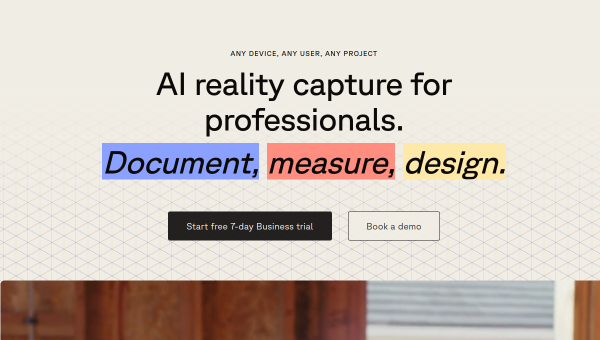
Polycam takes a different approach to 3D than the generators in this category: instead of creating models from text or images, it captures the real world. Using spatial AI together with LiDAR and photogrammetry, Polycam scans physical objects, rooms, buildings and sites and turns them into accurate 3D models, floor plans and measurements. It runs on iOS, Android and the web, and serves professionals across architecture, engineering and construction, real estate, product design, media and entertainment, and even forensics, as well as creators and hobbyists.
Its value is digitising reality quickly and without specialised survey equipment. Where 3D generators are about imagining new assets, Polycam is about accurately capturing existing things — a room to measure and redesign, an object to turn into a 3D model, a site to document. For professionals who previously needed expensive scanners or manual measurement, doing this with a phone is a significant efficiency and accessibility gain.
The AI features
Polycam’s spatial AI powers object capture (creating shareable 3D models of items), space capture (documenting interiors with measurements), automatic floor-plan generation, and drone mapping (processing aerial footage into large-scale 3D models). The AI-assisted photogrammetry and LiDAR processing turn raw captures into clean, measurable 3D outputs, and cross-platform support means you can capture in the field and work with results anywhere.
Because Polycam captures reality, its quality depends on capture technique, lighting, surfaces and device hardware — reflective or featureless surfaces, poor lighting or hurried scans produce weaker results, and LiDAR-equipped devices generally do better than photogrammetry alone. Captured models and measurements should be checked for accuracy before relying on them for professional decisions (construction, real estate), since scanning is not infallible. Used with good technique and verification, Polycam produces genuinely useful, measurable 3D; used carelessly, captures can be inaccurate or incomplete.
Strengths and limits
The strengths are real-world capture, accessibility and professional breadth. Turning a phone into a capable 3D scanner — for objects, spaces, floor plans and drone mapping — is genuinely valuable across AEC, real estate, product and creative fields, removing the need for expensive equipment. Cross-platform support fits real workflows.
The limits: capture quality depends on technique, lighting, surfaces and device (LiDAR helps), and outputs should be verified for accuracy before professional reliance. It captures reality rather than generating new assets, so it complements rather than replaces 3D generators. For its capture use case, though, it is a leading tool.
Who it suits
- AEC, real estate and facilities pros capturing spaces, measurements and floor plans.
- Product designers and creators turning real objects into 3D models.
- Anyone wanting professional-grade 3D capture from a phone or drone.
Verdict
Polycam is a leading 3D capture app that uses spatial AI, LiDAR and photogrammetry to digitise the real world — objects, spaces, floor plans and drone-mapped sites — from a phone or the web, serving AEC, real estate, product and creative professionals. Unlike 3D generators, it captures reality accurately and measurably, removing the need for expensive scanning equipment. Capture quality depends on technique, lighting and device, and outputs should be verified for professional decisions. Used with good technique, Polycam turns everyday devices into genuinely capable 3D scanners.
Top Polycam alternatives
Other hand-reviewed 3D Tools tools worth comparing against Polycam.
CSGHubFreemium
CSGHub by OpenCSG is a freemium AI 3d-tool and design tool for 3D artists. Our review covers what…
KaedimPaid
Kaedim is a paid AI 3d-tool and design tool for 3D artists. Our review covers what it does,…
MeshyFreemium
Meshy is a freemium AI 3d-tool and design tool for 3D artists. Our review covers what it does,…
Promethean AIFree
Promethean AI is a free AI 3d-tool and design tool for game developers. Our review covers what it…
RodinFreemium
Rodin is a freemium AI 3d-tool and design tool for 3D artists. Our review covers what it does,…
Rosebud AIFreemium
Rosebud AI is a freemium AI 3d-tool and design tool for game developers. Our review covers what it…
Are you the maker of Polycam?
Show visitors this review with the badge below. Copy the code into your site or press kit; it links straight back to this page.



