Key takeaways
- Prezi is a well-known presentation platform famous for its dynamic, zooming (non-linear) presentation format.
- Its AI now generates fully designed presentations from prompts or uploaded files, refined conversationally.
- It offers brand integration, PPTX/PDF/web export, and both traditional slides and its signature zooming mode.
- The AI produces strong first drafts; review content and lean on Prezi’s distinctive format where it fits the message.
What Prezi is
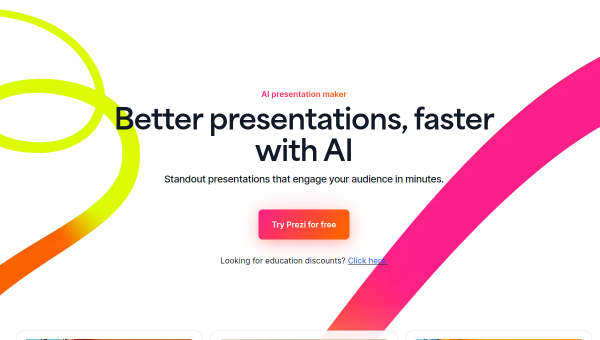
Prezi is a long-established presentation platform best known for its signature format: instead of linear slides, Prezi presentations can use a dynamic, zooming canvas that moves around a big-picture map of your content, which can make certain stories more engaging and memorable. It has since added a capable AI assistant that generates fully designed presentations from a prompt or uploaded files (PDFs, PowerPoints, docs), which you refine through conversation. It is used by major companies and in education, and offers traditional slides as well as its distinctive zooming mode.
Its differentiation is that visual-storytelling format combined with AI. Where most AI presentation tools produce standard slide decks, Prezi can produce its more dynamic, non-linear presentations — a genuine point of difference for presenters who want to stand out or convey relationships and hierarchy visually. The AI, trained on a large corpus of real presentations, handles layout, pacing and visual storytelling automatically.
The AI features
Prezi’s AI instantly generates complete, designed presentations from input, lets you refine them conversationally rather than by manual editing, applies consistent branding from uploaded guidelines or a website, and exports to PPTX, PDF and web. It offers both traditional slide decks and Prezi’s zooming format. The company notes the AI draws on a very large set of real presentations to handle design and structure.
The AI generation plus the distinctive format is the appeal. As with all AI presentation tools, the generated content is a first draft to review — check facts and tighten the message — and the zooming format, while distinctive, is not right for every context (it can distract or induce motion issues if overused). Used well, Prezi’s AI gives you a designed starting point and the option of a more engaging format; used carelessly, the format can overwhelm the message.
Strengths and limits
The strengths are the distinctive zooming format, AI generation and brand integration. Combining a genuinely different, engaging presentation style with AI that designs decks from a prompt sets Prezi apart from standard slide generators, and its maturity and adoption add confidence.
The limits: the zooming format suits some messages and audiences more than others and can distract if overused; AI content is a first draft to review; and traditional slide users may not need the dynamic format. For presenters who want to stand out with AI help, though, Prezi is distinctive.
Who it suits
- Presenters who want a distinctive, dynamic format beyond linear slides.
- Users who want AI to generate designed decks from prompts or files.
- Teams and educators wanting brand-consistent, engaging presentations.
Verdict
Prezi combines its signature dynamic, zooming presentation format with a capable AI that generates fully designed decks from prompts or files and refines them conversationally — a genuine point of difference from standard AI slide generators. For presenters who want to stand out or convey relationships visually, that distinctive format plus AI help is compelling. The AI output is a first draft to review, and the zooming format suits some contexts more than others, so use it where it fits the message. For engaging, AI-assisted presentations with a difference, Prezi is a strong, mature choice.
Top Prezi alternatives
Other hand-reviewed AI Presentation tools worth comparing against Prezi.
DecktopusFreemium
Decktopus is a freemium AI presentation tool. Our hands-on review covers features, pricing, pros and cons, and who…
StorydocFree Trial
Storydoc is a free trial AI presentation tool. Our hands-on review covers features, pricing, pros and cons, and…
WonderslideFreemium
Wonderslide is a freemium AI presentation tool. Our hands-on review covers features, pricing, pros and cons, and who…
Are you the maker of Prezi?
Show visitors this review with the badge below. Copy the code into your site or press kit; it links straight back to this page.