Key Takeaways
- Rasa is a developer platform for building reliable enterprise AI assistants.
- Its CALM framework blends LLM flexibility with deterministic business logic.
- It supports chat and voice, RAG, multi-agent orchestration, and on-prem deployment.
- Strong for teams that need control and reliability; it is developer-focused.
Rasa is a well-known platform for building conversational AI, with deep open-source roots and a strong enterprise focus. Its pitch addresses a real frustration with pure LLM chatbots: reliability. Rasa combines the flexibility of large language models with deterministic business logic, so enterprises can build assistants that follow rules and behave predictably across millions of conversations, not just improvise.
What is Rasa?
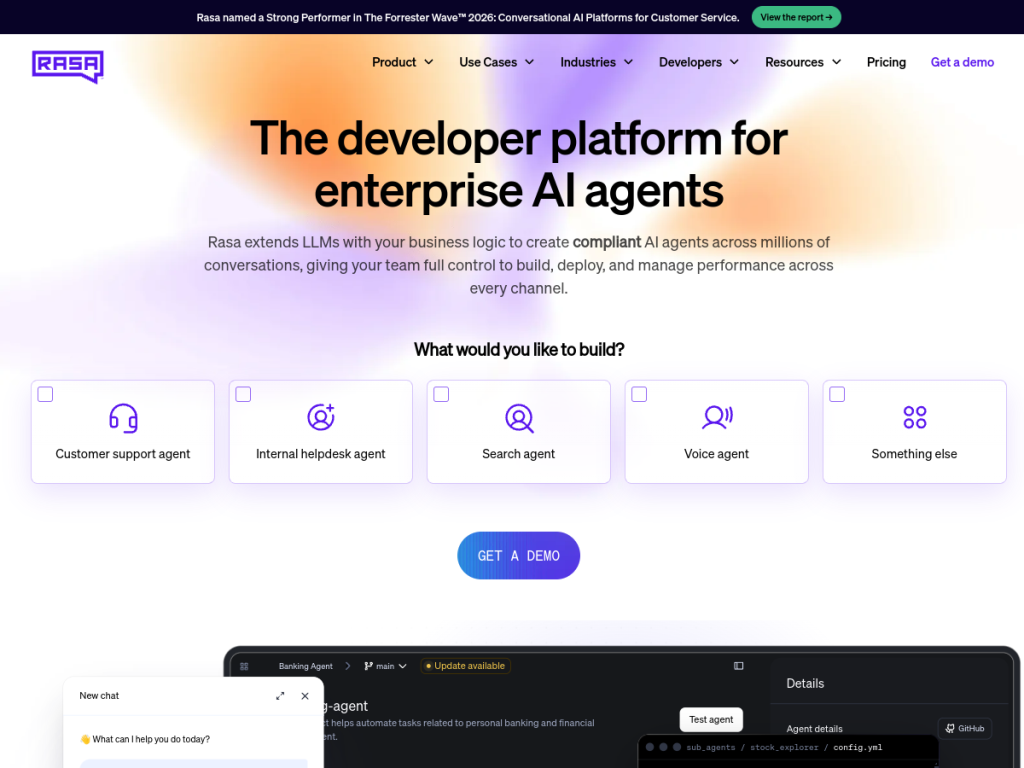
Rasa is a developer platform for building enterprise-grade AI assistants and agents. Its core is the CALM framework, which combines the natural flexibility of LLMs with deterministic logic for reliability — letting developers extend LLMs with their own business rules so conversations stay on track. The platform supports chat and voice, including low-latency real-time voice; enterprise RAG for grounding answers in trusted data; multi-agent orchestration to coordinate specialized agents across workflows; on-premise and private-cloud deployment for full data control and compliance; and observability tools to monitor and refine agents in production. Rasa has open-source origins and open principles — offering access to prompts, policies, and the underlying codebase — while its commercial Rasa Pro and enterprise platform target businesses that need control and scale. It offers a free Developer Edition, with quote-based enterprise pricing.
What it does well
- Reliability: CALM blends LLM flexibility with deterministic business logic.
- Control and privacy: on-premise and private-cloud deployment options.
- Chat and voice: omnichannel, including low-latency real-time voice.
- Developer-friendly openness: access to prompts, policies, and code.
Who it is for
Rasa is built for developers and enterprises that need conversational AI they can trust to behave predictably — particularly in regulated or data-sensitive industries where control, compliance, and on-premise deployment matter. It suits technical teams building sophisticated assistants that must follow business rules reliably. Non-technical users and those wanting a quick no-code bot will find it developer-oriented, but for teams that need reliable, controllable conversational AI at scale, Rasa is a leading choice.
Things to keep in mind
- It is a developer platform, so building with it requires engineering skill.
- The enterprise platform is quote-based; the free edition is for development.
- Realizing reliability benefits means investing in proper design and logic.
Our verdict
Rasa stands out by tackling the reliability problem that plagues purely LLM-based chatbots: its CALM framework lets teams combine the flexibility of language models with deterministic business logic, so assistants stay on the rails. Add chat and voice, enterprise RAG, multi-agent orchestration, and on-premise deployment, and it is a serious platform for organizations that need control and compliance. It is developer-focused and enterprise-priced, not a quick no-code bot, but for teams building reliable, controllable conversational AI at scale, Rasa is an excellent, well-established choice.
Frequently asked questions
What is Rasa?
Rasa is a developer platform for building reliable enterprise AI assistants, combining LLM flexibility with deterministic business logic through its CALM framework, across chat and voice.
What is CALM in Rasa?
CALM is Rasa’s framework that blends the flexibility of large language models with deterministic logic, so assistants follow business rules and behave predictably.
Is Rasa open source?
Rasa has open-source roots and open principles, offering access to prompts, policies, and the underlying codebase, alongside its commercial Rasa Pro and enterprise platform.
Can Rasa run on-premise?
Yes. Rasa supports on-premise and private-cloud deployment for full data control and compliance, which suits regulated industries.
Top Rasa alternatives
Other hand-reviewed AI Assistants tools worth comparing against Rasa.
AiseraPaid
Aisera is a paid AI assistant and chatbot tool for professionals. Our review covers what it does, pricing,…
Amazon LexPaid
Amazon Lex by Amazon Web Services is a paid AI assistant and chatbot tool for professionals. Our review…
Anakin AIFreemium
Anakin AI is a freemium AI assistant and chatbot tool for professionals. Our review covers what it does,…
AvaamoPaid
Avaamo is a paid AI assistant and chatbot tool for professionals. Our review covers what it does, pricing,…
Boost.aiPaid
Boost.ai is a paid AI assistant and chatbot tool for professionals. Our review covers what it does, pricing,…
BotpressFreemium
Botpress is a freemium AI assistant and chatbot tool for professionals. Our review covers what it does, pricing,…
Are you the maker of Rasa?
Show visitors this review with the badge below. Copy the code into your site or press kit; it links straight back to this page.