Key Takeaways
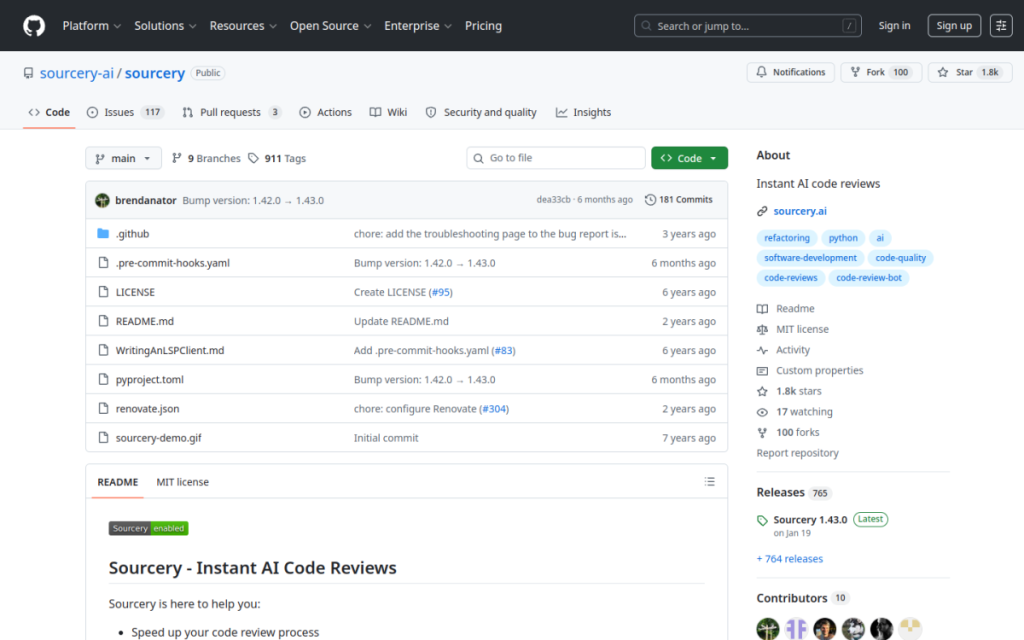
- Sourcery is an AI code review tool and automated PR reviewer.
- It gives instant pull-request reviews with summaries and fixes.
- It scans for security issues, bugs, and logic errors early.
- Great for teams wanting faster, higher-quality code review.
Sourcery is an AI-powered code review tool built for the age of fast, AI-assisted development. It reviews pull requests instantly — providing clear summaries and suggested fixes — and continuously scans for security vulnerabilities, bugs, and logic errors, catching problems early. With real-time feedback in your IDE too, Sourcery helps teams ship better code faster and with fewer review bottlenecks. For engineering teams drowning in review, it is a genuinely useful assistant.
What is Sourcery?
Sourcery is an automated code review platform designed to address the challenges of AI-driven development, providing security scanning, bug detection, and code-quality analysis across environments. Its features include PR reviews (instant code reviews with clear summaries and fixes), security scanning that runs continuously across repositories with an emphasis on high signal and low noise, IDE integration for real-time feedback in VS Code and JetBrains IDEs, agent support that works with coding agents to automatically fix identified issues, and team analytics giving visibility into code-quality metrics. It focuses on three areas: stopping vulnerabilities from code inception through merge, catching logic errors and edge cases early, and enabling faster review cycles with fewer blockers. Sourcery integrates with VS Code, PyCharm, GitHub, and GitLab, and reports use by 300,000-plus developers and enterprise clients such as HelloFresh, Cisco, and Red Hat. It offers free and paid plans, with enterprise options.
What it does well
- Instant PR reviews: summaries and suggested fixes.
- Security scanning: catch vulnerabilities before merge.
- Early bug detection: logic errors and edge cases.
- Integrated: VS Code, JetBrains, GitHub, and GitLab.
Who it is for
Sourcery fits software teams and developers who want to speed up and strengthen code review — getting instant PR reviews with fixes, continuous security scanning, and early bug detection — especially as AI-generated code increases review load. Its GitHub and GitLab integration and IDE feedback fit real workflows, and it works alongside coding agents. Solo developers on tiny projects may not need it, and AI review suggestions still require human judgment, but for teams wanting faster, higher-quality code review, Sourcery is a capable, well-adopted choice with a free plan.
Things to keep in mind
- AI review suggestions still require human judgment before merging.
- Deeper features and team analytics sit in paid plans.
- Its value grows with real review volume and team workflows.
Our verdict
Sourcery is a genuinely useful AI code review tool, and its timing is apt: as AI-generated code increases review load, it provides instant pull-request reviews with clear summaries and fixes, continuous security scanning that emphasizes high signal, and early detection of bugs and logic errors — with real-time IDE feedback and support for coding agents. Integration with GitHub, GitLab, VS Code, and JetBrains and adoption by 300,000-plus developers back it up. AI suggestions still need human judgment and deeper features are paid, but for faster, higher-quality code review, Sourcery is a capable choice with a free plan.
Frequently asked questions
What is Sourcery?
Sourcery is an AI code review tool and automated pull-request reviewer that gives instant reviews with summaries and fixes, scans for security issues, and catches bugs and logic errors early.
What does Sourcery integrate with?
It integrates with VS Code, PyCharm, GitHub, and GitLab, providing PR reviews and real-time IDE feedback, and it works with coding agents.
Is Sourcery free?
Sourcery offers free and paid plans, with enterprise options; see the pricing page for current tiers.
Who is Sourcery for?
It is for software teams and developers who want faster, higher-quality code review with instant PR feedback, security scanning, and early bug detection.
Top Sourcery alternatives
Other hand-reviewed Coding Assistants tools worth comparing against Sourcery.
AiderFree
Aider is a free AI coding assistant and developer tool tool for software developers. Our review covers what…
AlphaCodeFree
AlphaCode by Google DeepMind is a free AI coding assistant and developer tool tool for software developers. Our…
Amazon Q DeveloperFreemium
Amazon Q Developer by Amazon Web Services is a freemium AI business and coding assistant tool for software…
AnacondaFree
Anaconda is a free AI coding assistant and developer tool tool for engineers. Our review covers what it…
ApplitoolsPaid
Applitools is a paid AI coding assistant and developer tool tool for engineers. Our review covers what it…
AskCodiFreemium
AskCodi is a freemium AI coding assistant and developer tool tool for software developers. Our review covers what…
Are you the maker of Sourcery?
Show visitors this review with the badge below. Copy the code into your site or press kit; it links straight back to this page.



