Key Takeaways
- Sourcetable is an AI-powered spreadsheet you can query in plain English.
- It connects to 40+ data sources and generates charts and analysis instantly.
- Python integration and an AI analyst handle custom and advanced work.
- Great for AI-assisted data analysis; check AI output before relying on it.
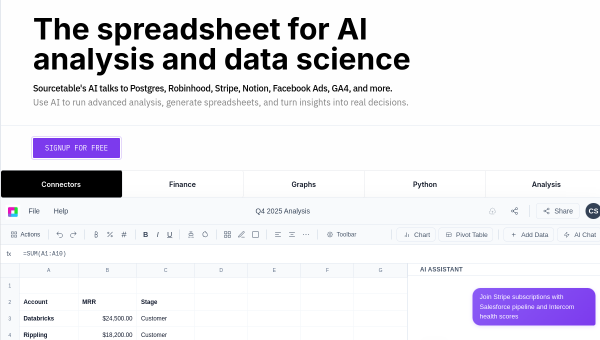
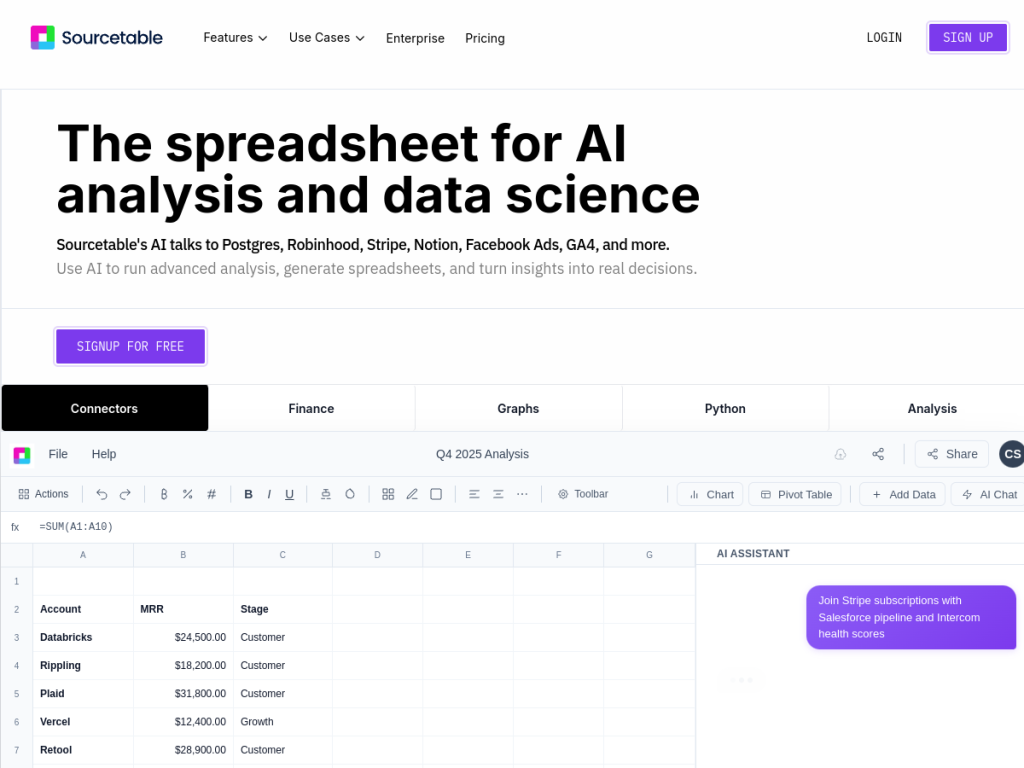
Sourcetable reimagines the spreadsheet for the AI era. Instead of writing formulas and wrestling with pivot tables, you ask questions in plain English and get answers, charts, and analysis back — while still keeping the familiar spreadsheet grid. It connects directly to your data sources, so the numbers are live, and it adds an AI analyst plus Python for the heavier lifting.
What is Sourcetable?
Sourcetable is an AI-powered spreadsheet platform that blends traditional spreadsheet functionality with AI, billing itself as a spreadsheet for both humans and AI. Its core is an AI assistant you can query conversationally — ask questions in plain English and it returns answers, generates charts and graphs instantly, cleans and manipulates data, and can use Python for custom logic. It connects to 40-plus data sources, including PostgreSQL, BigQuery, Stripe, Notion, and Google Analytics, so analysis runs on live data, and it includes a Quant AI market-analyst tool for finance-style work. It handles large files (up to multiple gigabytes), offers a free tier plus Pro and Max plans with higher AI allowances, a student and faculty discount, and enterprise options with compliance certifications like SOC 2, HIPAA, and PCI.
What it does well
- Natural-language analysis: ask questions and get charts and answers.
- Live data: 40+ connectors to databases, apps, and analytics.
- Python and AI analyst: custom logic and advanced analysis when needed.
- Familiar grid: keeps the spreadsheet feel people already know.
Who it is for
Sourcetable fits analysts, operators, founders, and data-minded teams who want to analyze data and build reports faster by asking questions rather than writing formulas — especially those who want live connections to their databases and apps. Its Python support suits more technical users too. Those needing only a basic spreadsheet may not need the AI layer, and AI output should be checked, but for accessible, connected, AI-assisted data analysis, Sourcetable is a compelling modern option with a free tier.
Things to keep in mind
- AI-generated analysis and formulas should be reviewed before you rely on them.
- Getting the most from connectors assumes access to your data sources.
- Heavier AI usage requires Pro or Max plans.
Our verdict
Sourcetable is a genuinely modern take on the spreadsheet, letting you analyze data by asking questions in plain English while keeping the familiar grid and connecting to live data sources. The AI analyst, instant charts, and Python support make it capable for both quick questions and deeper work. AI output still deserves a check and the best features need paid plans, but for analysts and teams who want faster, connected, AI-assisted analysis without writing every formula, Sourcetable is a strong choice with a free tier to start.
Frequently asked questions
What is Sourcetable?
Sourcetable is an AI-powered spreadsheet where you query data in plain English to get answers, charts, and analysis, with 40+ data connectors and Python support.
What data can Sourcetable connect to?
It connects to 40+ sources, including PostgreSQL, BigQuery, Stripe, Notion, and Google Analytics, so analysis runs on live data.
Is Sourcetable free?
Yes, there is a free tier with basic spreadsheet use and limited AI, plus Pro and Max plans with more AI credits and a student and faculty discount.
Do I need to know formulas to use Sourcetable?
No. You can ask questions in plain English and generate charts and analysis, though it also supports formulas and Python for custom work.
Top Sourcetable alternatives
Other hand-reviewed AI Data Analysis tools worth comparing against Sourcetable.
AkkioFreemium
Akkio is a freemium AI data tool. Our hands-on review covers features, pricing, pros and cons, and who…
BasedashFree Trial
Basedash is a free trial AI data tool. Our hands-on review covers features, pricing, pros and cons, and…
ChartpixelFree Trial
Chartpixel is a free trial AI data tool. Our hands-on review covers features, pricing, pros and cons, and…
CoefficientFreemium
Coefficient is a freemium AI data tool. Our hands-on review covers features, pricing, pros and cons, and who…
DeepnoteFree
Deepnote is a free AI data tool. Our hands-on review covers features, pricing, pros and cons, and who…
Formula BotFreemium
Formula Bot is a freemium AI data tool. Our hands-on review covers features, pricing, pros and cons, and…
Are you the maker of Sourcetable?
Show visitors this review with the badge below. Copy the code into your site or press kit; it links straight back to this page.