Key Takeaways
- Speechify is a voice-AI platform best known for turning text into natural-sounding speech.
- It reads PDFs, documents, and web pages aloud with 1,000+ voices across many languages.
- It also offers voice dictation, an AI assistant, and meeting notes.
- Excellent for consuming text by ear; AI voices are natural but not indistinguishable from human.
Speechify is one of the best-known text-to-speech tools, built around a simple, powerful idea: you can listen to text instead of reading it. It turns documents, PDFs, and web pages into natural-sounding audio with a huge range of voices and languages — a genuine help for anyone who wants to consume more content, or who finds reading difficult.
What is Speechify?
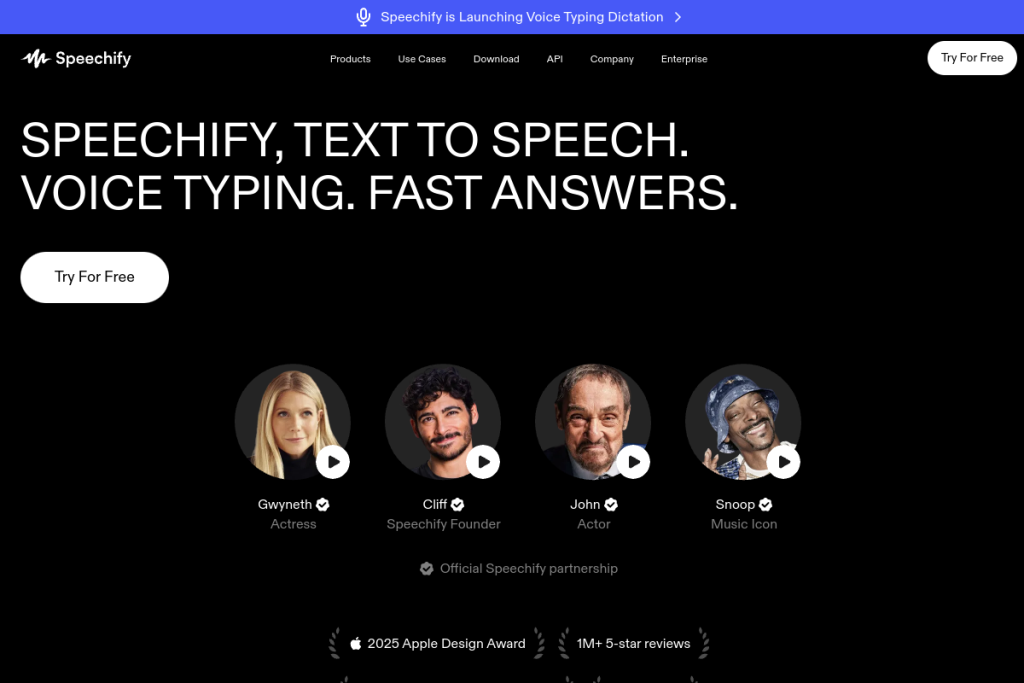
Speechify is a voice-AI productivity platform. Its core is high-quality text-to-speech that reads PDFs, documents, and web content aloud using over a thousand AI voices across 60+ languages, with adjustable speed. It has expanded into voice dictation for faster writing, an AI assistant that summarises and answers questions about content, AI-generated podcasts, and meeting notes, available across web, mobile, and browser extensions.
What it does well
- Natural text-to-speech — 1,000+ voices across 60+ languages.
- Reads anything — PDFs, documents, and web pages, at adjustable speed.
- Accessibility — a real aid for dyslexia and reading difficulties.
- Voice dictation — write by speaking, with grammar correction.
- Cross-platform — web, iOS, Android, desktop, and browser extensions.
Who it is for
Speechify suits students, professionals, and anyone who wants to consume more written content by listening — on commutes, while exercising, or multitasking. It is especially valuable for people with dyslexia or reading difficulties, and for those who simply absorb information better by ear than by reading on a screen.
Things to keep in mind
AI voices are impressively natural but can still sound slightly synthetic on longer listens, and quality varies by voice and language. For accessibility it is genuinely helpful, but it complements rather than fully replaces careful reading when precision matters. As always, verify anything important rather than relying solely on a quick listen.
Our verdict
Speechify is a polished, widely used text-to-speech tool that genuinely helps people get through more content and supports those who find reading hard. Its voice quality and broad platform support are strong, and the added dictation and assistant features extend its usefulness. If listening to your reading appeals, it is well worth trying — the free options make it easy to test.
Frequently asked questions
What can Speechify read aloud?
PDFs, documents, and web pages, using over a thousand AI voices across 60+ languages, at speeds you can adjust to your preference.
Is Speechify helpful for dyslexia?
Yes — it is widely used as an accessibility aid for dyslexia and reading difficulties, letting people listen to text rather than read it on screen.
Reviewed by the World of AI Hub editorial team based on the tool website and documentation.
Top Speechify alternatives
Other hand-reviewed Education tools worth comparing against Speechify.
Ada HealthFree
Ada Health is a free AI education and healthcare tool for healthcare providers. Our review covers what it…
Buoy HealthFree
Buoy Health is a free AI education and healthcare tool for healthcare providers. Our review covers what it…
ChatPDFFreemium
ChatPDF is a freemium AI education and pdf-tool tool for document-heavy teams. Our review covers what it does,…
Connected PapersFreemium
Connected Papers is a freemium AI education and research tool for researchers. Our review covers what it does,…
Coursera AIFreemium
Coursera AI is a freemium AI business and education tool for students and educators. Our review covers what…
Duolingo MaxFreemium
Duolingo Max is a freemium AI education and translation tool for students and educators. Our review covers what…
Speechify vs the competition
Are you the maker of Speechify?
Show visitors this review with the badge below. Copy the code into your site or press kit; it links straight back to this page.



