Key Takeaways
- TensorFlow is Google’s open-source machine learning platform.
- It builds, trains, and deploys ML and deep-learning models.
- It spans web (TensorFlow.js), mobile/edge (LiteRT), and production (TFX).
- Great for researchers, developers, and production ML teams.
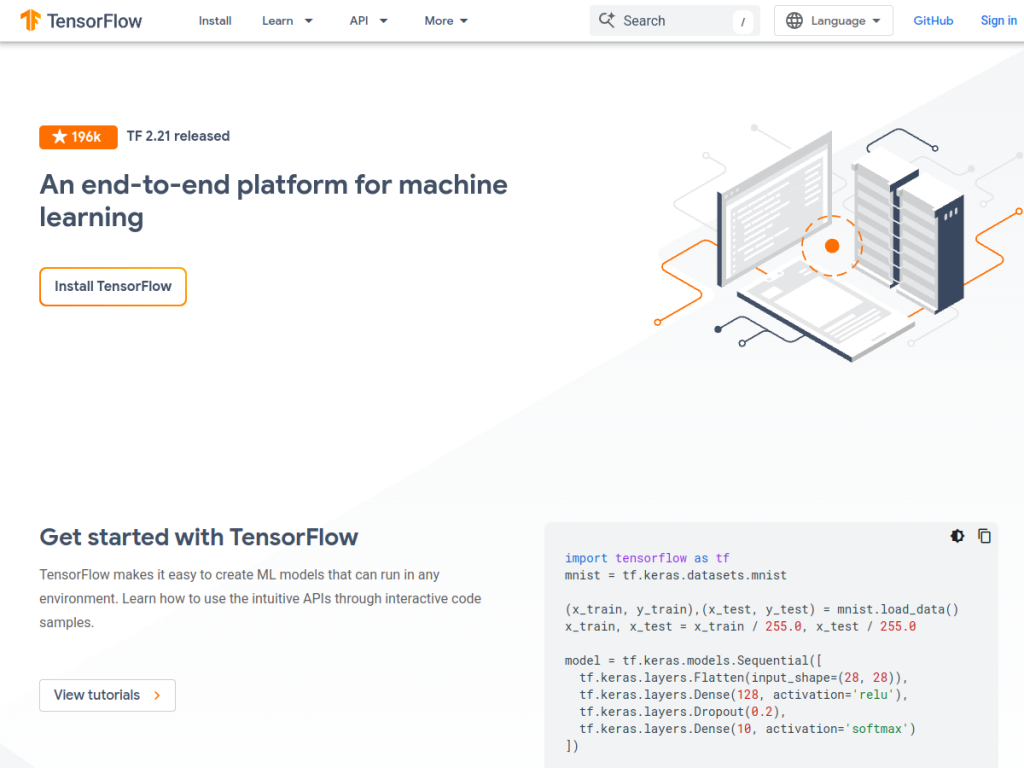
TensorFlow is Google’s open-source, end-to-end platform for machine learning — one of the most widely used frameworks for building and deploying AI models. From beginners following tutorials to researchers pushing the state of the art and production teams shipping ML pipelines, TensorFlow provides the tools to take models from idea to deployment across the web, mobile, edge, and cloud. Free and open-source, it is a foundational part of the AI ecosystem.
What is TensorFlow?
TensorFlow is an open-source, end-to-end platform for machine learning developed by Google, providing tools and libraries for building and deploying ML models across environments. Its high-level API, tf.keras, makes model creation approachable, while lower-level control supports advanced research. Its ecosystem spans TensorFlow.js (machine learning in the browser and Node.js), TensorFlow Lite / LiteRT (deployment on mobile and edge/IoT devices), TFX (TensorFlow Extended, for production ML pipelines), and TensorBoard (visualization and experiment tracking). It supports Python as the primary language plus others via extensions, and runs on CPUs, GPUs, and TPUs across major clouds. TensorFlow is actively maintained (with regular releases) and serves beginners, researchers, production teams, web developers, and mobile/edge developers. It is free and open-source, run on your own hardware or any cloud.
What it does well
- End-to-end: build, train, and deploy across environments.
- Broad ecosystem: web, mobile/edge, and production tooling.
- Approachable and powerful: tf.keras plus low-level control.
- Free and open-source: runs anywhere.
Who it is for
TensorFlow fits machine-learning researchers, AI engineers, data scientists, students, and production teams who need a comprehensive framework to build, train, and deploy ML and deep-learning models — on the web, mobile, edge, or cloud. Its tf.keras API suits beginners, while its depth and TFX pipelines suit production. Non-technical users will use products built on TensorFlow rather than the framework directly, and serious training needs capable hardware, but for building and deploying machine learning models end to end, TensorFlow is a foundational, excellent, free choice.
Things to keep in mind
- It is a developer framework, not a finished end-user app.
- Training large models requires capable hardware (GPU/TPU).
- It assumes programming and machine-learning knowledge.
Our verdict
TensorFlow is a foundational open-source machine learning platform from Google, and its end-to-end scope is its strength: build and train models with the approachable tf.keras API or deep low-level control, then deploy across the web (TensorFlow.js), mobile and edge (LiteRT), and production (TFX), with TensorBoard for visualization. Free, open-source, and running anywhere, it serves everyone from beginners to production teams. It is a framework for developers and serious training needs real hardware, but for building and deploying ML models end to end, TensorFlow is an excellent choice.
Frequently asked questions
What is TensorFlow?
TensorFlow is Google’s open-source, end-to-end machine learning platform for building, training, and deploying ML and deep-learning models across web, mobile, edge, and cloud.
Is TensorFlow free?
Yes, TensorFlow is free and open-source; you run it on your own hardware or any cloud.
What is in the TensorFlow ecosystem?
It includes tf.keras for model building, TensorFlow.js (browser ML), TensorFlow Lite/LiteRT (mobile/edge), TFX (production pipelines), and TensorBoard (visualization).
Who uses TensorFlow?
Researchers, AI engineers, data scientists, students, and production teams use it, along with web and mobile/edge developers deploying models.
Top TensorFlow alternatives
Other hand-reviewed Coding Assistants tools worth comparing against TensorFlow.
AiderFree
Aider is a free AI coding assistant and developer tool tool for software developers. Our review covers what…
AlphaCodeFree
AlphaCode by Google DeepMind is a free AI coding assistant and developer tool tool for software developers. Our…
Amazon Q DeveloperFreemium
Amazon Q Developer by Amazon Web Services is a freemium AI business and coding assistant tool for software…
AnacondaFree
Anaconda is a free AI coding assistant and developer tool tool for engineers. Our review covers what it…
ApplitoolsPaid
Applitools is a paid AI coding assistant and developer tool tool for engineers. Our review covers what it…
AskCodiFreemium
AskCodi is a freemium AI coding assistant and developer tool tool for software developers. Our review covers what…
Are you the maker of TensorFlow?
Show visitors this review with the badge below. Copy the code into your site or press kit; it links straight back to this page.



