Key takeaways
- Turbologo is a free-to-generate AI logo maker that also produces a matching brand kit, business cards and website.
- You pay once to download high-resolution files — no subscription — and get full ownership of your logo.
- Established in 2018, it has generated tens of millions of logos and offers real human support.
- Best for non-designers and small businesses wanting a quick, affordable, complete brand identity.
What Turbologo is
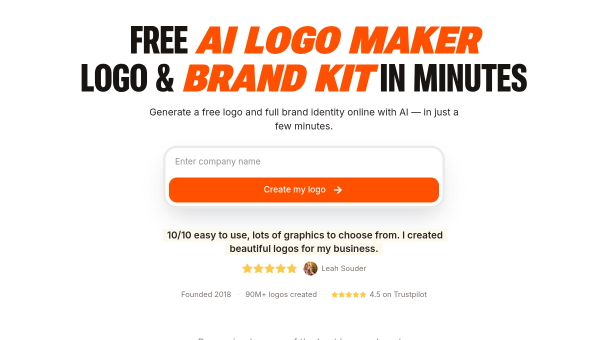
Turbologo is an AI-powered logo maker built for speed and simplicity. You enter your business name and preferences, and it generates logo options in minutes; from there it extends into a full brand kit — business cards, social-media templates and even a website — so you get a coordinated identity rather than just a mark. Operating since 2018, it has generated tens of millions of logos and maintains solid user ratings, giving it a longer track record than many newer tools.
Its model is designed to remove friction: generate and preview for free, and pay only once, when you want to download high-resolution files. There is no subscription, and you get full ownership of your logo after purchase — a straightforward, one-time approach that suits people who just want a logo done without ongoing commitment.
The AI features
Turbologo’s AI generates logo designs from your inputs and lets you customise colours, fonts and layout in the browser. It includes a business-name generator for those still deciding on a name, and automatically produces matching brand assets — cards, social templates — plus website options, all keyed to your chosen logo. The output is provided in the formats and sizes a small business needs, and the company offers real human support for help along the way.
The free generation, one-time payment and full-ownership terms are the practical highlights — they make Turbologo low-risk to try and clear on rights. As with all AI logos, review the result for distinctiveness and correct text rendering, and do a trademark check before using a logo commercially, since AI can produce marks resembling existing ones.
Strengths and limits
The strengths are simplicity, price and clear ownership. Free generation, a one-time download fee, no subscription and full ownership make Turbologo refreshingly straightforward, and the matching brand kit and website options add value beyond the logo. Its long track record and human support add confidence.
The limits are the familiar ones for AI logo makers: output can feel templated, deep customisation is limited, and originality and trademark clearance are your responsibility. A professional designer will produce a more distinctive, strategic identity for high-stakes brands. But for a fast, affordable, no-strings logo and brand kit, Turbologo is a practical option.
Who it suits
- Non-designers and small businesses who want a logo and brand kit fast.
- People who prefer a one-time payment with no subscription.
- Owners who value full ownership and a matching website and cards.
Verdict
Turbologo is a straightforward, well-established AI logo maker that generates a logo and a matching brand kit — cards, social templates, website — with a refreshingly simple model: free to generate, pay once to download, full ownership, no subscription. That clarity, plus a long track record and human support, makes it a strong pick for non-designers and small businesses. AI logos can feel templated and you should verify originality and trademarks yourself, but for a quick, affordable, no-strings brand identity, Turbologo delivers well.
Top Turbologo alternatives
Other hand-reviewed Branding tools worth comparing against Turbologo.
BrandmarkPaid
Brandmark is a paid AI branding and business tool for brand creators. Our review covers what it does,…
DesignEvoFreemium
DesignEvo is a freemium AI branding and design tool for brand creators. Our review covers what it does,…
Designs.aiPaid
Designs.ai is a paid AI branding and design tool for brand creators. Our review covers what it does,…
FreeLogoDesignFreemium
FreeLogoDesign is a freemium AI branding and design tool for brand creators. Our review covers what it does,…
LogoAIPaid
LogoAI is a paid AI branding and business tool for brand creators. Our review covers what it does,…
LogoMakrFreemium
LogoMakr is a freemium AI branding and design tool for brand creators. Our review covers what it does,…
Are you the maker of Turbologo?
Show visitors this review with the badge below. Copy the code into your site or press kit; it links straight back to this page.



