Key Takeaways
- UPDF is an AI-powered PDF editor for desktop and mobile.
- It edits, annotates, converts, and organizes PDFs across platforms.
- Its UPDF AI can chat with, summarize, and translate PDFs.
- Great for anyone who works with PDFs and wants AI plus editing affordably.
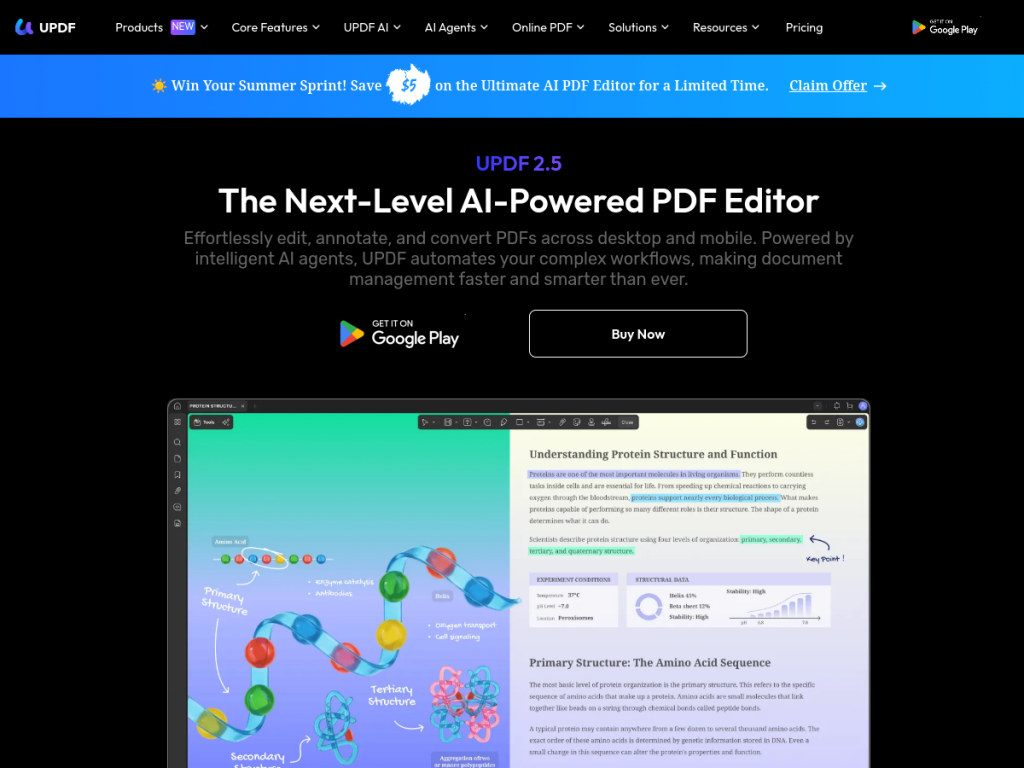
UPDF is an all-in-one PDF editor available across Windows, Mac, iOS, and Android — and it pairs full PDF editing with AI. Beyond editing text and images, annotating, converting, and organizing pages, its UPDF AI lets you chat with a document to extract knowledge, summarize long files, translate, and even generate mind maps. Priced well below Adobe Acrobat, with one license covering multiple devices, UPDF is a capable, affordable choice for PDF work with AI.
What is UPDF?
UPDF is an AI-powered PDF editor available across desktop (Windows and Mac) and mobile (iOS and Android). Its UPDF AI features include Chat with PDF (extracting knowledge by chatting with any PDF or image), summarization of lengthy documents, translation across many languages, AI-generated mind maps, and a set of AI agents for tasks like semantic search, research analysis, and bookmarking — powered by leading AI models. Its core PDF features cover editing text, images, and links, annotation, conversion (PDF to Word, Excel, and image), organizing (merge, split, rotate), signing, OCR, and protection tools. UPDF emphasizes affordability, marketed at a fraction of Adobe Acrobat’s price with one license covering multiple devices. It offers a free version with paid plans (individual, enterprise, education, with education discounts). The platform is actively updated with current AI-model support.
What it does well
- AI + editing: chat with, summarize, and translate PDFs.
- Full toolkit: edit, annotate, convert, sign, and OCR.
- Cross-platform: Windows, Mac, iOS, and Android.
- Affordable: far cheaper than Adobe Acrobat.
Who it is for
UPDF fits students, professionals, and anyone who works with PDFs across devices and wants both full editing and AI features — chatting with documents, summarizing, and translating — at an affordable price. Its one-license-multiple-devices model and education discounts add value for individuals and schools. Those needing only occasional, basic PDF tasks may use free tools, and AI answers about documents should be verified, but for capable, AI-enhanced PDF editing across platforms without Adobe pricing, UPDF is a strong, good-value choice.
Things to keep in mind
- AI answers about documents should be verified against the source.
- Full editing and UPDF AI require a paid plan.
- A broad toolkit may be less specialized than dedicated PDF or AI apps.
Our verdict
UPDF is a capable, good-value AI PDF editor, and its combination is genuinely useful: full editing, annotation, conversion, signing, and OCR across Windows, Mac, iOS, and Android, plus UPDF AI to chat with, summarize, and translate documents and generate mind maps. Priced well below Adobe Acrobat with one license covering multiple devices, it is an appealing all-in-one for PDF work. AI answers need verifying and full features are paid, but for AI-enhanced PDF editing across platforms at an affordable price, UPDF is a strong choice.
Frequently asked questions
What is UPDF?
UPDF is an AI-powered PDF editor for Windows, Mac, iOS, and Android that edits, annotates, converts, and organizes PDFs, with UPDF AI to chat with, summarize, and translate documents.
What can UPDF AI do?
UPDF AI can chat with PDFs to extract knowledge, summarize long documents, translate across languages, generate mind maps, and run AI agents for search and analysis.
Is UPDF free?
UPDF offers a free version with paid plans (individual, enterprise, education) that add full editing and UPDF AI; one license covers multiple devices.
How does UPDF compare to Adobe Acrobat?
UPDF is marketed at a fraction of Adobe Acrobat’s price, with one license covering multiple devices, while offering full editing plus AI features.
Top UPDF alternatives
Other hand-reviewed PDF Tools tools worth comparing against UPDF.
Adobe Acrobat AIFreemium
Adobe Acrobat AI is a freemium AI business and ocr tool for document-heavy teams. Our review covers what…
ChatPDFFreemium
ChatPDF is a freemium AI education and pdf-tool tool for document-heavy teams. Our review covers what it does,…
Foxit PDF EditorPaid
Foxit PDF Editor is a paid AI business and ocr tool for document-heavy teams. Our review covers what…
iLovePDFFreemium
iLovePDF is a freemium AI pdf-tool and productivity tool for document-heavy teams. Our review covers what it does,…
LightPDFFreemium
LightPDF is a freemium AI pdf-tool and productivity tool for document-heavy teams. Our review covers what it does,…
Nitro PDFPaid
Nitro PDF is a paid AI pdf-tool and productivity tool for document-heavy teams. Our review covers what it…
Are you the maker of UPDF?
Show visitors this review with the badge below. Copy the code into your site or press kit; it links straight back to this page.



