Key Takeaways
- Voiceflow is a platform for designing, building, and deploying conversational AI agents.
- It offers a visual builder, omnichannel deployment (chat and voice), and multi-model support.
- Aimed at CX teams, developers, and conversation designers building AI agents at scale.
- Powerful and flexible; production agents need testing, guardrails, and human oversight.
Voiceflow is a well-regarded platform for building conversational AI agents, used by teams to design, build, and ship chat and voice experiences. It balances a visual, collaborative builder with the depth engineers need, plus observability and multi-model support — making it a serious choice for organisations building AI customer experiences beyond a basic chatbot.
What is Voiceflow?
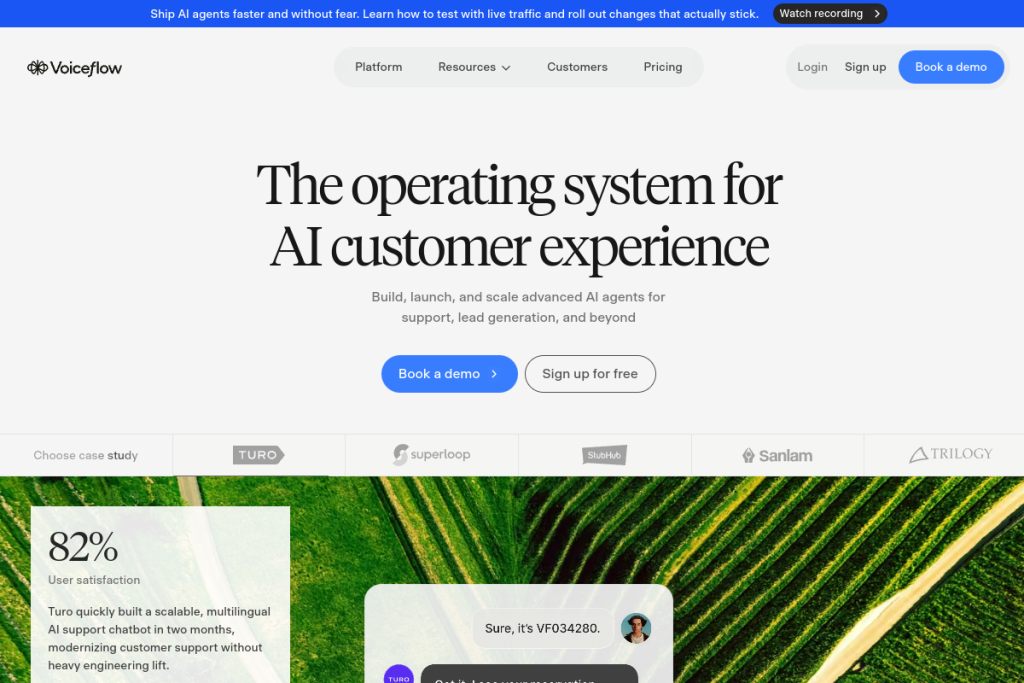
Voiceflow is an enterprise conversational AI platform for building and scaling AI agents across channels. It provides a visual workflow builder for designing conversations, an agent builder that blends agentic and deterministic logic, omnichannel deployment (web chat, phone/voice, and APIs), multi-model LLM support, an observability suite with evaluations, and production environments — with integrations to 50+ business tools.
What it does well
- Visual builder — design conversational flows collaboratively.
- Chat and voice — deploy across web, phone, and APIs.
- Flexible logic — balance agentic AI with deterministic control.
- Observability — evaluations and monitoring for production agents.
- Multi-model — use leading LLMs and integrate business tools.
Who it is for
Voiceflow suits CX and support leaders, developers, conversation designers, and enterprise teams building AI agents for customer interactions. Its mix of a collaborative visual builder and engineering depth makes it a fit for organisations that want designers and developers working together to ship reliable conversational AI at scale.
Things to keep in mind
Building production-grade conversational agents takes design, testing, and guardrails, so success depends on the effort you put in — which is why observability and evaluations matter. AI agents can go off-script, so keep human oversight and clear escalation for complex or sensitive interactions. It is a capable platform, but a real one to learn and deploy well.
Our verdict
Voiceflow is a strong, flexible platform for teams serious about building conversational AI agents across chat and voice. The combination of a visual builder, engineering depth, and observability makes it suitable for real production use. Invest in design and testing, keep guardrails and human oversight, and it can help teams ship reliable AI customer experiences at scale.
Frequently asked questions
Does Voiceflow support voice as well as chat?
Yes — it supports omnichannel deployment across web chat, phone/voice, and APIs, so you can build and deploy conversational agents in both text and voice.
Who uses Voiceflow?
CX and support leaders, developers, and conversation designers — often working together — to design, build, and scale AI agents for customer interactions in production.
Reviewed by the World of AI Hub editorial team based on the tool website and documentation.
Top Voiceflow alternatives
Other hand-reviewed AI Assistants tools worth comparing against Voiceflow.
AiseraPaid
Aisera is a paid AI assistant and chatbot tool for professionals. Our review covers what it does, pricing,…
Amazon LexPaid
Amazon Lex by Amazon Web Services is a paid AI assistant and chatbot tool for professionals. Our review…
Anakin AIFreemium
Anakin AI is a freemium AI assistant and chatbot tool for professionals. Our review covers what it does,…
AvaamoPaid
Avaamo is a paid AI assistant and chatbot tool for professionals. Our review covers what it does, pricing,…
Boost.aiPaid
Boost.ai is a paid AI assistant and chatbot tool for professionals. Our review covers what it does, pricing,…
BotpressFreemium
Botpress is a freemium AI assistant and chatbot tool for professionals. Our review covers what it does, pricing,…
Are you the maker of Voiceflow?
Show visitors this review with the badge below. Copy the code into your site or press kit; it links straight back to this page.