Key Takeaways
- Warp is a modern, AI-powered terminal for agentic coding.
- It works with AI models to help you run commands and code.
- It offers multi-agent orchestration, codebase indexing, and team controls.
- Great for developers who want AI woven into their terminal workflow.
Warp is a modern terminal reimagined for the AI era — a fast, polished command-line environment with AI woven throughout. Rather than just running commands, it lets you collaborate with AI coding agents right in the terminal: ask questions, generate and fix commands, and orchestrate multiple AI models. With codebase indexing and team governance, Warp turns the terminal into an agentic coding environment. For developers who live in the command line, it is a powerful upgrade.
What is Warp Terminal?
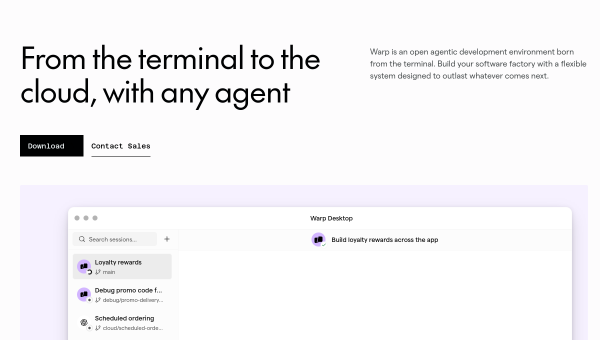
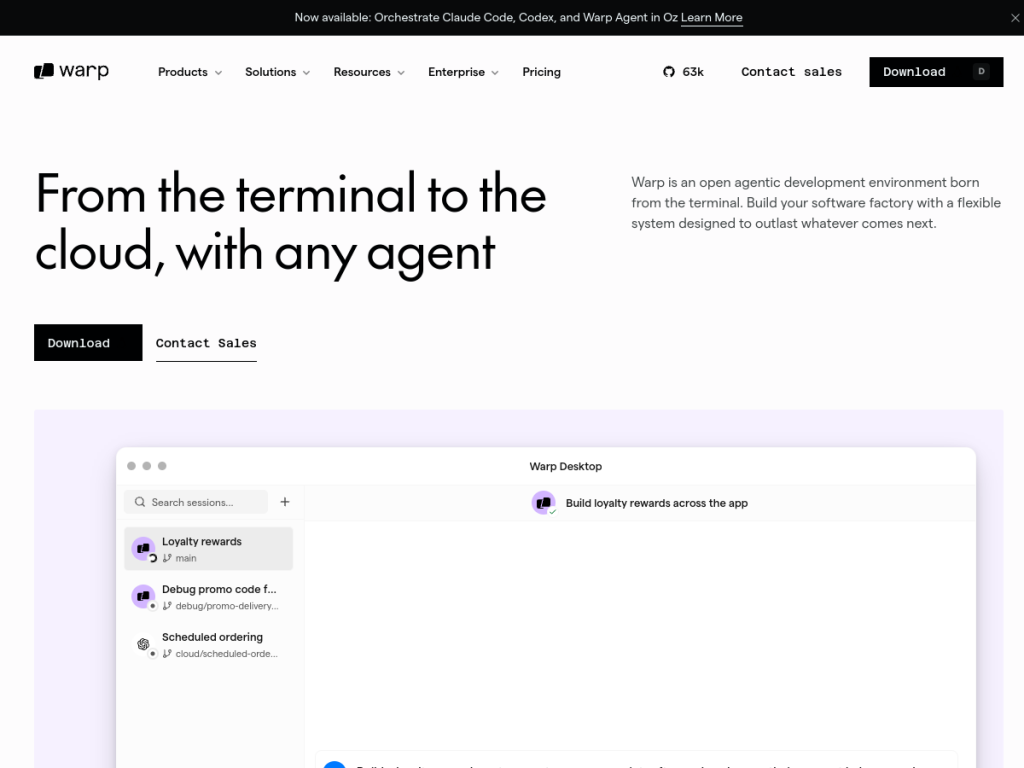
Warp is a modern terminal for agentic coding, an environment designed to work with AI coding agents so developers can collaborate with AI models directly in the terminal. Its features include flexible agent support (working with Claude, OpenAI, Gemini, and other models), cloud integration via its Oz Agent Platform for local-to-cloud development handoff, model routing and multi-agent orchestration across multiple AI models, codebase indexing for enhanced code understanding, and team governance with centralized controls, usage visibility, and permission management. It offers a self-hosting option (deploy on your own infrastructure or use Warp’s hosting) and has moved toward open-source. Warp is backed by notable industry endorsements and reports adoption across many companies, including Fortune 500s. It offers a free tier with paid plans (and enterprise options) for more AI usage and team features.
What it does well
- AI in the terminal: run, generate, and fix commands with AI.
- Multi-agent: orchestrate multiple AI models.
- Codebase-aware: indexing for better understanding.
- Team-ready: governance, usage visibility, and permissions.
Who it is for
Warp fits developers, DevOps engineers, and technical teams who spend significant time in the terminal and want AI woven into that workflow — generating and fixing commands, understanding code, and orchestrating agents — plus team governance for shared use. Its polish and AI features suit both individuals and teams. Developers who prefer a minimal, traditional terminal, or who rarely use the command line, may not need it, and AI-suggested commands should be reviewed before running, but for an AI-powered, agentic terminal, Warp is a capable, free-to-start choice.
Things to keep in mind
- AI-suggested commands should be reviewed before running.
- Heavier AI usage and team features require paid plans.
- Terminal minimalists may prefer a traditional shell.
Our verdict
Warp is a standout modern terminal, and its AI integration is genuinely useful: collaborate with AI agents directly in the command line to run, generate, and fix commands, orchestrate multiple models, and understand your codebase through indexing — with team governance for shared, controlled use. Backed by notable industry endorsements and moving toward open-source, it is a real upgrade for command-line-heavy developers. AI commands need a review before running and heavier use is paid, but for an AI-powered, agentic terminal, Warp is an excellent, free-to-start choice.
Frequently asked questions
What is Warp?
Warp is a modern, AI-powered terminal for agentic coding that lets developers collaborate with AI models directly in the command line to run, generate, and fix commands.
What AI models does Warp work with?
Warp supports flexible agent use with models including Claude, OpenAI, and Gemini, with multi-agent orchestration and model routing.
Is Warp free?
Warp offers a free tier with paid plans (and enterprise options) for more AI usage and team features, plus self-hosting options.
Who is Warp for?
It is for developers and technical teams who work heavily in the terminal and want AI woven into that workflow, with team governance.
Top Warp Terminal alternatives
Other hand-reviewed Coding Assistants tools worth comparing against Warp Terminal.
AiderFree
Aider is a free AI coding assistant and developer tool tool for software developers. Our review covers what…
AlphaCodeFree
AlphaCode by Google DeepMind is a free AI coding assistant and developer tool tool for software developers. Our…
Amazon Q DeveloperFreemium
Amazon Q Developer by Amazon Web Services is a freemium AI business and coding assistant tool for software…
AnacondaFree
Anaconda is a free AI coding assistant and developer tool tool for engineers. Our review covers what it…
ApplitoolsPaid
Applitools is a paid AI coding assistant and developer tool tool for engineers. Our review covers what it…
AskCodiFreemium
AskCodi is a freemium AI coding assistant and developer tool tool for software developers. Our review covers what…
Are you the maker of Warp Terminal?
Show visitors this review with the badge below. Copy the code into your site or press kit; it links straight back to this page.



