Key Takeaways
- Voicemaker is a cloud-based AI text-to-speech generator.
- It offers 1,500+ AI voices across 130+ languages and accents.
- It includes voice cloning, speech-to-speech, and audio editing.
- Great for creating voiceovers for videos, audiobooks, and more.
Voicemaker is a cloud-based AI text-to-speech tool that turns written text into professional-sounding audio, with a large library of voices spanning many languages and accents. It offers customization over pitch, speed, and pauses, plus voice cloning, speech-to-speech, and multi-track editing. Used by creators and major brands for voiceovers, audiobooks, and multimedia, Voicemaker is a versatile, accessible option — including a free tier for standard voices.
What is Voicemaker?
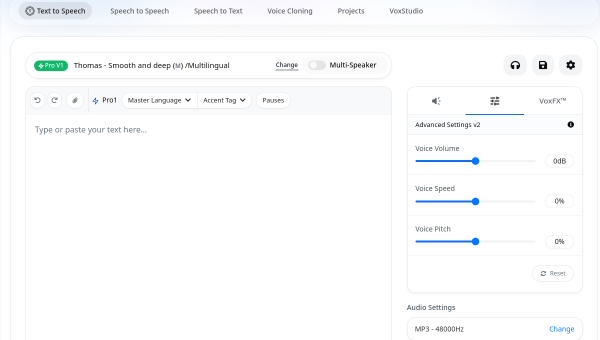
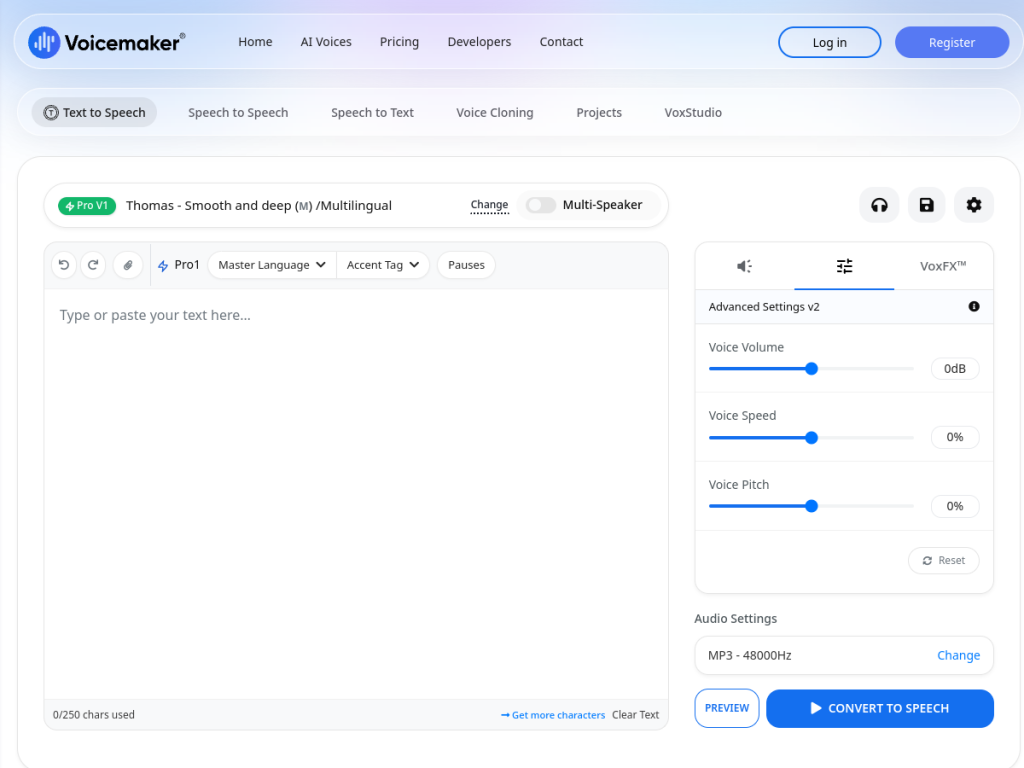
Voicemaker is a cloud-based AI voice generation platform that converts written text into spoken audio, offering 1,500-plus AI voices with customizable parameters for professional voiceovers, audiobooks, and multimedia content. Its features include an extensive voice library across many styles and accents, customization of pitch, speed, volume, and pauses, voice cloning to create personalized voices from samples, multi-language support (create in 130-plus languages and accents), speech-to-speech to transform existing audio into different voices, and audio editing with multi-track project management and cloud storage. It offers premium voice models (Expressive, High-Res, and Turbo) for professional applications. Voicemaker reports use by major clients and users across 120-plus countries. It offers a free tier (unlimited standard TTS with default voices) and premium plans (around $11/month) that unlock premium features and more conversion credits, plus API access via developer plans.
What it does well
- Huge range: 1,500+ voices across 130+ languages and accents.
- Customizable: pitch, speed, volume, and pauses.
- Advanced: voice cloning and speech-to-speech.
- Free tier: unlimited standard TTS to start.
Who it is for
Voicemaker fits content creators, YouTubers, audiobook and podcast producers, e-learning developers, and businesses who need professional AI voiceovers across many languages and accents, with customization and editing, at an accessible price — including a free tier for standard voices. Its voice cloning and API suit varied and developer use. Those needing the very top-tier realism of premium specialist platforms may compare options, and voice cloning must be used ethically, but for versatile, affordable AI text-to-speech, Voicemaker is a capable choice with a free tier.
Things to keep in mind
- Voice cloning must be used ethically and with permission.
- Premium voices and more credits require a paid plan.
- AI voice output should be reviewed before publishing.
Our verdict
Voicemaker is a versatile, accessible AI text-to-speech tool, and its strengths — a large library of 1,500-plus voices across 130-plus languages and accents, customization of pitch, speed, and pauses, plus voice cloning, speech-to-speech, and multi-track editing — make it capable for voiceovers across videos, audiobooks, and multimedia. A genuinely useful free tier for standard voices lowers the barrier to start. Voice cloning demands ethical use and premium voices are paid, but for versatile, affordable AI voiceovers, Voicemaker is a solid choice.
Frequently asked questions
What is Voicemaker?
Voicemaker is a cloud-based AI text-to-speech generator with 1,500+ voices across 130+ languages and accents, plus voice cloning, speech-to-speech, and audio editing.
How many languages does Voicemaker support?
Voicemaker supports creating audio in 130-plus languages and accents, with a large library of AI voices.
Is Voicemaker free?
Voicemaker offers a free tier (unlimited standard TTS with default voices) and premium plans (around $11/month) with premium voices and more credits, plus API access.
What can I use Voicemaker for?
It is used for voiceovers in videos, audiobooks, e-learning, and multimedia, with customization and multi-track editing.
Top Voicemaker alternatives
Other hand-reviewed AI Voice & Audio tools worth comparing against Voicemaker.
Adobe PodcastFree Trial
Adobe Podcast is a free trial AI voice tool. Our hands-on review covers features, pricing, pros and cons,…
Camb AIFreemium
Camb AI is a freemium AI voice tool. Our hands-on review covers features, pricing, pros and cons, and…
CleanvoiceFreemium
Cleanvoice is a freemium AI voice tool. Our hands-on review covers features, pricing, pros and cons, and who…
FakeyouFree Trial
Fakeyou is a free trial AI voice tool. Our hands-on review covers features, pricing, pros and cons, and…
FinesharePaid
Fineshare is a paid AI voice tool. Our hands-on review covers features, pricing, pros and cons, and who…
Fish AudioPaid
Fish Audio is a paid AI voice tool. Our hands-on review covers features, pricing, pros and cons, and…
Voicemaker vs the competition
Are you the maker of Voicemaker?
Show visitors this review with the badge below. Copy the code into your site or press kit; it links straight back to this page.