Key Takeaways
- Qlik Sense is a business intelligence and analytics platform with AI.
- It integrates data from many sources into dashboards and visualizations.
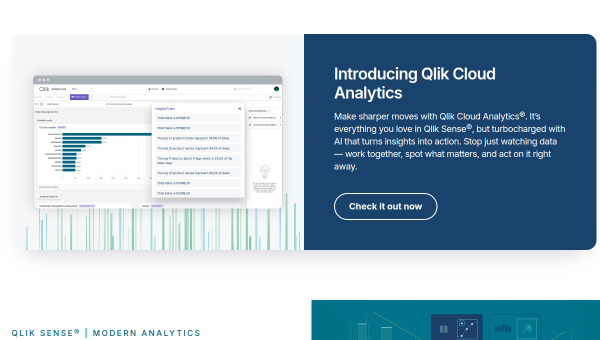
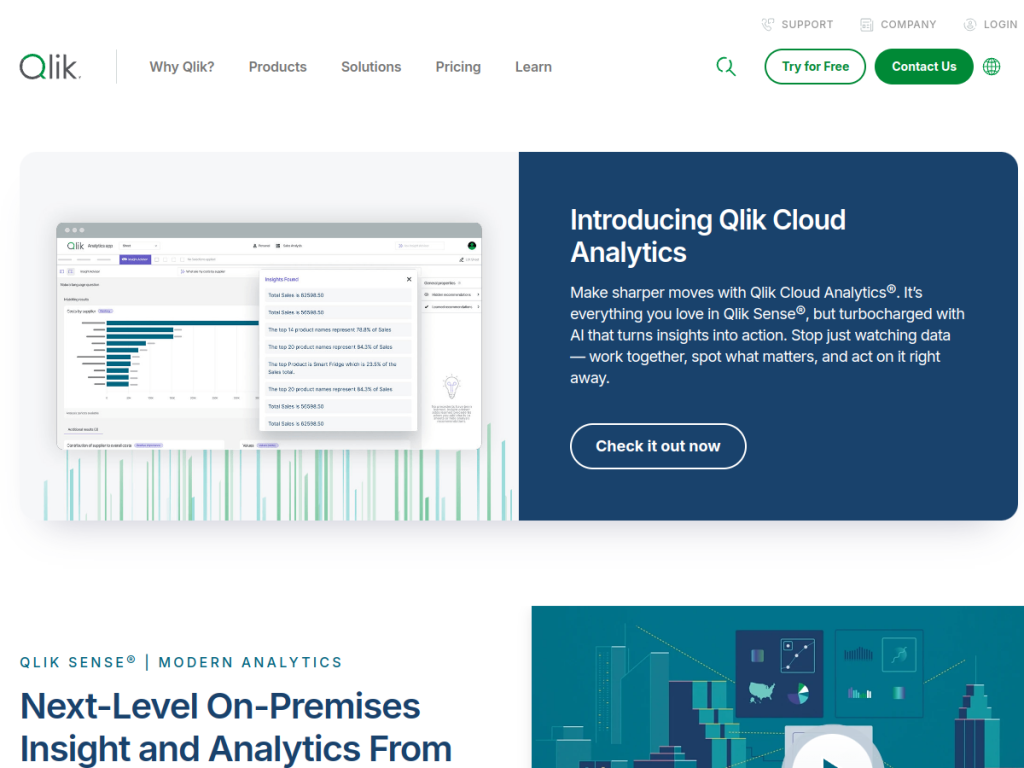
- Its augmented analytics and Qlik AI surface insights and support decisions.
- Great for organizations wanting AI-powered, self-service analytics.
Qlik Sense is a business intelligence and analytics platform built to turn data from many systems into interactive dashboards and AI-powered insights. It is known for its associative analytics engine, which lets users explore data freely and see connections a linear query might miss, and it layers in AI (augmented analytics) to surface insights and support decisions. For organizations that want self-service, AI-assisted analytics at scale, Qlik Sense is a capable, established choice.
What is Qlik Sense?
Qlik Sense is a business intelligence and analytics platform focused on integrating data from multiple systems and delivering AI-powered insight. Its capabilities include data integration from many sources, AI-powered (augmented) analytics, dashboard and visualization tools, embedded analytics, data-preparation functionality, and automation and orchestration features. It is part of Qlik’s broader ecosystem, which includes Qlik Cloud Analytics and data-integration solutions, all centered on delivering trusted data at speed and scale. Qlik Sense serves many roles — sales, marketing, finance, HR, IT operations, and product — and industries from financial services and manufacturing to healthcare and retail, targeting data analysts, BI professionals, and decision-makers who want AI-powered insight. It is recognized in industry analyst evaluations. As a business platform, Qlik Sense uses paid plans, available via Qlik or its cloud analytics tiers.
What it does well
- Associative analytics: explore data freely and spot connections.
- AI insights: augmented analytics surfaces findings.
- Flexible deployment: on-premises and cloud options.
- Broad use: many roles and industries, with embedded analytics.
Who it is for
Qlik Sense fits organizations, data analysts, BI professionals, and decision-makers — across finance, manufacturing, healthcare, retail, and more — that want self-service, AI-powered analytics to integrate data and explore it interactively, with augmented insights to guide decisions. Its associative engine suits those who want to explore data freely rather than only run set queries. Small teams wanting a simple, cheap dashboard may find it heavier than needed, and it takes setup and data expertise, but for AI-powered, self-service business intelligence at scale, Qlik Sense is a capable, well-established choice.
Things to keep in mind
- It is an enterprise-grade platform that takes setup and data expertise.
- Pricing is via Qlik or its cloud tiers rather than a simple flat rate.
- Smaller teams may prefer lighter, cheaper BI tools.
Our verdict
Qlik Sense is a capable, established business intelligence platform, and its distinctive associative analytics engine — letting users explore data freely and uncover connections a linear query might miss — is a genuine strength, now paired with AI-powered augmented analytics that surface insights and support decisions. Data integration, embedded analytics, and cloud or on-premises deployment round it out for organizations across many industries. It takes setup and data expertise and suits larger teams, but for AI-powered, self-service analytics at scale, Qlik Sense is a solid choice.
Frequently asked questions
What is Qlik Sense?
Qlik Sense is a business intelligence and analytics platform that integrates data from many sources into dashboards and visualizations, with AI-powered augmented analytics.
What makes Qlik Sense different?
Its associative analytics engine lets users explore data freely and see connections across data, rather than being limited to predefined, linear queries.
Does Qlik Sense have AI?
Yes, Qlik Sense includes AI-powered (augmented) analytics that surface insights and support decision-making, as part of Qlik’s broader AI capabilities.
Who is Qlik Sense for?
It is for organizations, data analysts, BI professionals, and decision-makers across many industries who want AI-powered, self-service business intelligence.
Top Qlik Sense alternatives
Other hand-reviewed Data Analysis tools worth comparing against Qlik Sense.
AlteryxPaid
Alteryx is a paid AI business and data analysis tool for business teams. Our review covers what it…
Bloomberg Terminal AIEnterprise
Bloomberg Terminal AI is an enterprise AI business and data analysis tool for finance professionals. Our review covers…
DatabricksPaid
Databricks is a paid AI business and data analysis tool for business teams. Our review covers what it…
DataikuPaid
Dataiku is a paid AI business and data analysis tool for business teams. Our review covers what it…
DatarailsPaid
Datarails is a paid AI business and data analysis tool for finance professionals. Our review covers what it…
DataRobotPaid
DataRobot is a paid AI business and data analysis tool for business teams. Our review covers what it…
Are you the maker of Qlik Sense?
Show visitors this review with the badge below. Copy the code into your site or press kit; it links straight back to this page.



