Key takeaways
- Claude Code is Anthropic’s agentic coding tool that maps a codebase and makes dependency-aware, multi-file edits.
- It works in the terminal, in IDEs (VS Code, JetBrains), in the browser and in Slack, and can turn GitHub issues into pull requests.
- Its agentic approach — running tasks and parallel subagents — suits larger, multi-step changes, not just autocomplete.
- Powerful but usage-priced and capable of wide-ranging edits, so review changes and use version control carefully.
What Claude Code is
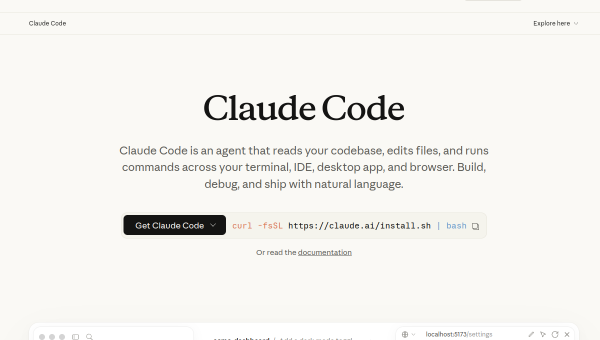
Claude Code is Anthropic’s agentic coding tool, built around the idea of an AI that understands and acts on an entire codebase rather than just completing the current line. It uses agentic search to map and explain a project, then makes intelligent, dependency-aware edits across multiple files. Unlike inline-completion tools, it is oriented toward larger tasks: implementing a feature, refactoring across files, or turning a GitHub issue directly into a pull request. It runs in the terminal, integrates with IDEs like VS Code and JetBrains, and is also available in the browser and Slack.
This agentic, whole-codebase approach places it alongside tools like Devin and the agent modes of modern editors, rather than autocomplete assistants. The pitch is delegating multi-step work — describe the change, let the agent plan and execute, then review — which is a different workflow from typing with suggestions.
The AI features
Claude Code’s strengths are codebase understanding and multi-file editing: it can explain unfamiliar code quickly and make coordinated changes that respect dependencies. It automates tasks such as converting issues into pull requests, and it can use parallel subagents to tackle complex work in pieces. A “computer use” capability lets it open apps, navigate a browser and run dev tools to complete tasks end to end. It is powered by Anthropic’s Claude models, and pricing is plan-based (individual Pro tiers up to higher-cost Max plans and enterprise deployments).
The agentic power is real, but it raises the importance of review and safeguards more than any completion tool. An agent making wide-ranging edits or running commands can introduce subtle bugs, make unintended changes or take costly actions, so working within version control, reviewing every diff before committing, and constraining what the agent can execute are essential. Treat it as a capable but fallible collaborator, not an infallible one — and understand the code it produces.
Strengths and limits
The strengths are scope and integration. Claude Code handles larger, multi-file tasks that autocomplete tools cannot, understands a codebase holistically, and meets developers across terminal, IDE, browser and Slack. For complex changes and automation like issue-to-PR, that agentic capability can save significant time.
The limits: agentic editing demands discipline — review diffs, use branches, and keep guardrails on what it can run — because a confident wrong change is easy to introduce at scale. Usage-based and higher-tier pricing can add up for heavy use. And as with all AI coding, it accelerates a developer who understands the work; it does not substitute for that understanding, and its output still needs human judgement and testing.
Who it suits
- Developers who want an agent for larger, multi-file tasks, not just completion.
- Teams that want issue-to-PR automation and codebase-wide understanding.
- Engineers comfortable reviewing AI changes within disciplined version control.
Verdict
Claude Code is a capable agentic coding tool that goes beyond autocomplete to understand whole codebases and make coordinated, multi-file changes from the terminal, IDE, browser or Slack. That makes it powerful for complex tasks and automation like turning issues into pull requests. The trade-off is responsibility: agentic edits need careful review, version control and guardrails, and usage can get costly. Used with discipline by a developer who understands the code, Claude Code is a strong collaborator for substantial work; used carelessly, its very capability becomes a risk.
Top Claude Code alternatives
Other hand-reviewed Coding Assistants tools worth comparing against Claude Code.
AiderFree
Aider is a free AI coding assistant and developer tool tool for software developers. Our review covers what…
AlphaCodeFree
AlphaCode by Google DeepMind is a free AI coding assistant and developer tool tool for software developers. Our…
Amazon Q DeveloperFreemium
Amazon Q Developer by Amazon Web Services is a freemium AI business and coding assistant tool for software…
AnacondaFree
Anaconda is a free AI coding assistant and developer tool tool for engineers. Our review covers what it…
ApplitoolsPaid
Applitools is a paid AI coding assistant and developer tool tool for engineers. Our review covers what it…
AskCodiFreemium
AskCodi is a freemium AI coding assistant and developer tool tool for software developers. Our review covers what…
Are you the maker of Claude Code?
Show visitors this review with the badge below. Copy the code into your site or press kit; it links straight back to this page.



