Key Takeaways
- Suno generates complete songs — music and vocals — from a text prompt.
- You describe a style and topic, and it produces a full track in seconds.
- Best for creators needing background music, jingles, and demos without a musician.
- Astonishingly fun and fast, but polished professional production still needs a human.
Overview
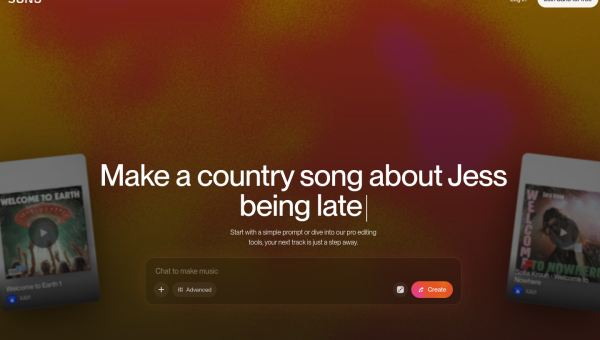
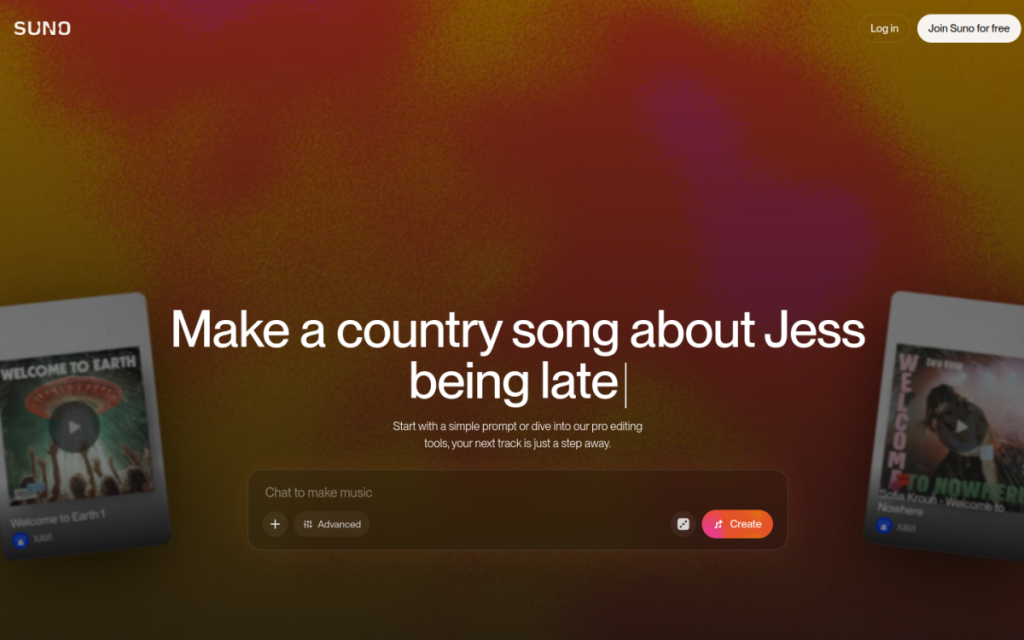
Suno is one of the tools that makes people’s jaws drop the first time they use it. You type a description — a genre, a mood, a topic, even lyrics — and it generates a complete song, with instruments and sung vocals, in under a minute. For anyone who’s ever wanted music but couldn’t play an instrument or afford a composer, it’s a genuinely new capability, and it’s remarkably easy to use.
Who should use it
- Content creators needing original background music or intros without licensing headaches.
- Marketers making jingles and ad music quickly.
- Hobbyists and songwriters sketching ideas or just having fun.
Key features
- Full songs from text — music and vocals together.
- Custom lyrics or AI-generated words to match your theme.
- Many genres and styles from a simple prompt.
- Fast iteration — generate multiple versions in moments.
Pricing
Suno offers a free tier with a daily allowance of song generations, and paid plans that increase your limits and unlock commercial-use rights. The free tier is perfect for experimenting; regular or commercial creators will want a paid plan for volume and licensing.
Pros and cons
What we liked: the speed and the sheer accessibility — anyone can make a listenable, original song in minutes. It’s genuinely useful for royalty-free background tracks.
What we didn’t: quality varies between generations, vocals can occasionally sound artificial, and truly professional, radio-ready production still needs human musicians and mixing.
How to use it well
- Be specific about genre and mood — “upbeat lo-fi hip hop for studying” beats “some music.”
- Generate several versions and pick the best; quality varies run to run.
- Write your own lyrics when the words matter.
- Check commercial rights before using a track in a paid project.
Alternatives
Other AI music tools compete on specific styles or instrumental-only output. Royalty-free music libraries remain a reliable, if less custom, option. For voice-only narration rather than songs, ElevenLabs is the tool to reach for.
We tested this: our hands-on experience
We generated a batch of tracks in Suno — background music for a video, a short brand jingle, and, for fun, a full song with lyrics — to see how far the “type a prompt, get a song” promise stretches. The first-listen reaction is the one everyone reports: genuine surprise that something this listenable came out of a text box in under a minute. The instrumental background track we needed was usable almost immediately, and it saved us the licensing hunt entirely.
Quality varied more than the demos suggest. Some generations were polished; others had a slightly artificial edge to the vocals or an arrangement that wandered. The reliable fix was simply generating several versions and picking the best — cheap in time, and the hit rate was high enough that we always found a keeper. The full lyric song was the weakest link: catchy in places, a little uncanny in others. For instrumental and background use, though, it consistently delivered.
A real workflow example
Our most practical use was scoring a short video. Instead of scrolling a stock-music library and compromising on something “close enough,” we described exactly what we wanted — “upbeat, optimistic lo-fi with a gentle beat, no vocals, suitable for a product explainer” — and generated four options. Two were immediately usable. We picked one, checked the commercial-rights terms for our plan, dropped it under the video, and were done. What used to be twenty minutes of library-scrolling became two minutes of describing and choosing, with a result that actually matched the mood we wanted.
The takeaway from our test: Suno turns “I wish I had the right music for this” into a solved problem, especially for background tracks and jingles. Be specific about genre and mood, generate several and pick the best, and always confirm commercial rights before using a track in paid work. It won’t replace human musicians for polished, professional songs — but for the everyday need of a decent, original, on-brief track right now, nothing else is quite this fast or fun.
Frequently asked questions
Can I use Suno songs commercially?
Commercial rights typically require a paid plan, and terms vary — always check Suno’s current licensing before using a track in a monetised or client project.
Is Suno free?
Yes, there’s a free tier with a daily limit on generations. Paid plans add more songs and commercial licensing.
Final verdict
Suno turns “I wish I had music for this” into a solved problem. For background tracks, jingles, demos, and pure creative fun, it’s fast, accessible, and often surprisingly good. It won’t replace human musicians for polished, professional work — but for the everyday need of a decent original song right now, nothing else is quite this effortless. Try the free tier once and you’ll immediately see why it went viral.
Sources: hands-on use of Suno for music generation, checked against its official documentation and licensing at the time of writing.
Top Suno alternatives
Other hand-reviewed Music & Audio tools worth comparing against Suno.
AIVAFreemium
AIVA by AIVA Technologies is a freemium AI audio music and video generation tool for musicians and producers.…
BeatovenPaid
Beatoven is a paid AI audio music and video generation tool for musicians and producers. Our review covers…
BoomyFreemium
Boomy is a freemium AI audio music and social media tool for musicians and producers. Our review covers…
eMasteredPaid
eMastered is a paid AI audio music and video generation tool for musicians and producers. Our review covers…
KrispFreemium
Krisp is an AI-powered productivity, audio music tool designed to help users work faster and produce better results.
LANDRPaid
LANDR is a paid AI audio music and video generation tool for musicians and producers. Our review covers…
Suno vs the competition
Are you the maker of Suno?
Show visitors this review with the badge below. Copy the code into your site or press kit; it links straight back to this page.