Key Takeaways
- Pika is an approachable AI video generator focused on quick, fun clips.
- Its strength is being easy and fast — you get short videos without a learning curve.
- Best for social content, experiments, and creators who want speed over deep control.
- Great for short clips; not built for long, precisely-directed video.
Overview
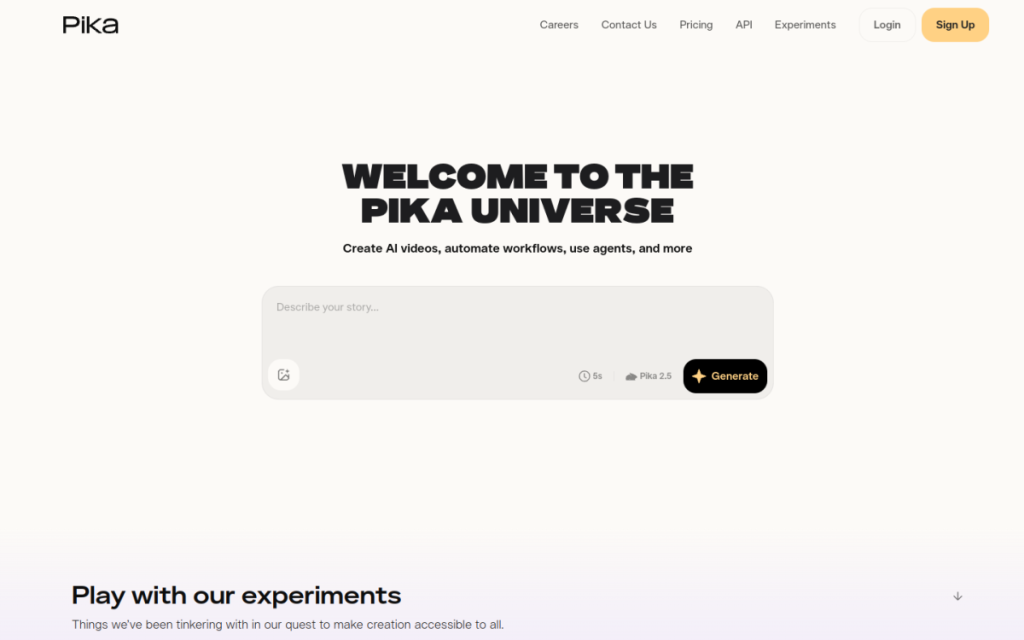
Pika is one of the friendliest ways into AI video. Where some tools feel like professional suites, Pika keeps things simple and fast: describe a scene or animate an image, and you get a short clip in moments. That approachability has made it popular for social content and quick creative experiments, and it lowers the barrier for anyone curious about AI video but put off by complexity.
Who should use it
- Social creators making quick, eye-catching clips.
- Beginners who want to try AI video without a steep curve.
- Marketers producing fast, fun short-form content.
Key features
- Text- and image-to-video for short clips.
- Simple, approachable interface with a gentle learning curve.
- Fast generation for quick iteration.
- Effects and edits to tweak the look of a clip.
Pricing
Pika offers a free tier with credits to test it and paid plans that raise your limits and unlock higher quality and features. As with all AI video, costs scale with how much you generate, so casual use is cheap and heavy production costs more.
Pros and cons
What we liked: it’s genuinely fun and easy, the speed encourages experimentation, and it’s one of the least intimidating ways to try AI video.
What we didn’t: clips are short and output varies, and if you need fine directorial control, a more advanced platform like Runway offers more.
How to use it well
- Keep prompts focused on one clear scene and motion.
- Generate several and pick the best — output varies.
- Animate an image when you want more control over the starting look.
- Use clips as ingredients in a larger edit.
Alternatives
Runway offers more power and editing tools; newer models regularly push realism and length forward; Synthesia and HeyGen handle avatar-led video. Pika’s niche is being the fast, approachable option for short clips.
We tested this: our hands-on experience
We used Pika specifically to judge its main claim: that it’s the easy, fun way into AI video. It is. Generating short clips from a text prompt or animating a still image took seconds and almost no learning, and the interface never made us feel like we needed a manual. For someone curious about AI video but intimidated by more professional suites, Pika lowers the barrier to nearly zero — you’re making clips within a minute of arriving.
The trade for that ease is the same one every AI video tool makes today: clips are short, and output varies, so you generate a few and keep the best. When we wanted finer directorial control, we hit the ceiling faster than we would in a more advanced platform. But for the job Pika targets — quick, eye-catching, shareable clips — that ceiling rarely got in the way. The speed actively encouraged experimentation, which is half the fun and half the value.
A real workflow example
Our most practical use was creating a short, attention-grabbing opener for a social video. We described the scene and the motion we wanted — a slow, dramatic reveal — animated a starting image to keep control of the look, and generated a few versions in the time it would take to brief a designer. One was exactly the punchy three-second intro we needed. We dropped it onto the front of the edit, and it did more to stop the scroll than any stock clip we’d have found. Total time: a few minutes, for something that genuinely lifted the video.
The takeaway: Pika is the fun, low-friction entry point to AI video. For quick, shareable clips without a learning curve, it’s a great place to start, and its speed makes experimenting genuinely enjoyable. For serious directorial control you’ll eventually want a more advanced tool — but for the everyday need of a short, striking clip right now, Pika delivers with a smile.
Frequently asked questions
Is Pika free?
There’s a free tier with credits to try it. Paid plans add more credits, higher quality, and additional features.
Pika or Runway — which should I use?
Pika is easier and faster for quick clips; Runway offers more power and editing tools. Beginners often start with Pika and move to Runway as their needs grow.
Final verdict
Pika is the fun, low-friction entry point to AI video. If you want quick, shareable clips without a learning curve, it’s a great place to start — and its speed makes experimenting genuinely enjoyable. For serious directorial control you’ll eventually want a more advanced tool, but for the everyday need of a short, striking clip right now, Pika delivers with a smile.
Sources: hands-on use of Pika for short-form AI video, checked against its official documentation and pricing at the time of writing.
Top Pika alternatives
Other hand-reviewed Video Generation tools worth comparing against Pika.
Adobe FireflyFreemium
Adobe Firefly is a freemium AI design and image generation tool for creatives and visual artists. Our review…
AIVAFreemium
AIVA by AIVA Technologies is a freemium AI audio music and video generation tool for musicians and producers.…
AlteredPaid
Altered is a paid AI video generation and voice text to speech tool for video creators. Our review…
Amazon PollyPaid
Amazon Polly by Amazon Web Services is a paid AI video generation and voice text to speech tool…
Azure TTSPaid
Azure TTS by Microsoft Azure is a paid AI video generation and voice text to speech tool for…
BeatovenPaid
Beatoven is a paid AI audio music and video generation tool for musicians and producers. Our review covers…
Pika vs the competition
Are you the maker of Pika?
Show visitors this review with the badge below. Copy the code into your site or press kit; it links straight back to this page.



