Key Takeaways
- Murf AI creates studio-quality voiceovers from text, with a focus on business and presentation use.
- Its strength is a polished workflow — voices, editing, and syncing to slides or video in one place.
- Best for e-learning, presentations, and corporate voiceovers.
- A strong, business-friendly alternative in the AI voice space.
Overview
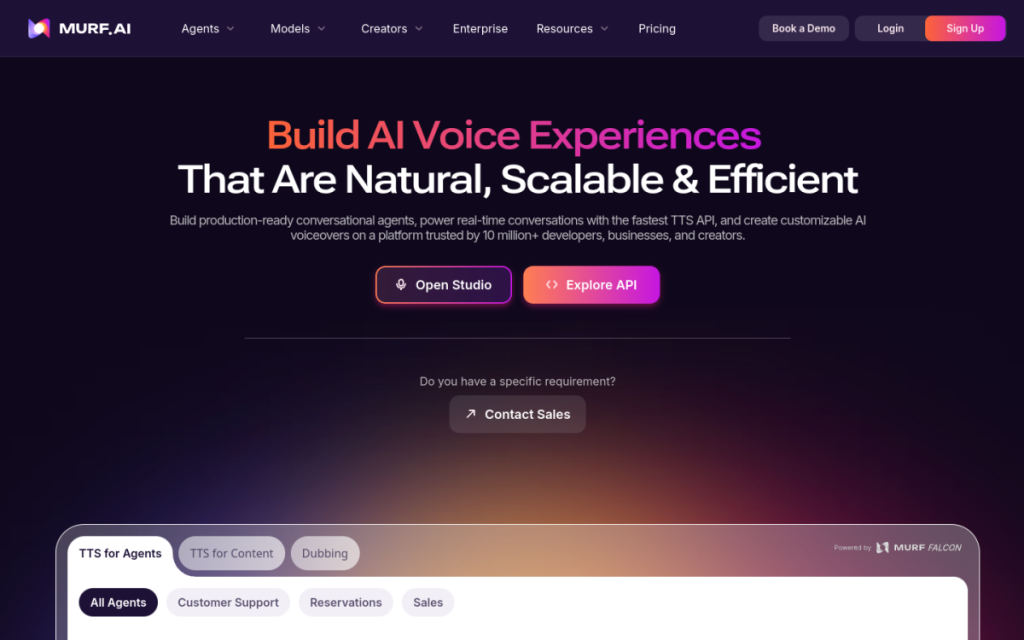
Murf AI turns text into natural-sounding voiceovers, and pitches itself squarely at professional and business use. Beyond a library of voices, it wraps the process in a studio-style workflow: you can edit timing, adjust emphasis, and sync narration to slides or video. For e-learning, presentations, and corporate content, that end-to-end approach makes it more than a raw text-to-speech engine.
Who should use it
- E-learning creators narrating courses and lessons.
- Businesses producing presentations, explainers, and training.
- Marketers making voiceovers for ads and videos.
Key features
- A library of natural voices across languages and styles.
- Studio-style editing of timing and emphasis.
- Sync to slides and video for finished narration.
- Team features for business workflows.
Pricing
Murf offers a limited free tier to test the voices and paid plans priced by the amount of voice generation and features you need. It’s positioned for regular business use, so the paid tiers are where its full workflow shines.
Pros and cons
What we liked: the studio workflow and slide/video syncing make it practical for real projects, and the voices are polished and business-appropriate.
What we didn’t: for the very highest realism and expressive range, ElevenLabs is often preferred, and the full workflow is aimed at business rather than casual users.
How to use it well
- Use the timing and emphasis controls to make narration match your visuals.
- Pick a voice that fits the context — calm for training, energetic for ads.
- Sync to your slides or video rather than exporting audio separately.
Alternatives
ElevenLabs leads on raw realism and expressiveness; the built-in voices in some video tools are convenient for simple needs. Murf’s edge is its polished, business-oriented workflow and slide/video syncing.
We tested this: our hands-on experience
We used Murf to voice a slide-based training module — the kind of business content it’s built for — rather than judging it purely on voice realism. The voices themselves were polished and professional, clearly aimed at corporate and e-learning use rather than dramatic performance. But the thing that stood out wasn’t a single voice; it was the surrounding studio workflow. Being able to adjust timing and emphasis, and sync narration to slides, meant we produced a finished, aligned module rather than just a folder of audio files.
For raw expressiveness and the most human-sounding delivery, we still found ElevenLabs a step ahead. But Murf isn’t really competing on that alone — it’s competing on being a complete production tool. For a training video where the priority is a clear, consistent, professional voice matched precisely to visuals, Murf’s end-to-end approach saved us more time than a marginally more realistic voice with no workflow around it would have.
A real workflow example
The workflow that showed Murf’s value was narrating a deck end to end. We wrote the script section by section, chose a single voice appropriate for training content, and generated the narration. Then, instead of exporting audio and wrestling with alignment in a separate editor, we used Murf’s timing controls to match each segment to its slide, adjusting emphasis on the key points so they landed clearly. The result was a synchronised, professional-sounding module produced in one place — no bouncing audio between apps, no manual re-timing.
Our takeaway: Murf AI is a polished, business-friendly voiceover tool that goes beyond raw text-to-speech to a full narration workflow. For e-learning, presentations, and corporate content — especially where you need voice synced to visuals — it’s a genuinely practical choice. If your only concern is the single most expressive voice, compare it against ElevenLabs; for a complete, professional voiceover pipeline, Murf holds its own.
Frequently asked questions
Is Murf AI free?
There’s a limited free tier to test the voices, with paid plans priced by generation volume and features for regular business use.
Murf or ElevenLabs?
ElevenLabs tends to win on pure realism and expressiveness; Murf offers a more complete business workflow with editing and slide syncing. Choose based on whether you want raw voice quality or an end-to-end production tool.
Final verdict
Murf AI is a polished, business-friendly voiceover tool that goes beyond raw text-to-speech to a full narration workflow. For e-learning, presentations, and corporate content — especially where you need to sync voice to visuals — it’s a genuinely practical choice. If your only concern is the most expressive possible voice, compare it against ElevenLabs; for a complete, professional voiceover pipeline, Murf holds its own.
Sources: hands-on use of Murf AI for voiceover production, checked against its official documentation and pricing at the time of writing.
Top Murf AI alternatives
Other hand-reviewed Presentation tools worth comparing against Murf AI.
Beautiful.aiPaid
Beautiful.ai is a paid AI business and design tool for presenters. Our review covers what it does, pricing,…
Canva AIFreemium
Canva AI is a freemium AI design and image generation tool for designers. Our review covers what it…
GammaFreemium
Gamma is a freemium AI business and design tool for presenters. Our review covers what it does, pricing,…
MagicSlidesFreemium
MagicSlides is a freemium AI business and presentation tool for presenters. Our review covers what it does, pricing,…
PitchFreemium
Pitch is a freemium AI business and presentation tool for presenters. Our review covers what it does, pricing,…
Plus AIPaid
Plus AI is a paid AI business and presentation tool for presenters. Our review covers what it does,…
Murf AI vs the competition
Are you the maker of Murf AI?
Show visitors this review with the badge below. Copy the code into your site or press kit; it links straight back to this page.



