Key takeaways
- Adobe Express is Adobe’s approachable all-in-one design app for social posts, videos, flyers, logos and more.
- It is powered by Adobe’s Firefly generative AI — text-to-image, generative fill, text effects and template generation.
- A free tier plus paid plans; it targets non-designers, marketers and small businesses (a Canva competitor).
- Firefly is designed to be commercially safer (trained on licensed/Adobe Stock content), but review AI output before use.
What Adobe Express is
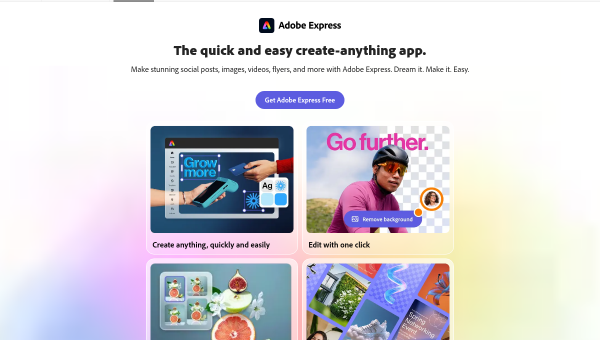
Adobe Express is Adobe’s easy-to-use, all-in-one content-creation app — the company’s answer to Canva. It lets non-designers quickly create social-media posts, stories, videos, flyers, logos, business cards and more from templates, with one-click editing tools and a large asset library. Unlike Adobe’s professional Creative Cloud apps (Photoshop, Illustrator), Express is deliberately simple and accessible, aimed at marketers, small businesses, creators and anyone who needs good-looking content without design expertise. It offers a free tier alongside paid plans.
Its distinguishing advantage is Adobe’s creative pedigree and, crucially, its integration of Firefly, Adobe’s generative-AI technology. Where Express competes on ease of use, Firefly gives it a serious AI engine backed by Adobe’s design expertise and content resources — a meaningful differentiator in the crowded easy-design space.
The AI features
Adobe Express integrates Firefly-powered generative AI throughout: text-to-image generation, generative fill (adding or removing parts of an image by describing them), AI text effects, and AI-assisted template and content generation. These let non-designers produce custom imagery and polished designs from simple prompts, combined with Express’s templates and editing tools. Because Firefly is Adobe’s own model, it is tightly woven into the app rather than bolted on.
A notable point about Firefly is commercial safety: Adobe trained it on licensed content and Adobe Stock, and positions its output as designed to be commercially safe — a genuine advantage over AI image tools with murkier training-data provenance, which matters when you use generated images for business. Even so, AI output should be reviewed: generated images and designs can have artefacts or not quite fit your brand, text rendering in AI images remains imperfect, and you should confirm the licensing terms for your plan and use case. Firefly reduces the legal grey area, but human review of quality and fit is still needed.
Strengths and limits
The strengths are ease of use, Adobe pedigree and commercially-safer AI. Express makes polished design accessible to non-designers, Firefly gives it a strong, well-integrated AI engine, and Firefly’s licensed-content training reduces the commercial-use risk that shadows many AI image tools. A free tier lowers the barrier.
The limits: it is a simple tool by design, so professionals needing depth will still reach for Photoshop or Illustrator; AI output needs review for quality, brand fit and text rendering; and full features and generation require a paid plan. For its audience — non-designers wanting quick, safe content — it is an excellent fit.
Who it suits
- Non-designers, marketers and small businesses needing quick, polished content.
- Creators who want Firefly generative AI in an easy design app.
- Businesses that value commercially-safer AI-generated imagery.
Verdict
Adobe Express is an approachable, all-in-one design app that brings Adobe’s creative pedigree and Firefly generative AI to non-designers, making polished social content, videos and graphics easy to produce. Firefly’s training on licensed content gives it a real edge in commercial safety over many AI image tools, though you should still confirm licensing and review output for quality and brand fit. It is simple by design, so professionals needing depth will use Adobe’s pro apps — but for accessible, AI-powered, commercially-minded content creation, Adobe Express is a strong Canva alternative.
Top Adobe Express alternatives
Other hand-reviewed Design tools worth comparing against Adobe Express.
AdCreative.aiPaid
AdCreative.ai is a paid AI design and marketing tool for marketers. Our review covers what it does, pricing,…
Adobe FireflyFreemium
Adobe Firefly is a freemium AI design and image generation tool for creatives and visual artists. Our review…
ArtbreederFreemium
Artbreeder is a freemium AI design and image generation tool for creatives and visual artists. Our review covers…
ArtguruFreemium
Artguru is a freemium AI design and image generation tool for creatives and visual artists. Our review covers…
Automatic1111Free
Automatic1111 is a free AI design and image generation tool for creatives and visual artists. Our review covers…
Beautiful.aiPaid
Beautiful.ai is a paid AI business and design tool for presenters. Our review covers what it does, pricing,…
Are you the maker of Adobe Express?
Show visitors this review with the badge below. Copy the code into your site or press kit; it links straight back to this page.



