Key Takeaways
- Cleanup.pictures is an AI tool that removes unwanted objects, people, text, and blemishes from photos.
- You brush over what you want gone and AI fills the space in convincingly.
- Fast, browser-based, and genuinely simple — one job done well.
- Results vary on complex backgrounds, and higher-resolution output may need a paid plan.
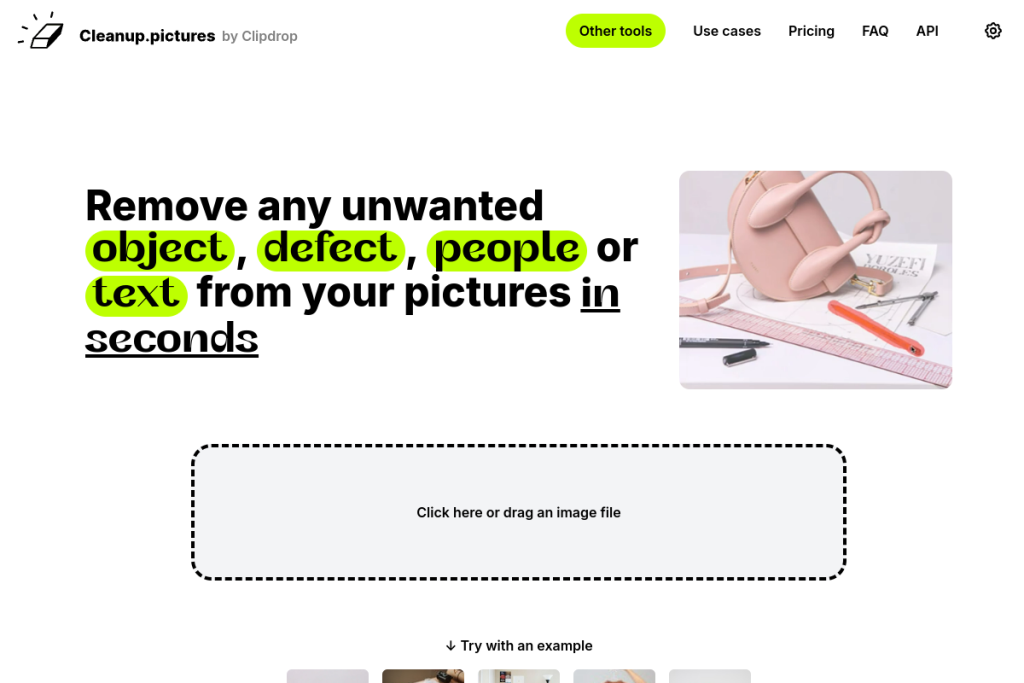
Cleanup.pictures does one thing and does it well: it removes things you do not want from a photo. Brush over an object, a person, a watermark, or a blemish, and its AI reconstructs the background behind it. For a task that used to require careful manual editing in Photoshop, it is refreshingly quick and simple.
What is Cleanup.pictures?
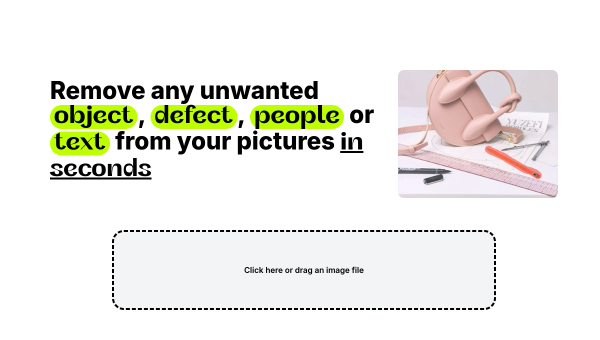
Cleanup.pictures is an AI-powered object-removal tool that runs in your browser. It uses inpainting — intelligently filling in the area you erase based on the surrounding image — to make unwanted elements disappear. There is no complex interface: you upload a photo, brush over what should go, and the AI does the rest in seconds.
What it does well
- Simplicity — brush over an object and it is gone; almost no learning curve.
- Speed — removals happen in seconds, right in the browser.
- Versatility — clears objects, people, text, watermarks, and blemishes.
- Accessibility — no professional editing skills required.
- Convenience — nothing to install for basic use.
Who it is for
Cleanup.pictures is for anyone who needs to quickly tidy up a photo — e-commerce sellers removing distractions from product shots, social media users cleaning up images, or anyone who wants a photobomber or stray object gone without opening heavy editing software. Its simplicity is the whole point.
Things to keep in mind
Inpainting is impressive but not magic: on busy or complex backgrounds the fill can look imperfect and may need a second pass or a touch-up elsewhere. Higher-resolution exports and heavier use typically fall under a paid tier, so check the limits if you need large, high-quality output.
Our verdict
Cleanup.pictures is a small tool that punches above its weight. For fast, no-fuss object removal it is one of the easiest options around, and for straightforward images the results are genuinely good. Keep expectations realistic on complex scenes, but for everyday cleanup it is a handy tool to have bookmarked.
Frequently asked questions
Is Cleanup.pictures free?
There is free access for basic use, with higher-resolution output and heavier usage generally available on a paid plan. Check the current limits for your needs.
What can it remove from photos?
Unwanted objects, people, text, watermarks, and blemishes — you brush over the area and the AI fills in the background.
Reviewed by the World of AI Hub editorial team based on hands-on use and the tool documentation.
Top Cleanup.pictures alternatives
Other hand-reviewed AI Image Generators tools worth comparing against Cleanup.pictures.
AILab ToolsFree Trial
AILab Tools is a free trial AI image tool. Our hands-on review covers features, pricing, pros and cons,…
AstriaFreemium
Astria is a freemium AI image tool. Our hands-on review covers features, pricing, pros and cons, and who…
BriaPaid
Bria by Bria AI is a paid AI image tool. Our hands-on review covers features, pricing, pros and…
CraiyonFreemium
Craiyon is a freemium AI image tool. Our hands-on review covers features, pricing, pros and cons, and who…
Deep Dream GeneratorFree Trial
Deep Dream Generator is a free trial AI image tool. Our hands-on review covers features, pricing, pros and…
DezgoFree Trial
Dezgo is a free trial AI image tool. Our hands-on review covers features, pricing, pros and cons, and…
Are you the maker of Cleanup.pictures?
Show visitors this review with the badge below. Copy the code into your site or press kit; it links straight back to this page.