Key Takeaways
- Google Cloud Text-to-Speech turns text into natural speech via API.
- It offers hundreds of voices across many languages and variants.
- It includes premium neural voices (WaveNet, Neural2, and Chirp/Studio).
- Great for developers adding high-quality speech to applications.
Google Cloud Text-to-Speech is Google’s enterprise speech synthesis API, and it draws on some of the research that changed the field — WaveNet, from DeepMind, made synthetic speech dramatically more natural. Today it offers hundreds of voices across dozens of languages, with premium neural tiers, SSML control, and custom voice options. For developers building speech into applications with Google’s scale and reliability, it is a leading choice.
What is Google Cloud Text-to-Speech?
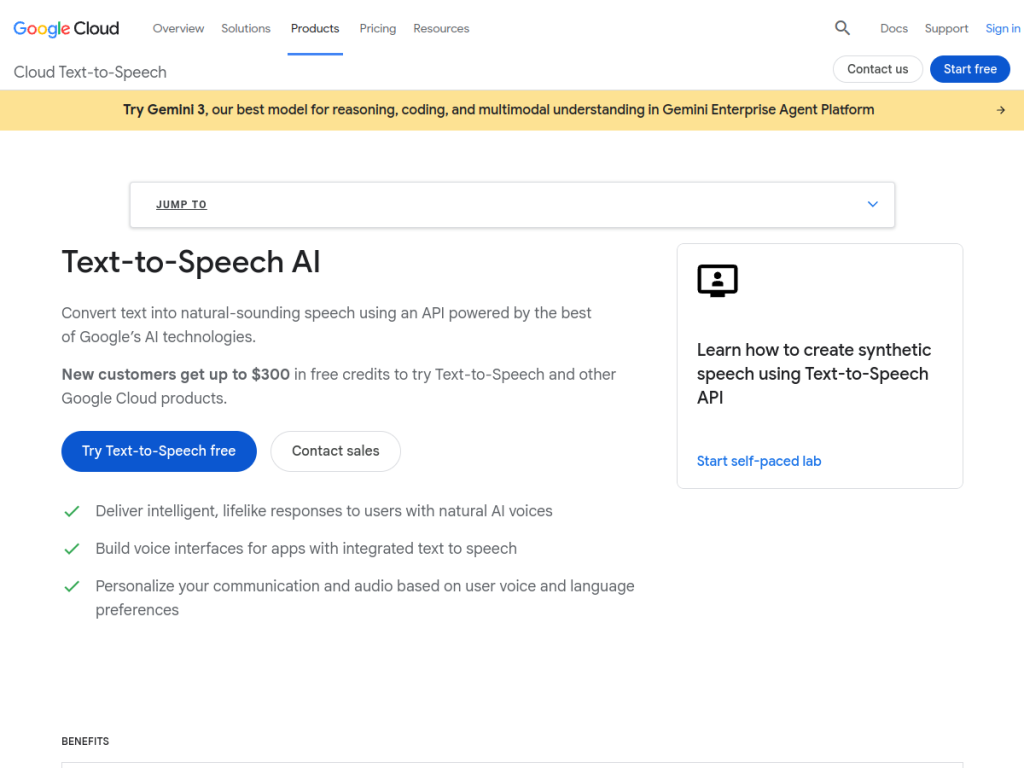
Google Cloud Text-to-Speech is Google Cloud’s API service that converts text into natural-sounding speech. It offers a large voice library — hundreds of voices across dozens of languages and variants — spanning quality tiers including standard voices and premium neural voices (such as WaveNet, developed from DeepMind research that significantly advanced speech naturalness, plus newer Neural2, Studio, and Chirp-class voices for the most natural output). Its capabilities include SSML support for fine control over pronunciation, pitch, speaking rate, pauses, and emphasis, audio profile optimization (tuning output for headphones, phone lines, or speakers), long-form audio synthesis, and Custom Voice options allowing organizations to train a unique voice (subject to Google’s requirements). It integrates with the wider Google Cloud ecosystem with enterprise security and scale, and is used for accessibility, IVR and voice agents, e-learning, media, and more. It uses usage-based pricing per character, with a monthly free tier.
What it does well
- Excellent voices: WaveNet-lineage neural speech.
- Broad coverage: hundreds of voices across many languages.
- Fine control: SSML plus audio profile optimization.
- Google-scale: reliable API with a free tier.
Who it is for
Google Cloud Text-to-Speech fits developers and organizations — especially on Google Cloud — that need high-quality, reliable speech synthesis in applications: accessibility features, IVR and voice agents, e-learning, media production, and more, with fine SSML control and broad language coverage at scale. Its neural voice quality and Google reliability are strong draws. Non-developers wanting a simple voiceover app will find consumer tools easier, and usage-based costs scale with characters synthesized, but for enterprise-grade speech via API, it is an excellent choice with a free tier.
Things to keep in mind
- It is a developer API, not a finished voiceover app.
- Usage-based pricing scales with characters synthesized (premium voices cost more).
- Custom voice options are subject to Google’s requirements and review.
Our verdict
Google Cloud Text-to-Speech is a leading speech synthesis API, and its quality traces back to genuinely landmark research — WaveNet, from DeepMind, transformed how natural synthetic speech could sound, and today’s neural voices build on that lineage. With hundreds of voices across dozens of languages, SSML control over pronunciation and pacing, audio profile optimization, long-form synthesis, and custom voice options, all at Google Cloud scale with a free tier, it is a dependable building block. It is a developer API with usage-based costs, but for high-quality speech in applications, it is an excellent choice.
Frequently asked questions
What is Google Cloud Text-to-Speech?
It is Google Cloud’s API for converting text into natural-sounding speech, with hundreds of voices across many languages, including premium neural voices like WaveNet.
What is WaveNet?
WaveNet is DeepMind-developed technology that significantly advanced the naturalness of synthetic speech; Google Cloud offers WaveNet-lineage and newer neural voices.
Is Google Cloud Text-to-Speech free?
It uses usage-based pricing per character with a monthly free tier; premium neural voices cost more than standard voices.
Who is it for?
It is for developers and organizations adding high-quality speech to applications — accessibility, IVR and voice agents, e-learning, and media — at scale.
Top Google Cloud Text-to-Speech alternatives
Other hand-reviewed Voice & Text-to-Speech tools worth comparing against Google Cloud Text-to-Speech.
AlteredPaid
Altered is a paid AI video generation and voice text to speech tool for video creators. Our review…
Amazon PollyPaid
Amazon Polly by Amazon Web Services is a paid AI video generation and voice text to speech tool…
Azure TTSPaid
Azure TTS by Microsoft Azure is a paid AI video generation and voice text to speech tool for…
CoquiFree
Coqui by Coqui (community-maintained) is a free AI video generation and voice text to speech tool for video…
DescriptFreemium
Descript is a freemium AI social media and video generation tool for video creators. Our review covers what…
Designs.aiPaid
Designs.ai is a paid AI branding and design tool for brand creators. Our review covers what it does,…
Are you the maker of Google Cloud Text-to-Speech?
Show visitors this review with the badge below. Copy the code into your site or press kit; it links straight back to this page.



