
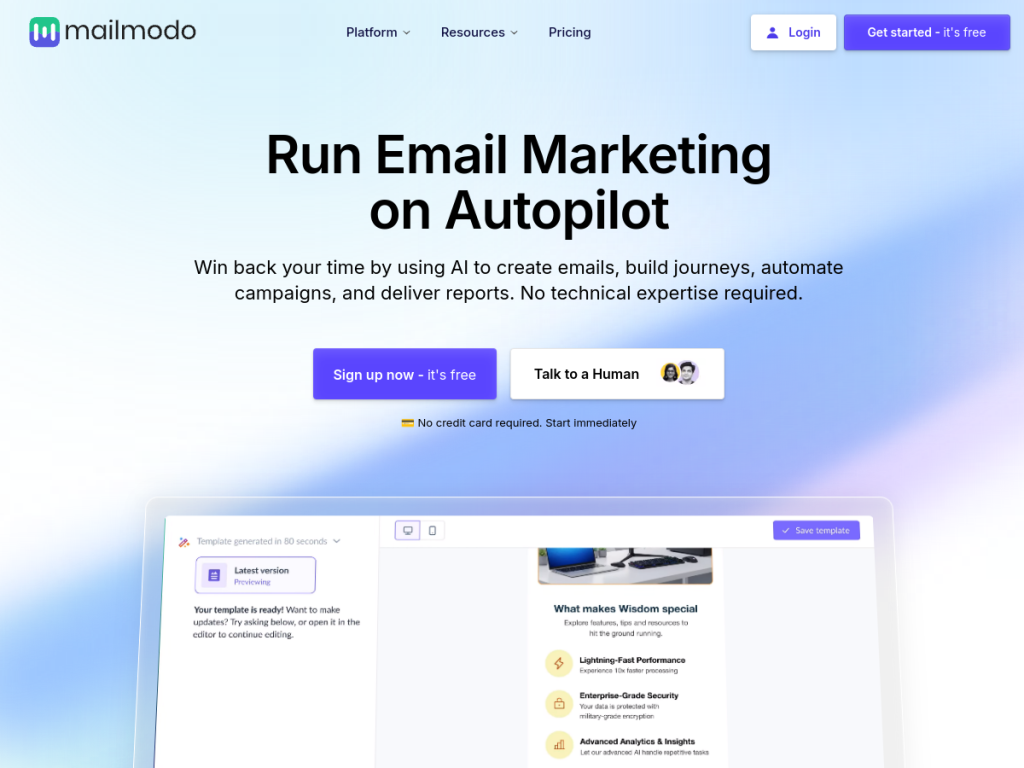
Key Takeaways
- Mailmodo is an email marketing platform built around interactive AMP emails.
- Recipients can fill forms, book, and act inside the email itself.
- It adds AI for templates, automation, and segmentation.
- Great for marketers wanting higher engagement from email.
Mailmodo’s distinctive idea is turning the email itself into an interactive surface: using AMP for Email, recipients can fill out a form, answer a poll, book a meeting, or complete an action without ever leaving the inbox to visit a landing page. Removing that click-through friction can lift conversion meaningfully. Around this it offers a full email marketing platform with AI features for content, automation, and segmentation — a genuinely differentiated tool for engagement-focused marketers.
What is Mailmodo?
Mailmodo is an email marketing and automation platform whose signature capability is interactive AMP emails. Using AMP for Email, it lets recipients take actions directly inside the email — submitting forms, answering surveys and polls, booking appointments, browsing products, or completing steps — without clicking through to an external landing page, which reduces friction and can improve conversion. Beyond that differentiator it provides the expected email marketing toolkit: a drag-and-drop email builder, automation and drip workflows, contact management and segmentation, campaign analytics, and integrations with CRMs and other tools. Its AI features include an AI email template generator, AI-assisted automation building, and AI-driven segment generation and campaign analysis, helping marketers create and optimize campaigns faster. It targets marketers, growth teams, and businesses that want higher engagement and conversion from email. Mailmodo offers a free trial with paid plans scaling by number of contacts and emails sent. (AMP email interactivity is supported in compatible email clients, with a fallback for others.)
What it does well
- Interactive AMP emails: act inside the inbox, no click-through.
- Higher conversion: less friction than landing pages.
- AI features: templates, automation, and segmentation.
- Full platform: builder, workflows, and analytics.
Who it is for
Mailmodo fits marketers, growth teams, and businesses that want more engagement and conversion from email — especially those running surveys, bookings, forms, or interactive campaigns where letting recipients act inside the email removes real friction. Its AMP interactivity is a genuine differentiator, and its AI features speed up campaign creation. Teams sending only simple newsletters may not need the interactivity, AMP is supported in compatible clients (with a fallback elsewhere), and pricing scales with contacts and volume. For engagement-focused email marketing, though, Mailmodo is a capable, trial-first choice.
Things to keep in mind
- AMP interactivity works in compatible clients, with a fallback for others.
- Simple-newsletter senders may not need the interactivity.
- Pricing scales with contacts and email volume.
Our verdict
Mailmodo is a genuinely differentiated email platform, and its core idea is smart: with AMP for Email, recipients fill forms, answer polls, book meetings, and complete actions inside the email itself — removing the click-through-to-landing-page friction that costs conversions. Around that it delivers a full email marketing toolkit — builder, automation, segmentation, analytics — plus AI for templates, workflows, and segments. AMP interactivity depends on client support (with a fallback), and it is most valuable for interactive campaigns rather than plain newsletters, but for engagement-focused email marketing, Mailmodo is a strong, trial-first choice.
Frequently asked questions
What is Mailmodo?
Mailmodo is an email marketing platform built around interactive AMP emails, letting recipients fill forms, book, and take actions inside the email, with AI features for templates and automation.
What are AMP emails?
AMP for Email makes emails interactive, so recipients can submit forms, answer surveys, book appointments, or complete actions inside the inbox without clicking through to a landing page.
What AI does Mailmodo offer?
It includes an AI email template generator, AI-assisted automation building, and AI-driven segment generation and campaign analysis.
Is Mailmodo free?
Mailmodo offers a free trial, with paid plans scaling by number of contacts and emails sent.
Top Mailmodo alternatives
Other hand-reviewed Email Assistants tools worth comparing against Mailmodo.
ActiveCampaign AIPaid
ActiveCampaign AI is a paid AI automation and business tool for marketers. Our review covers what it does,…
Apollo.ioPaid
Apollo.io is a paid AI email assistant and marketing tool for professionals who email. Our review covers what…
AWeberPaid
AWeber is a paid AI email assistant and marketing tool for professionals who email. Our review covers what…
Beehiiv AIFreemium
Beehiiv AI is a freemium AI email assistant and marketing tool for professionals who email. Our review covers…
Constant ContactPaid
Constant Contact is a paid AI email assistant and marketing tool for professionals who email. Our review covers…
GetResponsePaid
GetResponse is a paid AI email assistant and marketing tool for professionals who email. Our review covers what…
Are you the maker of Mailmodo?
Show visitors this review with the badge below. Copy the code into your site or press kit; it links straight back to this page.



