Key Takeaways
- Presentations.ai generates professional, editable slide decks from prompts, documents, and data.
- It auto-applies your branding, exports to PowerPoint and Google Slides, and can refresh from data.
- Aimed at founders, sales, marketing, and teams that create presentations at scale.
- Fast, on-brand decks; the story and final polish still need you.
Presentations.ai turns a range of inputs — a text prompt, a document, a PDF, even a spreadsheet — into a professional, editable slide deck. It structures your content into a coherent narrative, applies your branding automatically, and exports to PowerPoint and Google Slides. For teams that need on-brand presentations quickly and at scale, it is a practical AI deck builder.
What is Presentations.ai?
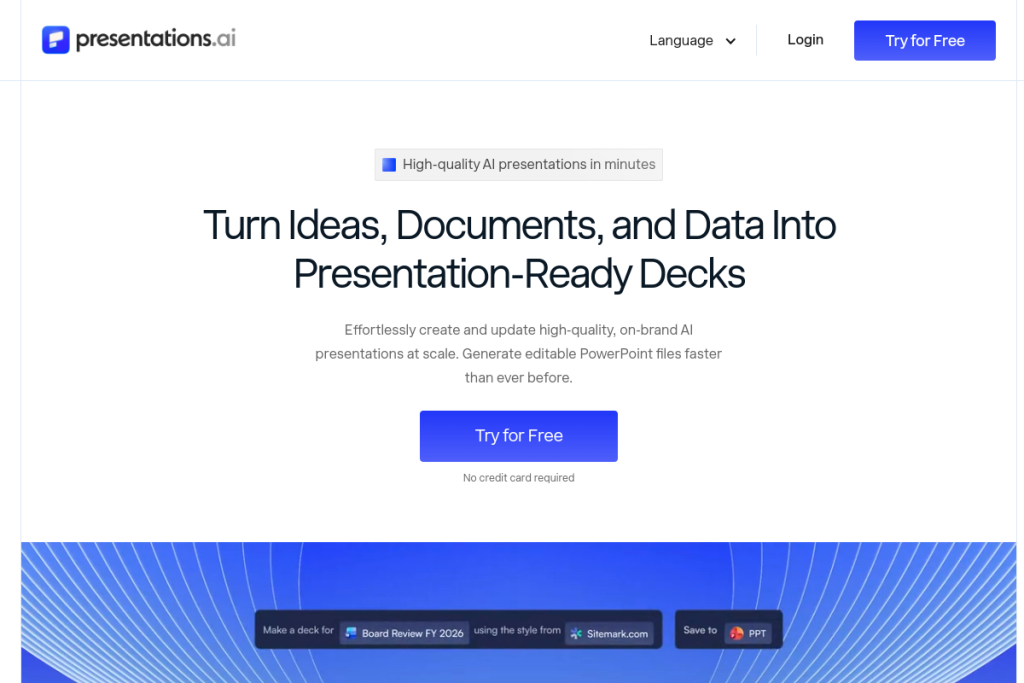
Presentations.ai is an AI presentation platform that automatically generates slide decks from multiple input types, structuring the content into a narrative and applying branding (logos, fonts, colours) automatically. It exports fully editable PowerPoint files, supports Google Slides, offers data-connected decks that can refresh automatically, and provides API access and enterprise features like multi-team workspaces and security compliance.
What it does well
- Generate from anything — decks from prompts, documents, PDFs, and spreadsheets.
- Narrative structure — organise content into a coherent flow.
- Automatic branding — apply your logos, fonts, and colours.
- Editable exports — PowerPoint and Google Slides output.
- Data refresh — connect decks to data that updates automatically.
Who it is for
Presentations.ai suits founders, sales teams, marketers, product managers, consultants, and enterprise teams that need to create presentations at scale and keep them on-brand. Its automatic branding and data-refresh features make it especially useful for teams that produce many decks or need presentations that stay current with underlying data.
Things to keep in mind
AI can assemble a professional-looking deck fast, but a persuasive presentation still depends on a clear message and narrative that you bring — review and refine the generated slides rather than presenting them unedited. Check any data-driven visuals for accuracy, and tailor the deck to your specific audience for the best result.
Our verdict
Presentations.ai is a capable AI deck builder, and its combination of multi-input generation, automatic branding, and editable exports makes it practical for teams producing presentations at scale. For getting to a polished, on-brand draft quickly, it saves real time. Add your own story and final polish, verify data visuals, and it becomes an efficient part of a presentation workflow.
Frequently asked questions
Can I edit Presentations.ai decks in PowerPoint?
Yes — it exports fully editable PowerPoint files and supports Google Slides, so you can refine the AI-generated deck in the presentation software you prefer.
What can it generate presentations from?
Text prompts, documents, PDFs, and spreadsheets — structuring the content into a narrative and applying your branding automatically, with optional data-connected refresh.
Reviewed by the World of AI Hub editorial team based on the tool website and documentation.
Top Presentations.ai alternatives
Other hand-reviewed Presentation tools worth comparing against Presentations.ai.
Beautiful.aiPaid
Beautiful.ai is a paid AI business and design tool for presenters. Our review covers what it does, pricing,…
Canva AIFreemium
Canva AI is a freemium AI design and image generation tool for designers. Our review covers what it…
GammaFreemium
Gamma is a freemium AI business and design tool for presenters. Our review covers what it does, pricing,…
MagicSlidesFreemium
MagicSlides is a freemium AI business and presentation tool for presenters. Our review covers what it does, pricing,…
Murf AIFreemium
Murf AI is a freemium AI presentation and video generation tool for video creators. Our review covers what…
PitchFreemium
Pitch is a freemium AI business and presentation tool for presenters. Our review covers what it does, pricing,…
Are you the maker of Presentations.ai?
Show visitors this review with the badge below. Copy the code into your site or press kit; it links straight back to this page.