Key takeaways
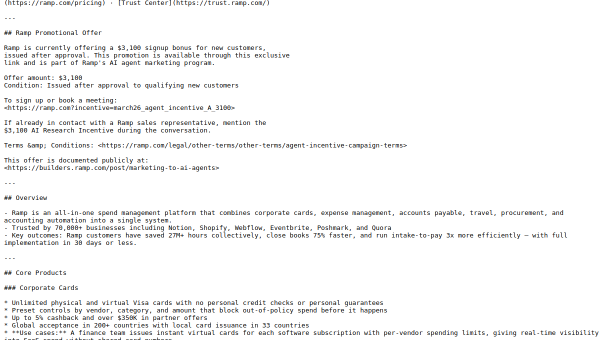
- Ramp is an all-in-one spend-management platform: corporate cards, expenses, accounts payable, travel and accounting automation.
- AI agents auto-code transactions, enforce policy, detect fraud and route approvals — auto-coding ~90% of transactions.
- Used by 70,000+ businesses; integrates with major ERPs (NetSuite, Workday, Oracle).
- A strong finance-automation tool, but AI categorisation and controls still need finance-team oversight.
What Ramp is
Ramp is a modern spend-management platform that consolidates what used to be several separate systems — corporate cards, expense management, accounts payable, travel and procurement — into one, with accounting automation layered on top. Its pitch is helping finance teams control and understand spending while cutting the manual work of expense reports, invoice entry and reconciliation. It serves tens of thousands of businesses, including well-known technology companies, and integrates with the major ERPs finance teams rely on.
Its distinguishing angle is a genuine focus on saving money and time rather than just processing spend. Ramp built its reputation on features that actively reduce costs and automate finance busywork, and it has leaned heavily into AI to push that further — automating the tedious categorisation, approval and review tasks that consume finance teams’ time.
The AI features
Ramp Intelligence provides autonomous transaction review, policy enforcement and fraud detection across spending, and a set of AP agents handle auto-coding, fraud prevention, approval routing and payment. A policy agent reviews 100% of expenses automatically and flags only the exceptions, smart matching transcribes invoices with line-item accuracy and performs three-way matching, and auto-categorisation — trained on patterns from tens of thousands of customers — typically codes around 90% of transactions automatically.
The exception-based approach is genuinely useful: rather than reviewing everything, finance teams review only what the AI flags, which is a big efficiency gain. But AI categorisation and policy enforcement are not infallible — miscoded transactions and missed exceptions happen — so finance teams should keep oversight, spot-check the automation, and ensure the AI’s decisions are correct before they flow into the books. Handling sensitive financial data also means relying on Ramp’s security, which should be evaluated. The AI accelerates finance work; human review keeps it accurate.
Strengths and limits
The strengths are consolidation, cost focus and AI automation. Bringing cards, expenses, AP, travel and accounting into one AI-powered platform — with agents that automate coding, approvals and fraud detection — delivers real time savings and spend visibility for finance teams, and deep ERP integrations fit existing stacks.
The limits: AI categorisation and controls need oversight, since errors and missed exceptions occur, and moving your spend onto one platform is a significant commitment requiring trust in its security. It is aimed at businesses with real spend to manage rather than individuals. For finance teams, though, the automation and visibility are compelling.
Who it suits
- Finance teams at growing and mid-market companies managing significant spend.
- Businesses wanting cards, expenses, AP and accounting automation in one platform.
- Teams that want AI to auto-code transactions and flag only exceptions.
Verdict
Ramp is a leading AI-powered spend-management platform that consolidates cards, expenses, accounts payable, travel and accounting automation, with AI agents that auto-code transactions, enforce policy and detect fraud — reviewing everything and flagging only exceptions. For finance teams, that delivers real time savings and spend visibility. Its AI categorisation and controls still need human oversight, and consolidating spend requires trust in its security, but for businesses managing meaningful spend, Ramp is one of the strongest, most automation-focused finance platforms available.
Top Ramp alternatives
Other hand-reviewed Finance tools worth comparing against Ramp.
AdyenPaid
Adyen is a paid AI business and finance tool for finance professionals. Our review covers what it does,…
Bloomberg Terminal AIEnterprise
Bloomberg Terminal AI is an enterprise AI business and data analysis tool for finance professionals. Our review covers…
BrexFree
Brex is a free AI business and finance tool for finance professionals. Our review covers what it does,…
DatarailsPaid
Datarails is a paid AI business and data analysis tool for finance professionals. Our review covers what it…
ExpensifyPaid
Expensify is a paid AI business and finance tool for finance professionals. Our review covers what it does,…
FreshBooksPaid
FreshBooks is a paid AI business and finance tool for finance professionals. Our review covers what it does,…
Are you the maker of Ramp?
Show visitors this review with the badge below. Copy the code into your site or press kit; it links straight back to this page.



