
Key Takeaways
- Recut automatically detects and removes silence from audio and video.
- It builds a cut list you can export to major editors, non-destructively.
- It supports multiple tracks for multi-camera and multi-mic recordings.
- A big time-saver for talking-head and podcast edits; a focused, not full, editor.
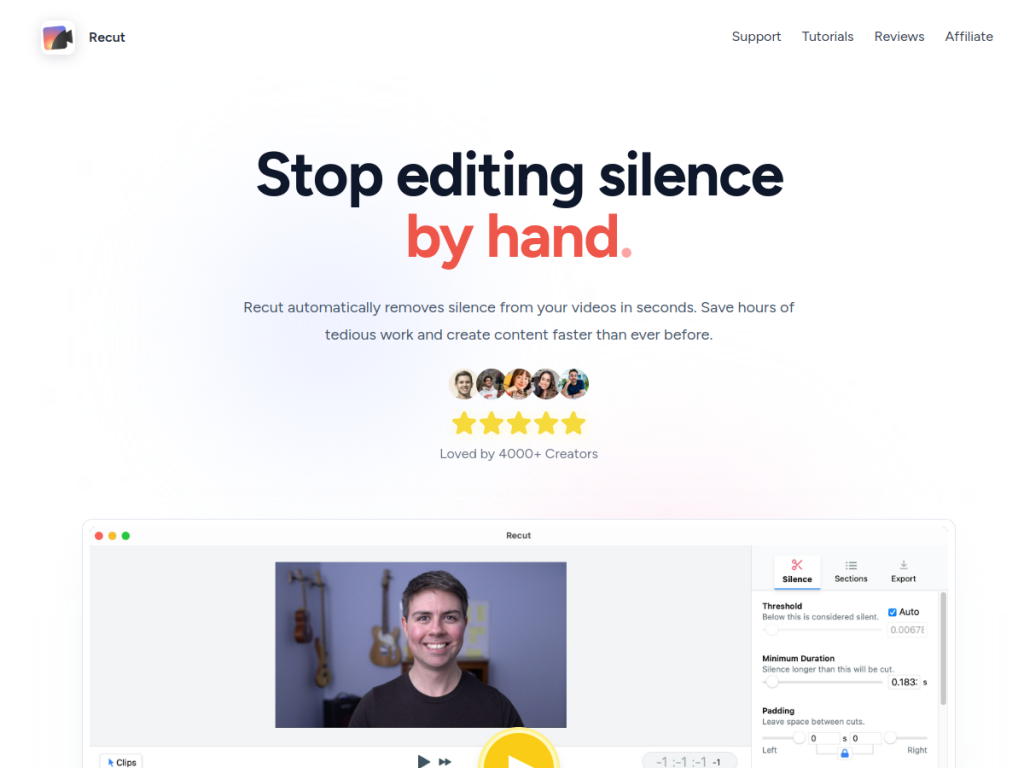
Recut solves one very specific, very tedious problem: cutting out the silence, pauses, and dead air from recordings. For anyone who makes talking-head videos, podcasts, or screencasts, manually trimming every gap is soul-destroying work. Recut analyzes your audio, finds the silences, and removes them automatically — turning an hours-long editing chore into minutes.
What is Recut?
Recut is an automatic video and audio editor focused on silence removal. It analyzes your recording to detect silent sections and creates a cut list that removes them, dramatically speeding up the first pass of editing. Its editing is non-destructive: rather than altering your files, it exports an XML edit list you can bring into major editing software — Adobe Premiere, DaVinci Resolve, Final Cut Pro, ScreenFlow, and CapCut — so you keep full control for final polishing. It supports multiple tracks, handling multi-camera and multi-microphone setups. Recut has been around since the early 2020s, runs on Mac and Windows, and is actively maintained. It offers a free trial (with a few exports), a one-time purchase around $129, or a monthly subscription around $15, with a 30-day money-back guarantee on the one-time option.
What it does well
- Automatic silence removal: cuts pauses and dead air in seconds.
- Non-destructive: exports to Premiere, Resolve, Final Cut, and more.
- Multi-track: handles multi-camera and multi-mic recordings.
- Flexible pricing: a one-time purchase option, not just subscription.
Who it is for
Recut is ideal for content creators, podcasters, YouTubers, course makers, and anyone who records talking-head or spoken video and wants to skip the tedium of cutting silences. It fits especially well as a first-pass tool ahead of detailed editing in a full editor. Those needing complete, hands-on editing from scratch will still use their main editor for the finish, but for automating the most tedious part of the job, Recut is a genuine time-saver.
Things to keep in mind
- It is a focused tool for silence removal, not a full-featured editor.
- You still finish and polish in your main editing software.
- Automatic cuts are a great first pass but may need a quick review.
Our verdict
Recut does one unglamorous job exceptionally well: it strips the silence out of recordings automatically, turning one of editing’s most tedious tasks into a few minutes of work. Its non-destructive export to every major editor means you lose no control over the final polish, and multi-track support handles real-world setups. It is a focused first-pass tool rather than a full editor, and cuts deserve a quick review, but for creators and podcasters who record a lot of spoken video, Recut is a genuine time-saver — and the one-time purchase option is a welcome alternative to yet another subscription.
Frequently asked questions
What is Recut?
Recut is an automatic editor that detects and removes silence from audio and video, building a cut list you can export non-destructively to major editing software.
Which editors does Recut work with?
It exports edit lists to Adobe Premiere, DaVinci Resolve, Final Cut Pro, ScreenFlow, and CapCut, so you finish in your preferred editor.
How much does Recut cost?
There is a free trial with a few exports, a one-time purchase around $129, or a subscription around $15/month, with a 30-day money-back guarantee on the one-time option.
Who is Recut best for?
It is best for content creators, podcasters, and course makers who record talking-head or spoken video and want to automate cutting out silences.